


Participating Frequently
October 24, 2021
Answered

How to achieve conditional formatting in PDF

  • October 24, 2021
  • 3 replies
  • 7161 views

Hello, I tried to set up some conditional formating on a PDF form and am hot sure where it went wrong. Here's what I hoped to achieve: I configured three check-box field "Check Box5.0.0.0", "Check Box5.1.0", and "Check Box5.2.0.0", and I want the three box to be filled with green, red, and purple if they're checked individually.
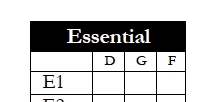
I confugured them to run a Javascript, with Mouth Up as the trigger, and the code is below:


if(event.target.value != "Off")

    this.getField("Check Box5.0.0.0").fillColor = color.yellow;

else

    this.getField("Check Box5.0.0.0").fillColor = color.transparent; 


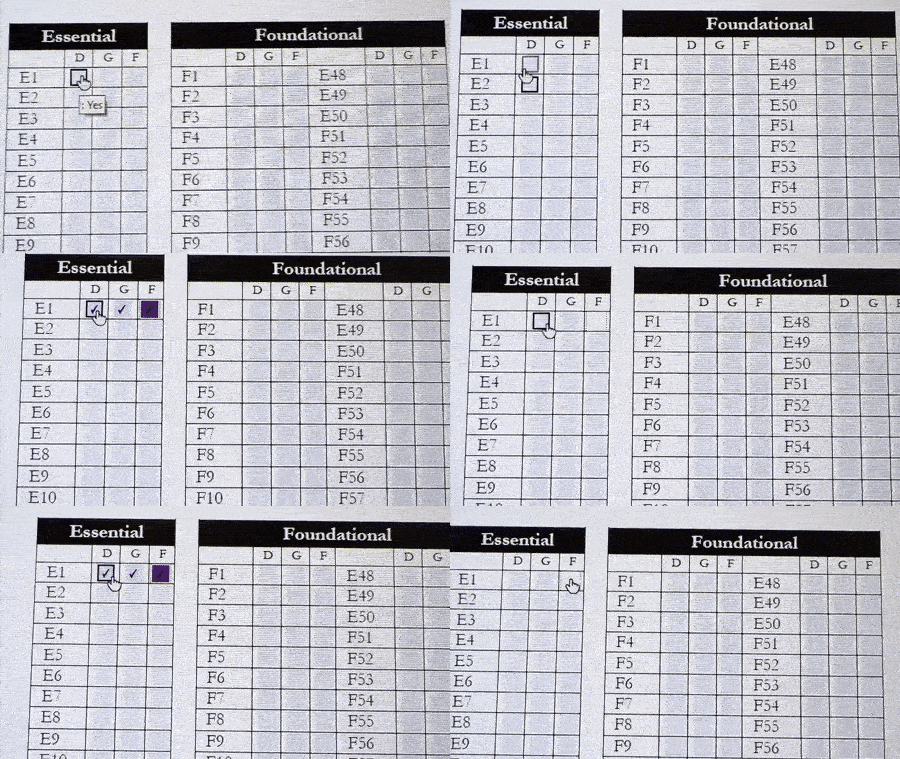
I edited the form on MacOS and it seems to be working, but when I later open it up on a PC, it behaves really strange. Same thing happened when I opened it on a differnet Mac. Once I checked another box, it'll clear up the color for the previous check-box. Not sure where I got it wrong. Thanks!
 

This topic has been closed for replies.
Correct answer try67

You have to disable fields highlighting in order to see the fill color of the fields when they are not in focus.

3 replies

try67
Community Expert
try67Community ExpertCorrect answer
Community Expert
October 25, 2021

You have to disable fields highlighting in order to see the fill color of the fields when they are not in focus.

Participating Frequently
October 25, 2021

That's it!!!! I added a document script to disable highlighting and it works like magic! Thank you so much!

Participant
December 9, 2023

Could you please share the document script to disable highlighting


Bernd Alheit
Community Expert
Community Expert
October 25, 2021
Participating Frequently
October 25, 2021

It's still behaving strangly once I open it on PC. I edited the file a bit so the four check boxes don't change color at the same time. For some reason it's still not working.

Nesa Nurani
Community Expert
Community Expert
October 25, 2021

What software you use on PC?

Did you work in preview mode on your Mac?

Participating Frequently
October 25, 2021

All machines are using the latest version of Acrobat Pro. 

Can you clarify what do you mean in preview mode? I'm not using the Preview app that comes with MacOS, that video is taken on a PC.

Nesa Nurani
Community Expert
Community Expert
October 25, 2021

Could you share your file here so we can take a look?