


Participating Frequently
February 27, 2019
Answered

How to change the name on a Dynamic Stamp copied from the defaults?

  • February 27, 2019
  • 2 replies
  • 18920 views

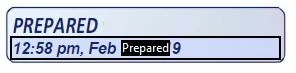
I have copied a page from the Dynamic stamp PDF to create a stamp that says "Prepared" instead of "Received".

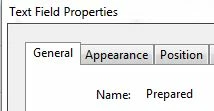
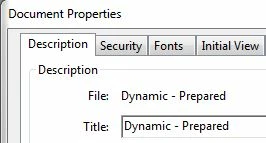
I have updated it on the blue background of the PDF, the forms page, the text field properties screen, the title of the document and everywhere else I can see but when I add it to the ENU folder it still says Received, not Completed when added as a stamp to a document. It does pull in the correct time/date so I know it is updating portions correctly.

Does anyone know where I need to change to get the Dynamic stamp to say completed instead of the Received that it was copied from?
This topic has been closed for replies.
Correct answer Karl Heinz Kremer

I wrote up a tutorial about how to do that a few years ago: Modify Dynamic PDF Stamps in Acrobat - KHKonsulting LLC

As Them said, restarting Acrobat is important for this to work. To check the name of the stamp, you would use the procedure outlined in Thom's article here: https://acrobatusers.com/tutorials/print/dynamic_stamp_secrets  - Look for the section titled "The Stamp Name"

2 replies

Karl Heinz  Kremer
Community Expert
Karl Heinz KremerCommunity ExpertCorrect answer
Community Expert
February 27, 2019

I wrote up a tutorial about how to do that a few years ago: Modify Dynamic PDF Stamps in Acrobat - KHKonsulting LLC

As Them said, restarting Acrobat is important for this to work. To check the name of the stamp, you would use the procedure outlined in Thom's article here: https://acrobatusers.com/tutorials/print/dynamic_stamp_secrets  - Look for the section titled "The Stamp Name"

scottnoAuthor
Participating Frequently
February 27, 2019

Is there anywhere online that has a group of stamps you can download to supplement the ones that come from Adobe? Or does everyone go through and make their own? I know there are a lot that wouldn't be useful to everyone but you'd think there would be a handful everyone would use at some point? I just don't know where to turn to get this one to work.

scottnoAuthor
Participating Frequently
February 28, 2019

Thom, I think you're right. I know I'm selecting the pdf I've been editing as it creates a new Stamp category called Dynamic - Prepared in the stamp menu. That is the only PDF with that name and a single page which I have edited with the information above. But when I run the selectedAnnots[0].AP code it does come up and say #DReceived.

Needless to say I'm a beginner at creating these, any suggestions on what my next step would be to get it tied to the correct template PDF?


If I try to set up the new dynamic stamp by using the create button and select the pdf I'm trying to use I get the full pdf page and the stamp in the middle (see pic) how do you set it so it ignores the rest of the page and just pulls in the used space? I think that's where I'm most confused and why I'm trying to copy a template. If I knew how to use a section of Excel I would make a stamp using some cells and then tie it over. I think I understand how to get the By xxx and Time copied over.

scottnoAuthor
Participating Frequently
February 27, 2019

I have also updated the page template to say Prepared instead of received. I still get the stamp that was created by default showing received, not prepared.

Thom Parker
Community Expert
Community Expert
February 27, 2019

Did you completely shutdown Acrobat and restart?

Have you checked the name of the stamp that's place against the stamp name in the page template?

Thom Parker - Software Developer at PDFScriptingUse the Acrobat JavaScript Reference early and often
scottnoAuthor
Participating Frequently
February 27, 2019

I restarted my computer to try and make sure it was fully reset. I'm not sure I'm following what you said about "the name of the stamp that's place against the stamp name in the page template?