


Participating Frequently
May 10, 2018
Question

Make field dependent on total number of radio buttons input variable.

  • May 10, 2018
  • 4 replies
  • 3013 views

On the PDF form I have created I would like to create the following functionality.

  • If all standards (1.1.1, 1.1.2, 1.1.3) are "meeting" then standard 1.1 rating is "Meeting Standard "
  • If any standards (1.1.1, 1.1.2, 1.1.3) are "working towards" then standard 1.1 rating is "Working Towards Standard"
  • If no criteria selected then "Not Yet Rated" is displayed.

I have followed these steps to achieve this but the calculation is not performing correctly.
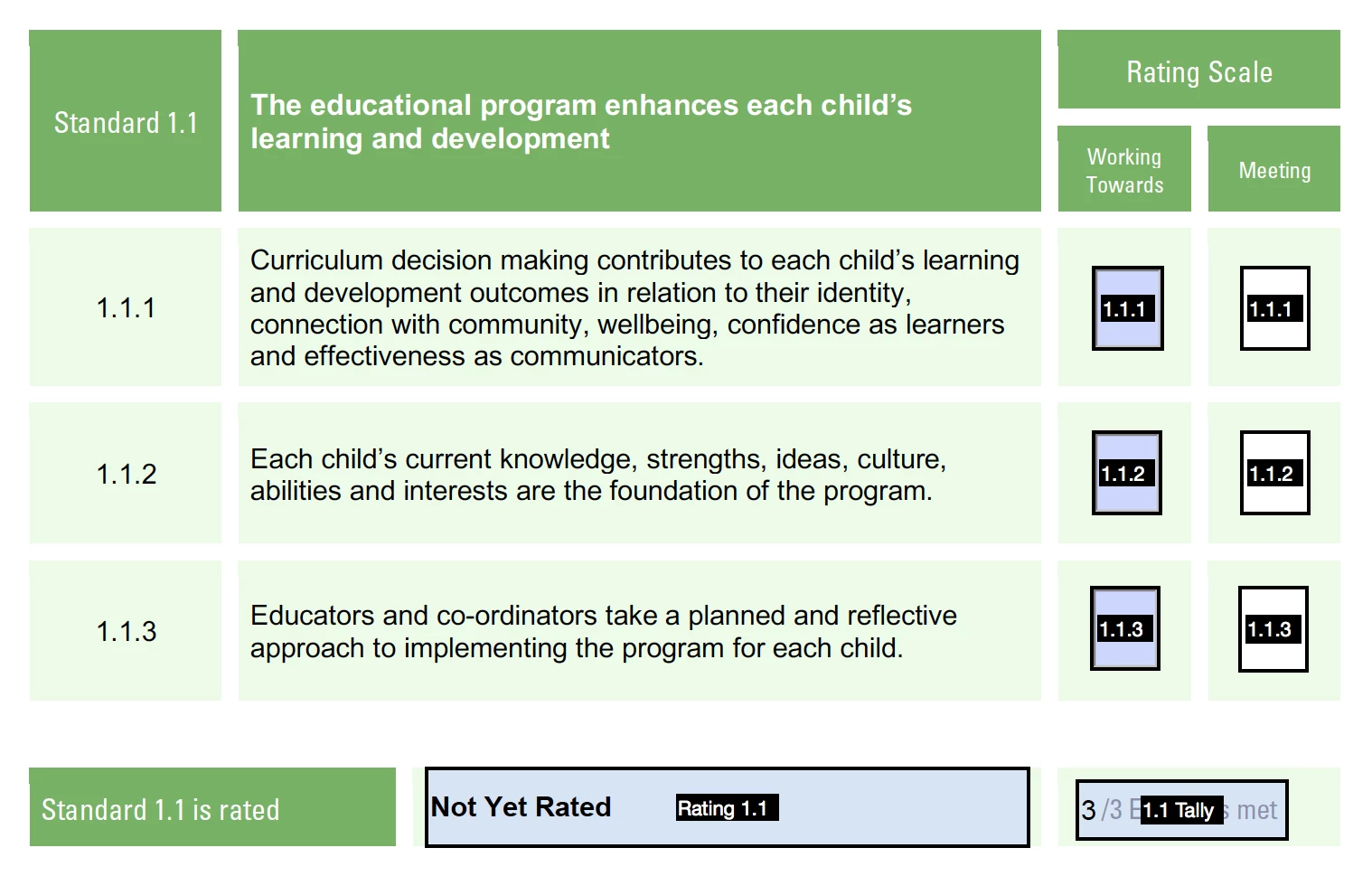
  1. I have set radio buttons fields "1.1.1, 1.1.2, 1.1.3" to = 1 for Meeting and = 0 for Working towards.
  2. I have created a tally "1.1 Tally" that sums these (working correctly - displays 1,2,3 as the 3 Meeting boxes are selected - counts back down if changed to working towards)
  3. I have added a calculation to field "Rating 1.1"

var Tally = this.getField("1.1 Tally").value;

if (Tally == 3) {

event.value = "Meeting Standard";

}

else if ((Tally <= 3) && (Tally >= 0)) {

event.value = "Working Towards";

}

else {

event.value = "Not Yet Rated";

}

However - I get the following results (the Tally field e.g. 3/3 is always correct)

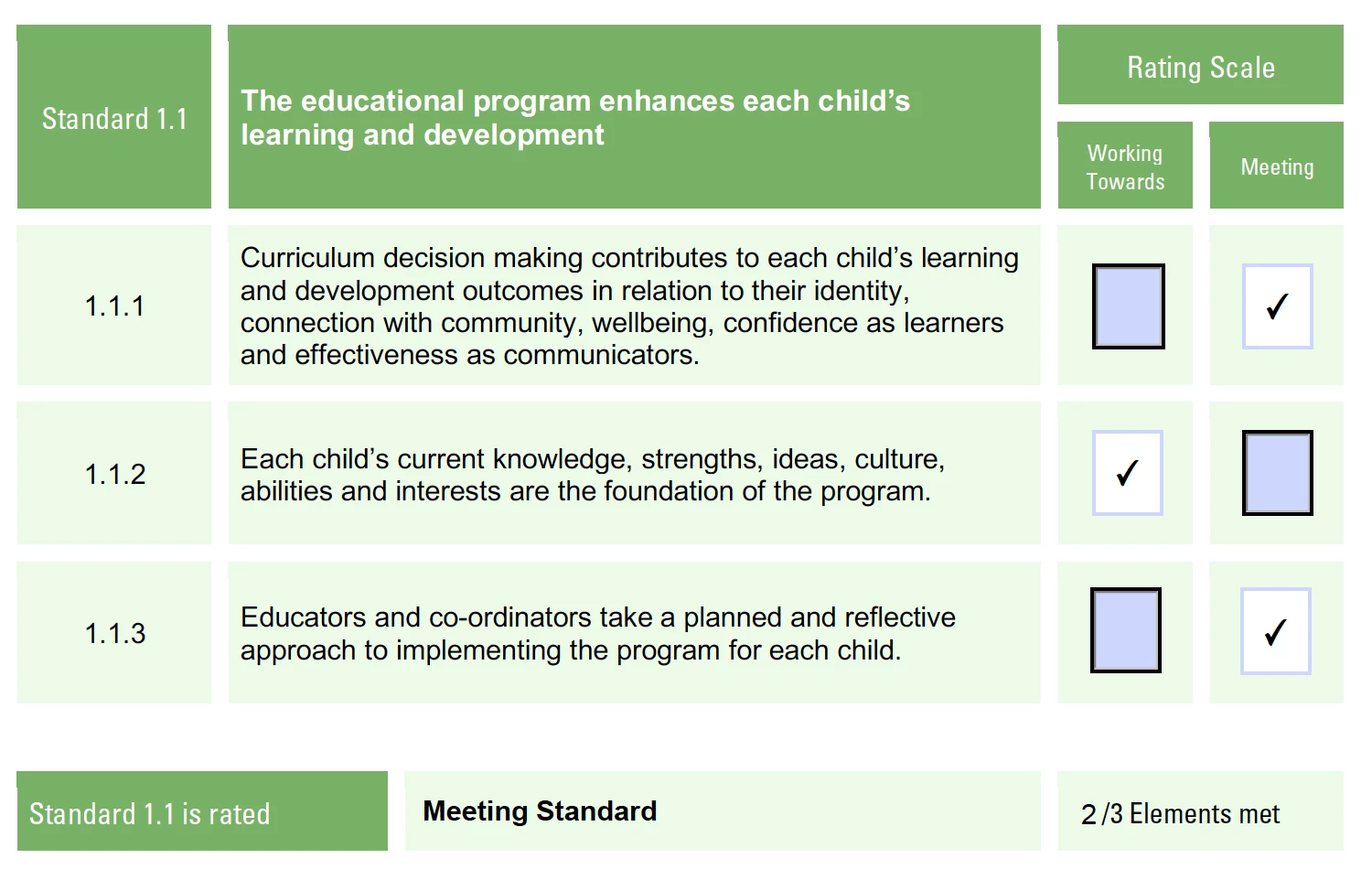
1 x Working and 2 x Meeting = Meeting Standard (incorrect)
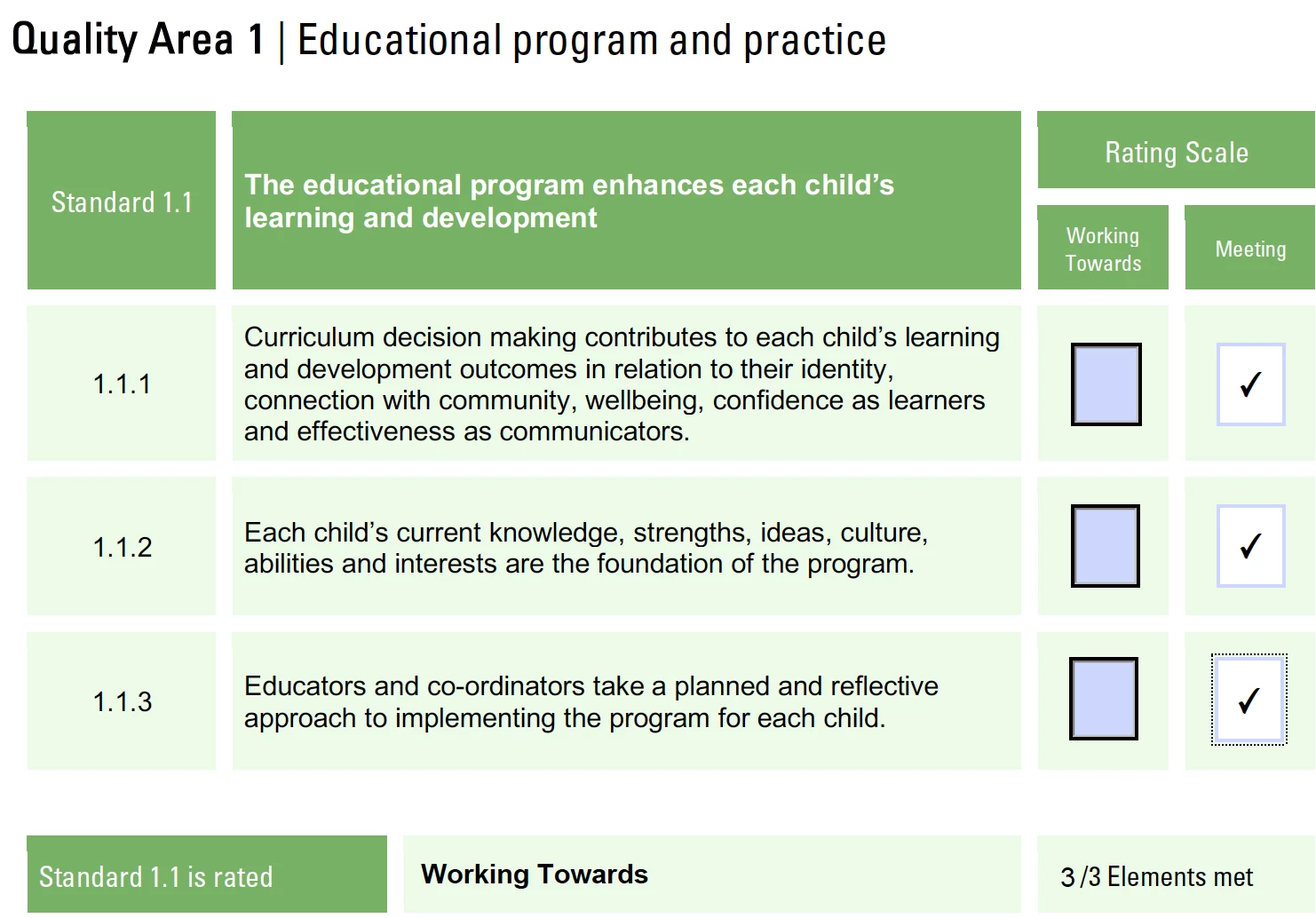
3 x Meeting = Working Towards (incorrect)
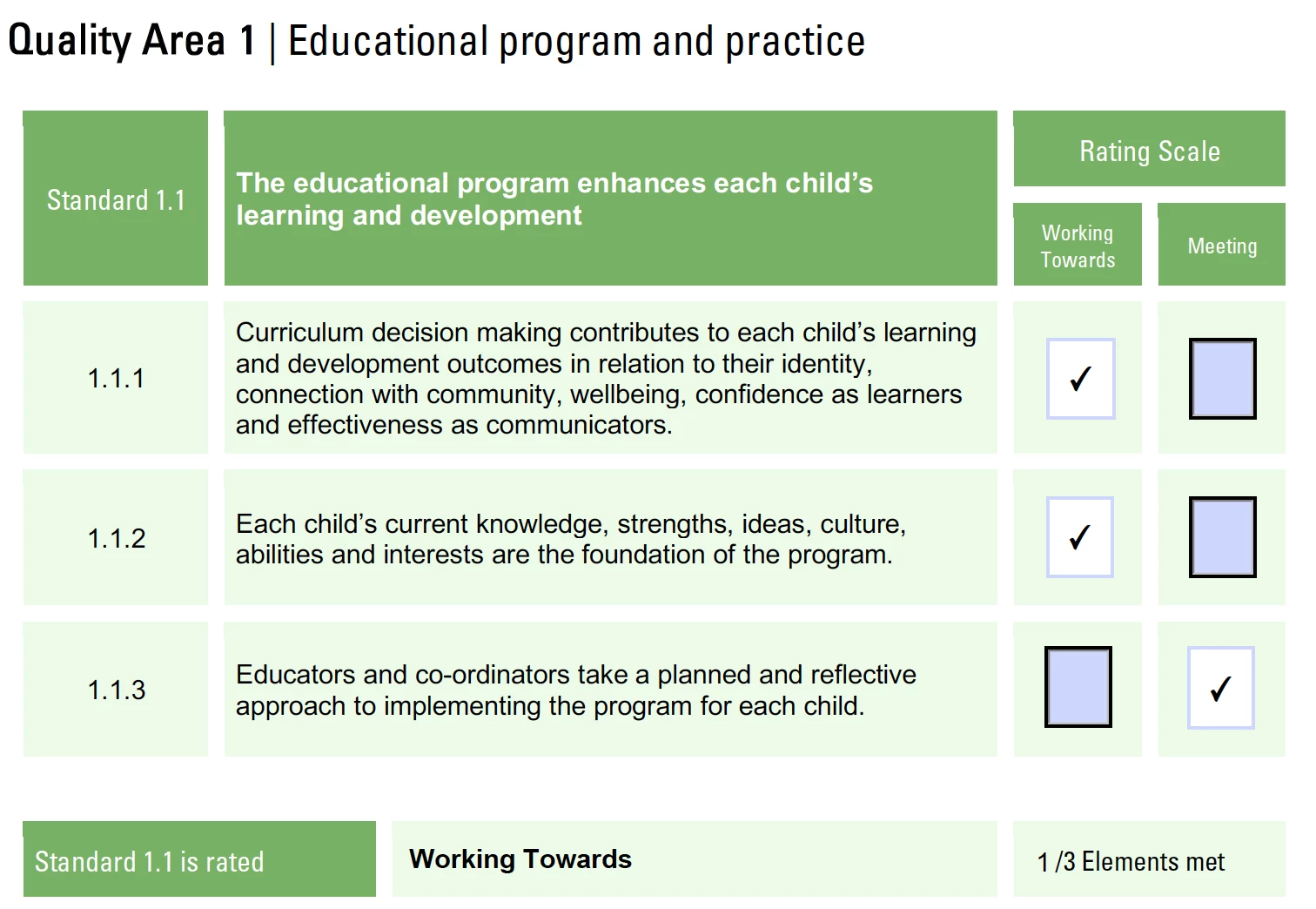
2 x Working 1 x Meeting = Working Towards (correct!)
Please, can someone help me understand my error? I have never used Javascript before

Thank you

This topic has been closed for replies.

4 replies

Inspiring
May 12, 2018

I tested it myself.  There is a problem with it so try this instead:

//Counts how many Un-checked boxes there are

var isOff = 0

for (var x=1;x<=3;x++){

   var f = this.getField("1.1."+x)

   if (f.value == "Off") isOff++

}

//If all three are un-checked, shows blank

if (isOff == 3) event.value = ""

//If at least one is checked, sum only those that have a value of 1

else{

    var sum = 0

    for (var x=1;x<=3;x++){

       var f = this.getField("1.1."+x)

       if (f.value == 1)  sum++

    }

   //and display the sum

   event.value = sum

}

For some reason, isBoxChecked(0) only returned true when the first check box was checked, not the second one.......So I tested its value instead.  For the sum part, I tested if the value is equal to 1 (because it is the only case where the value will be incremented) and just used the increment operator "++"

Participating Frequently
May 12, 2018

Thanks MatLac!

This worked.

Would you please mind checking this script for me. Now that I have Rating 1.1 1.2 and 1.2 correctly populating I would like to total the number of ratings that are "meeting"

I have tried to first assign each variable a value of 1 only if the field value is Meeting. Then I would like to sum these together so I get a number /3

if (this.getField("Rating 1.1").value =="Meeting") {

    var v1 = 1

} else {

    var v1 = 0

}

if (this.getField("Rating 1.2").value =="Meeting") {

    var v2 = 1

} else {

    var v2 = 0

}

if (this.getField("Rating 1.3").value =="Meeting") {

    var v3 = 1

} else {

    var v3 = 0

}

var sum = v1 + v2 + v3

event.value = sum

If all are "Meeting" I correctly get a value of 3 however - if two of the rating fields are Working Towards and the other Meeting, I get a value of 1.

Inspiring
May 14, 2018

This seems ok altought it is a bit long.

You could really shorten it by assigning a 0 value from the sart to all three variables and increment it to 1 only if needed like so:

var v1 = 0

var v2 = 0

var v3 = 0

if (this.getField("Rating 1.1").value =="Meeting") v1++

if (this.getField("Rating 1.2").value =="Meeting") v2++

if (this.getField("Rating 1.3").value =="Meeting") v3++

var sum = v1 + v2 + v3

event.value = sum

The middle block looks repetitive, don't it? How about using a loop and an array instead:

var aValues = [0,0,0]

for (var i in aValues){

    if (this.getField("Rating 1."+(Number(i)+1)).value =="Meeting") aValues++

}

var sum = 0

for (i in aValues) sum += aValues

event.value = sum

Well, look at that, we iterated twice in the same array.  Why not do both operations in one loop?

var aValues = [0,0,0]

var sum = 0

for (var i in aValues){

    if (this.getField("Rating 1."+(Number(i)+1)).value =="Meeting") aValues++

    sum += aValues

}

event.value = sum

We can even get rid of sum and operate directly with on the field value

var aValues = [0,0,0]

event.value = 0

for (var i in aValues){

    if (this.getField("Rating 1."+(Number(i)+1)).value =="Meeting") aValues++

    event.value += aValues

}

Do we need an array at all?  Definitly not. Lets iterate 3 times instead

event.value = 0

for (var i=1;i<=3;i++){

if (this.getField("Rating 1."+i).value =="Meeting") event.value++

}

Do we even need brackets? nope

event.value = 0

for (var i=1;i<=3;i++) if (this.getField("Rating 1."+i).value =="Meeting") event.value++

So that 17 lines code you wrote can be achieved as a 2 lines code.  Whenever you feel something is repetitive and long, it's because you are doing it wrong.  It takes experience but it will come.

Participating Frequently
May 11, 2018

Thank you! I am unsure where I should paste this - sorry I am brand new to JS. I only started last night haha

Inspiring
May 11, 2018

you paste this in the custom calculate tab of the field where you want the total to show.  As Bernd said, you need to adjust the name of your radio field in the script, or change the name of your field to what I wrote in the script.  It doesn't matter what name you use, juste make sure you use the same (it is case sensitive) and the important part is that it ends with numbers 1 to 3 so you can loop throught them.

Participating Frequently
May 11, 2018

Thanks!

It is correctly blank when nothing is selected

It is correctly 0 when all working towards is selected

if all Meeting is selected it is incorrectly showing blank

Participating Frequently
May 11, 2018

thanks for the advice. The check boxes are 1 and when all ticked the result is now meeting which is perfect.

For the tally field I have just used the simple sum calculate option and selected the three feilds. Should a use a custom calculation that says if selection made return sum if no selection return blank? 

Inspiring
May 11, 2018

Can you share the file via a google drive link?

If it shows the correct value when all three are ticked, but shows 0 otherwise, my guess is that at least one of you radio has an incorrect export value associated to the "working towards".

Also, take into consideration that if non of the two choices is made, the radio returns "Off" which cause an error in your calculation.

You might want to create a custom calculation indeed

Participating Frequently
May 11, 2018

Thanks! Here is the link: https://drive.google.com/open?id=1_sYS9EzqxZaIv_FxUKGiSsLKdZ1otqtv

In these scenarios the total is correct

WT . M

0 [ ]    1

0 [ ]    1

0 [ ]    1

Total = 3

WT . M

0 [ ]    1

0    1[ ]

0 [ ]    1

Total = 2

WT . M

0    1[ ]

0    1[ ]

0 [x ]  1[ ]

Total = 0

It is for this scenario that the total is 0 and I need it to be blank so that the form has no total and no rating when no radio buttons are selected (blank)

WT . M

0 [ ]   1[ ]

0 [ ]   1[ ]

0 [ ]   1[ ]

Total = 0

Bernd Alheit
Community Expert
Community Expert
May 11, 2018

Did you check the calculation order?

Participating Frequently
May 11, 2018

Thank you very much! I didn't even know that existed. Working now and I simplified the formula

var v1 = this.getField("1.2 Tally").value;

if (v1 == 3) event.value = "Meeting"

else event.value = "Working Towards"

regardless of if a selection is made I get the result 0 which returns "working towards" - but I would like to show "Not Yet Rated"

is there a way that I can make it so 1.1. Tally shows blank if nothing selected for the three radio button groups and  add a condition - if Tally 1.1 is blank then show  "Not Yet Rated".

Thank you

Bernd Alheit
Community Expert
Community Expert
May 11, 2018

Use this:

if (v1 == 3) { 

event.value = "Meeting"; 

else if (v1 < 3 && v1 > 0) { 

event.value = "Working Towards"; 

else { 

event.value = "Not Yet Rated";