


Known Participant
January 12, 2016
Answered

Mouse up to show field not working

  • January 12, 2016
  • 1 reply
  • 1686 views

I have a standard form where there is a portion of the field which has pre-drawn lines for the form.
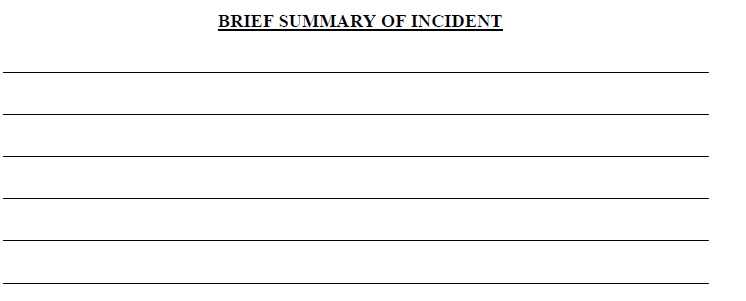
The lines need to stay for those times the form is printed and filled in by hand. However, when completed by computer, I want the lines hidden so the multi-line text typed in is not obstructed by the lines.

My thought was to make the field with a white fill background, which would hide the lines, and have the field only visible when clicked on, and then it could be filled in. Here are the settings I selected:
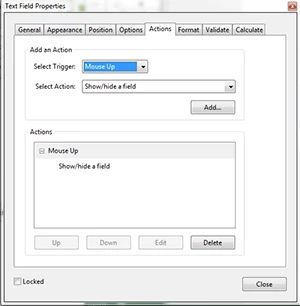
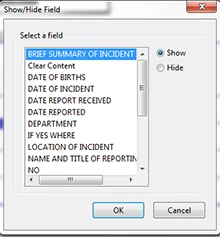
With these settings I am unable to click on the field at all, so this part of the form can't be completed. I would like to get this working, or if there is a better way to accomplish the same goal I can give that a try as well.

This topic has been closed for replies.
Correct answer try67

If you don't put anything into the field it will be hidden on the print-out, meaning the lines underneath it will be visible. The fill color of the field doesn't matter in that case.


Sorry, I made a mistake in the code... The last line should be:

f.display = (f.value=="") ? display.noPrint : display.visible;

1 reply

try67
Community Expert
Community Expert
January 12, 2016

No, that's not going to work.

You can attempt to line the text in the field with the lines, or you can use a script to show/hide this field when the document is printed, if it's empty.

So you can use the following script as the document's Will Print event:

var f = this.getField("Field name goes here");

f.display = (f.value=="") ? display.noPrint : display.visible;

This will cause the field to be hidden on the print-out (if it's empty), but still to be visible on the screen.

Edit: fixed the code

CopesqAuthor
Known Participant
January 12, 2016

Not sure what you mean by line the text in the field. I tried the script, but I don't think it accomplishes what I need. If I don't change the property of the field to a white fill, then the pre-printed lines will still be there and make the text in the field unreadable. If I do change the fill color, then when I fill in the form it prints fine, but if there is nothing in the field it prints blank, meaning it is picking up the fill color of the field property, rather than ignoring the field. Perhaps something is not correct in my transcription of your suggested script?

CopesqAuthor
Known Participant
January 12, 2016

The display property is a property of the field... If you change it with a script it will also change in the Properties window. I'm not sure what's the problem with that.

Is it working or not working, then?


Not working. With text in the field, it will display on screen with text, but will print just the blank lines, which means it will bypass the field. If I look at the field property, it say visible but doesn't print, which is why I asked my question. So right now it won't print the field whether blank or filled, unless I manually go into the property and change the field to visible.