


Inspiring
October 28, 2021
Question

Need To Place A Check Mark In A Box Based On Calculated Fields

  • October 28, 2021
  • 1 reply
  • 494 views

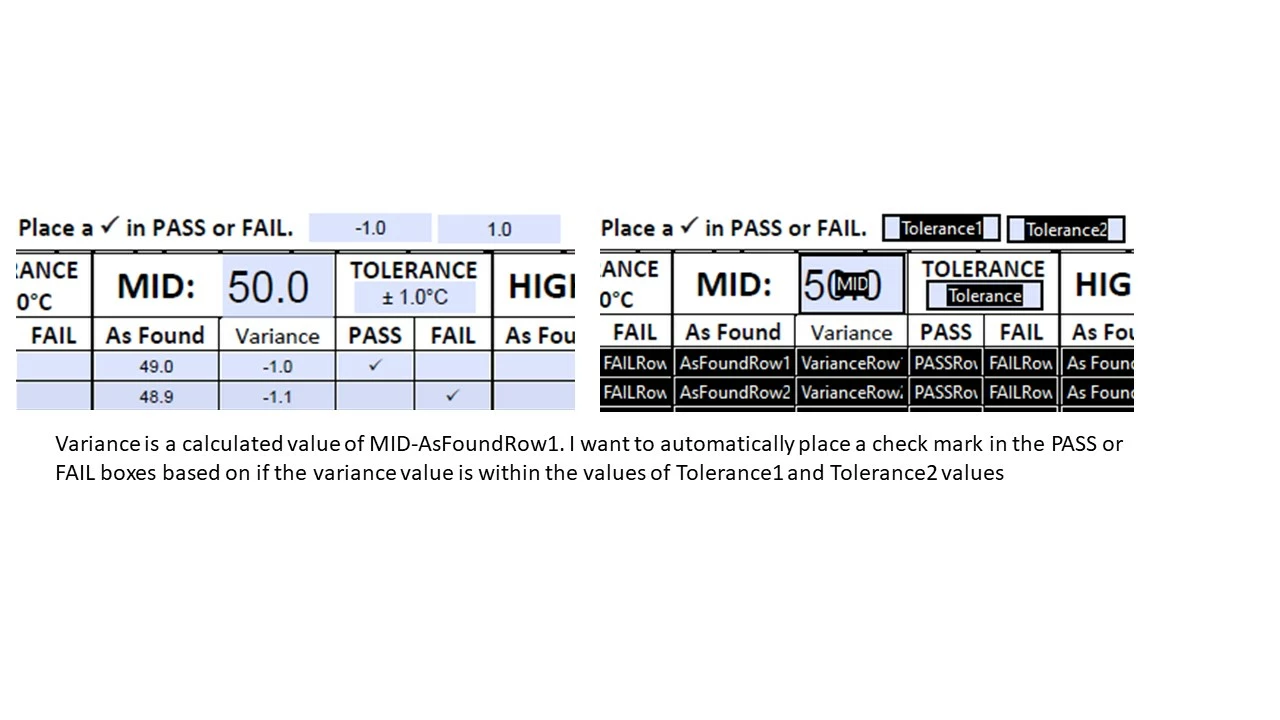
This is my first post and I'm just starting out so please excuse my lack of knowledge. I can't figure out how to place a check mark in one of two fields automatically based on a calculated value compared to a range value. Any help is highly appreciated!
This topic has been closed for replies.

1 reply

Inspiring
October 29, 2021

I 'm still trying to make this work and feel I'm close but still not there.

I can blank out the PASS field if a check mark is in the FAIL field but if I try to then add the script to blank out the FAIL field, it all stops working.


//PASS FIELD//

var VarianceRow1_2 = Number(this.getField("VarianceRow1_2").value);

if (VarianceRow1_2>-1.0 && VarianceRow1_2<1.0) event.value = resetForm(["FAILRow1_2"]);

if (VarianceRow1_2>=-1.0 && VarianceRow1_2<=1.0) event.value = "✔";

//FAIL FIELD//

var VarianceRow1_2 = Number(this.getField("VarianceRow1_2").value);

if (VarianceRow1_2<-1.0 || VarianceRow1_2>1.0) event.value = resetForm(["PASSRow1_2"]);

if (VarianceRow1_2<-1.0 || VarianceRow1_2>1.0) event.value = "✔";

Inspiring
October 29, 2021

I finally stumbled my way to the correct script. Whew! Learning by trial and error can be rough.


//PASS FIELD//

var VarianceRow1_2 = Number(this.getField("VarianceRow1_2").value);

if (VarianceRow1_2>=-1.0 && VarianceRow1_2<=1.0) event.value = "✔";

else event.value = resetForm(["PASSRow1_2"])


//FAIL FIELD//

var VarianceRow1_2 = Number(this.getField("VarianceRow1_2").value);

if (VarianceRow1_2<-1.0 || VarianceRow1_2>1.0) event.value = "✔";

else event.value = resetForm(["FAILRow1_2"])

try67
Community Expert
October 29, 2021

It's not quite correct... This part is wrong:

VarianceRow1_2<-1.0

It should be:

VarianceRow1_2<=1.0


Also, I would advise against using the check-mark character in your code directly.

You can replace it with this:

String.fromCharCode(10004)