


Known Participant
May 8, 2020
Question

Please I need help to generate new serial numbers on a form during each print

  • May 8, 2020
  • 2 replies
  • 4546 views

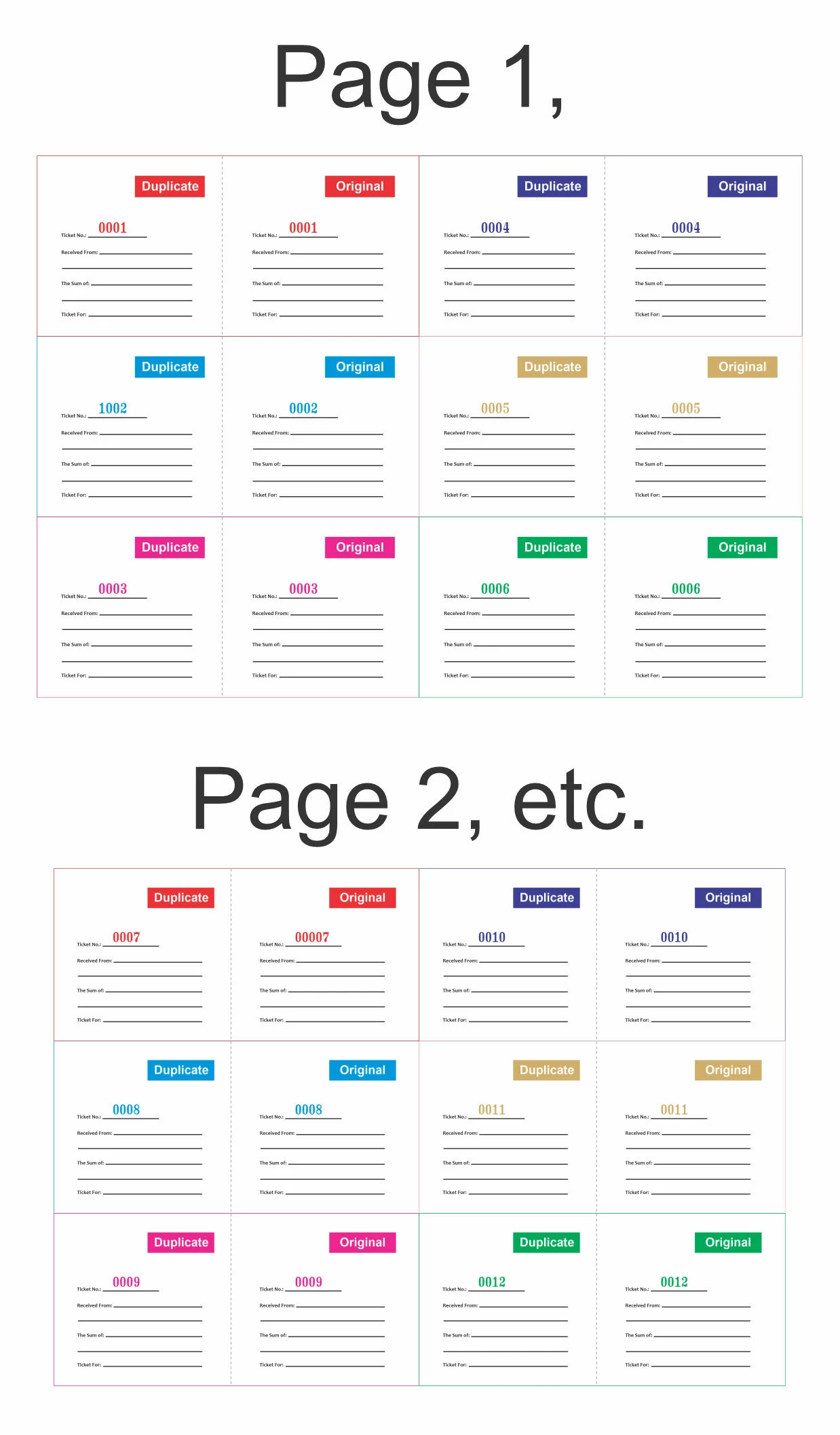
Please and please i need help getting my following attached adobe form on my PC to generate new sequential serial numbers on the specified "Ticket Number" field on the form during each print. I print lots of copies of this template, during the production, i want the form to be able to generate serial numbers on the specific field just like the illustration attached. say i send 1,000 copies of the form to print, the numbers should be generated accordingly till the last copy.

Please i will appreciate any support to this request. Thanks
This topic has been closed for replies.

2 replies

Participating Frequently
May 12, 2020

Deoptic,
Maybe you could print locally first by selecting a pdf printer (such as doc.printerName = "Adobe PDF"), which quickly generates a pdf for you. Then print this pdf (flat) on the industrial printer. Printing on paper should be fast.

Tip: rearrange your code with Thomp's correction.

try67
Community Expert
Community Expert
May 12, 2020

Not that quickly, as you'll need to manually enter the name for each file...

Participating Frequently
May 12, 2020


hi try67,
but I understand that you can send silently to the printer to avoid asking for the file name.
Returning to the Thomp correction:
var start = 1;
var doc = this.getPrintParams ();
doc.interactive = doc.constants.interactionLevel.silent;
doc.printerName = "Adobe PDF";
doc.bUI = false;
doc.bSilent = true;

for (var nSheets = 0; nSheets <10; nSheets ++)
{
   for (var i = 1; i <= 12; i ++)
      this.getField ("Ticket_No_" + i) .value = util.printf ("% 04d", start ++);
      this.print (doc);
}

Before, "Adobe PDF" printer can be configured to indicate the path and not open the printed pdf.
With several printed pdfs you can use binder.

try67
Community Expert
Community Expert
May 8, 2020

Doing that requires using a script, and you can't use the Copies field in the Print dialog because that only prints identical copies of the file, so each print needs to be in a separate command.

Known Participant
May 8, 2020

Ok, thank you try67,

are you saying it can only work like the following?

try67
Community Expert
Community Expert
May 8, 2020

It can work either way.