



populating textfield based on the drop list selection.
Hello my Friends,
I need your help for this problem and I need the code for this issue.
Here the details for this form.
In the the Status Dropbox there 3 categories ( Pending, Invoice and Release)
When I select the “Pending” Status in dropbox, then select the Reservation date and select the Deposit Dropbox (yes or No) then result in Over due text box
if “yes” selection from deposit dropbox = display in overdue textbox is “14 days"
If “no” selection from deposit dropbox = display in overdue textbox is “ 3 days”
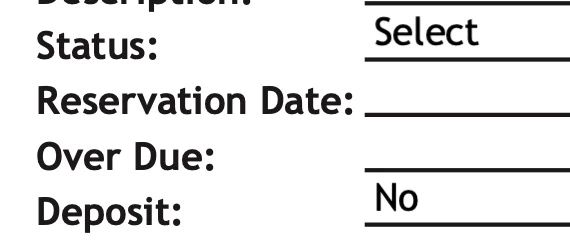
If the status select, invoice and release not showing the overdue. Mean blank only. Only the Pending showing the output in over due textbox.
Please refer the sample in excel in attached. So that you have idea what I mean. The main point there is if you change the date automatic the over due is change the no. of days.
Also, the pdf file sample but without code in over due because I don’t know how to do it.
Thanks you advance for you help.
 AdChoices