


JerryDPenny
Participating Frequently
August 7, 2016
Question

Problem with calculation in Acrobat DC Pro on Windows 10

  • August 7, 2016
  • 6 replies
  • 671 views

I have a multi-page fillable form where I do a lot of auto-population of fields and use Custom JavaScript entries for the calculations. The problem I am having is basically this..:
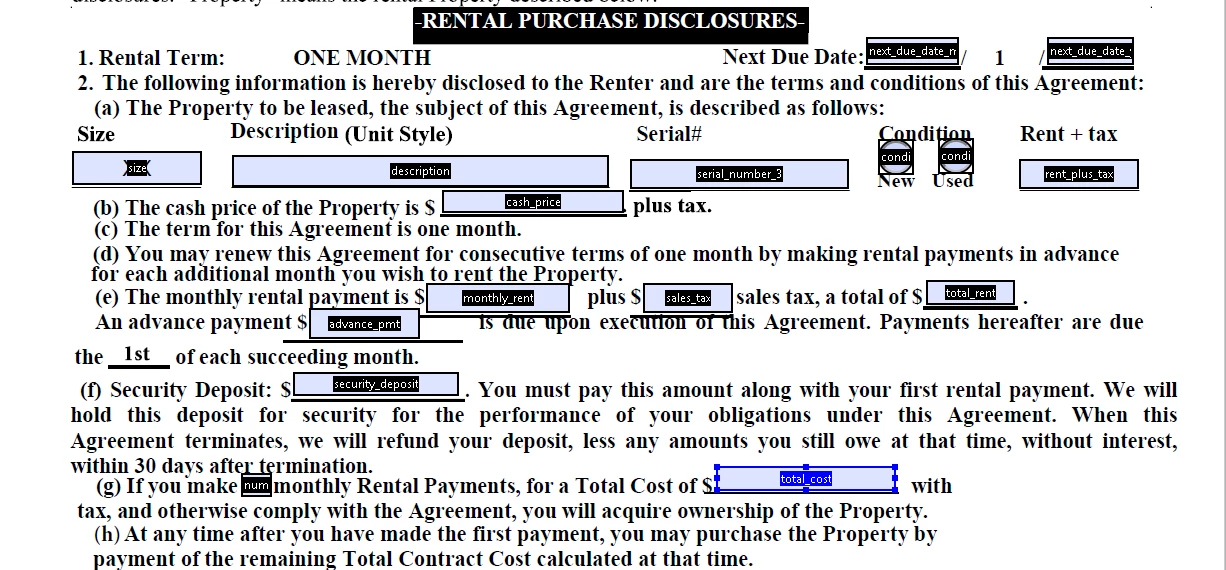
This is page 6 in the file. All works great EXCEPT the Total Cost calculation.
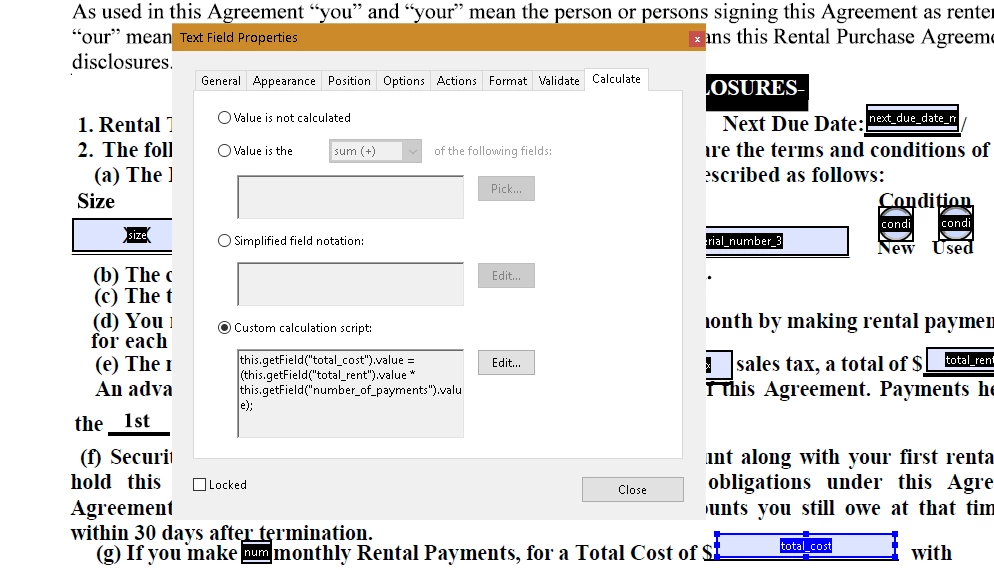
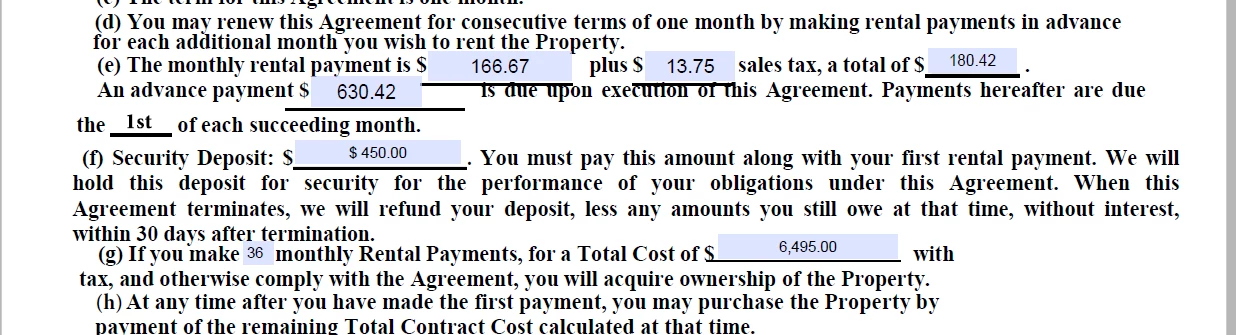
In my sample calculation of figures, total_rent = $ 180.42 and the number_of_payments field = 36 so the amount for total_cost should be 180.42 * 36 = 6,495.12.. The amount diaplayed is missing ALL of THE CENTS as shown in the next screen capture.
I am pulling my hair out trying to figure out what is going wrong here. Any help is greatly appreciated. Am new to Acrobat AND Javascript. Thanks.

This topic has been closed for replies.

6 replies

JerryDPenny
Participating Frequently
August 7, 2016

Just emailed it to you. I really appreciate your response and assistance.

JerryDPenny
Participating Frequently
August 7, 2016

If I send the form, page 1 is where the figures are entered. In the price_unit_size_x_x field, I enter 2500.00 and in the price_upgrades_from_carport_spec_sheet field I enter 500.00 then click on the 36 month radio button. The figures are then plucked from page 1 and used in the calculations for page 6.

try67
Adobe Expert
August 7, 2016

You can email it or share it with me at try6767 at gmail.com and I'll check

it out tomorrow.

JerryDPenny
Participating Frequently
August 7, 2016

Sure, or can email a copy to you. either way works as I do have Dropbox. I am not the owner of this Adobe account, my brother-in-law Gary Scott is. I am his developer for this project so I am posting the questions under his account. My email is jerrydpenny@hotmail.com so if you send me your preferred email, I will send the file for review.

How would you get or how can I allow you access to my dropbox?

JerryDPenny
Participating Frequently
August 7, 2016

Font size for ALL fields on ALL forms is set to Auto.

try67
Adobe Expert
August 7, 2016

Very strange. Can you share the file in question via Dropbox or something

like that?

JerryDPenny
Participating Frequently
August 7, 2016

All the numeric fields are set to number format with 2 decimal places. Some have leading $ sign and some do not due to original designer form creation where they placed the $ sign in the text of the form.

try67
Adobe Expert
August 7, 2016

And the font size?

try67
Adobe Expert
August 7, 2016

What Format setting did you use for the total field?