


adobesupportmissing
Participating Frequently
May 2, 2016
Question

Reinstall Adobe Acrobat 9 Standard after i did an upgrade from XP to Windows 7.

  • May 2, 2016
  • 1 reply
  • 635 views

IS THERE A SOLUTION!!!!!!!!!!!!!!!!!!!!!!!!!!!!!!!!!!!!!!!!!!!!!!!!!!!!!!!  I HAVE READ WAY TO MANY POST WITHOUT A SOLUTION  I UNINSTALLED THE PRODUCT FROM THE OLD DRIVE.  CHAT PHONE NUMBER ANYTHING!!!!!

HERE IS THE ERROR! 
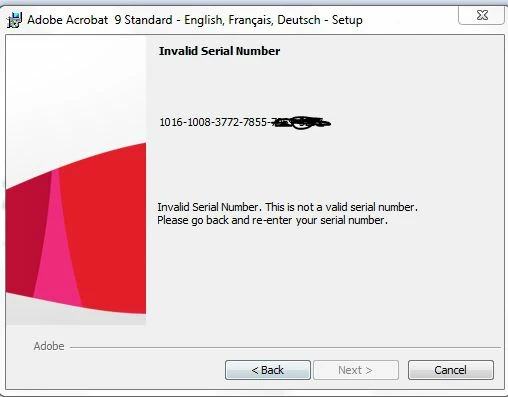
This topic has been closed for replies.

1 reply

Sarojini_Nagar
Community Manager
Community Manager
May 3, 2016

Hi Dennis Costantino,

We are sorry for the inconvenience caused.

You can try referring this article : Error "Invalid serial number" | Adobe Acrobat 9 | Adobe Creative Suite 4 and also you can try running this repair tool from this link : Adobe - Adobe Licensing Repair Tool

Let us know if this helps.

Regards

Sarojini

adobesupportmissing
Participating Frequently
May 3, 2016

Nope neither one worked, well the repair tool did not and I do not have access to the old hard drive to do the other steps.  WHY CAN'T ANYONE ON THIS FORUM GET A SOLUTION TO THIS COMMON PROBLEM!!!!!!!

Community Manager
May 4, 2016

Hi ,

Please try to install this product on different user account to replicate the issue, refer to this Link :- Adobe troubleshooting: Using or creating an admin account in Windows 7, 8, Vista

If the issue still persist ,please  go to Contact Customer Care​  so that chat representative can help after checking serial number as well using tools.

Regards,

Yatharth