Known Participant
May 21, 2020
Answered

Remove 0.00 from calculated field

  • May 21, 2020
  • 2 replies
  • 2958 views

Good day,

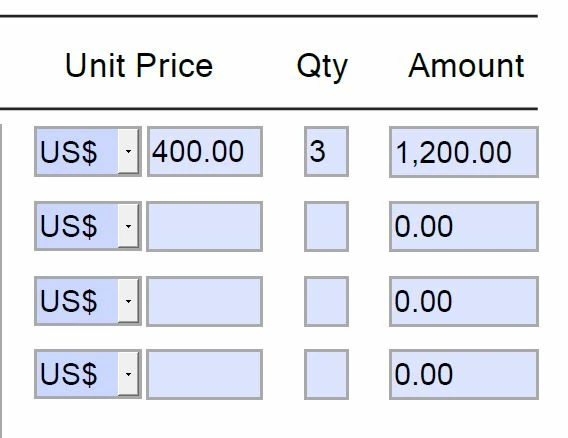
I created an invoice. Actually very simple. Quantity times price gives amount. I have 4 calculation fields. If I only want to use 1 field there will be 0.00 in the not used calculations. I would like those lines to stay empty. Is there a way to do this? the calculation in the amount field is QTY1*PRICE1......up to QTY4*PRICE4. Thank you!


This topic has been closed for replies.
Correct answer BarlaeDC

Hi Thom, I placed the script in format category "custom" but it replaces the original "numbers" category so the output is a figure without decimals. I can't think it should be that difficult. I also found out that it is not possible to divide so I had to figure out a way to calculate VAT. That works well. Now just to remove the 0.00 in not used calculation lines. Thank you!!


HI,

we can just add an else to your if to set the format, something like:

if ( event.value == 0) {
event.value = "";
}else {
var temp = +event.value; // this line is to make sure the variable is a number.
event.value = temp.toFixed(2);
}

Regards


Malcolm

2 replies

HarlemTax
Participant
May 25, 2020

I tried this solution as a solution to my PPP appllication post, and it got rid of the 2nd date field, it is now blank, but now the 56th day won't calculate.


Here's what i typed in:


if ( Covered_Period == 0) {
to = "";
}else {
var v = getField("Covered_Period").valueAsString;
// Convert string to date

var d = util.scand("mm/dd/yy", v);
// Add 56 days

d.setDate(d.getDate() + 56);

event.value = util.printd("mm/dd/yyyy", d);
}


Any ideas, thx?

Thom Parker
Community Expert
Community Expert
May 26, 2020

Please post to a new thread


Thom Parker - Software Developer at PDFScriptingUse the Acrobat JavaScript Reference early and often
BarlaeDC
Community Expert
Community Expert
May 21, 2020

Hi,


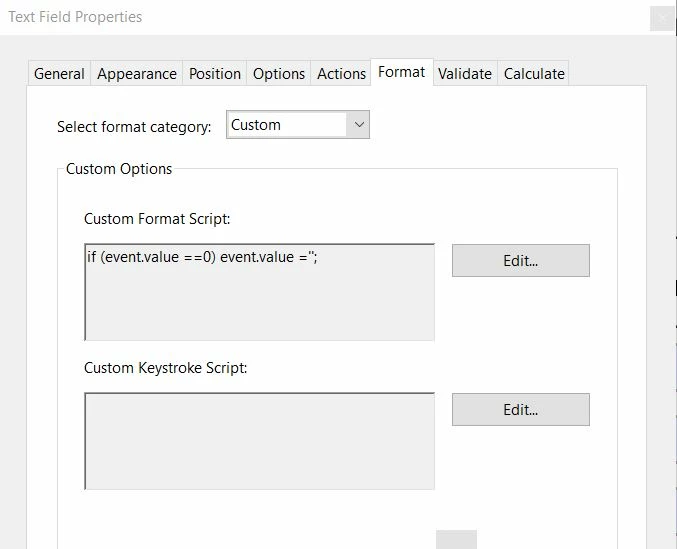
I am not sure how you calculation works, but could you not place an if and check if the value is 0, and therefore return "". Just a thought.


If you post you calculation code, it would be easier for us to suggest a solution.

Regards

Malcolm

Rob MoenAuthor
Known Participant
May 21, 2020

Hi Malcolm, please see screenshot. It is a very easy calculation. If you have an idea, please let me know! thanks


BarlaeDC
Community Expert
Community Expert
May 22, 2020

Hi Malcolm, just one last thing..... it would be great if the output 1234.55 could be like this: 1,234.55

Thanx! Best regards, Rob


Hi,


a little regex can solve that

if ( event.value == 0) {
event.value = "";
}else {
var temp = +event.value;
event.value = temp.toFixed(2).toString().replace(/\B(?=(\d{3})+(?!\d))/g, ",");
}


Regards

Malcolm