


New Participant
June 1, 2016
Answered

Sticky note appearing as icon only. Text not viewable

  • June 1, 2016
  • 2 replies
  • 1499 views

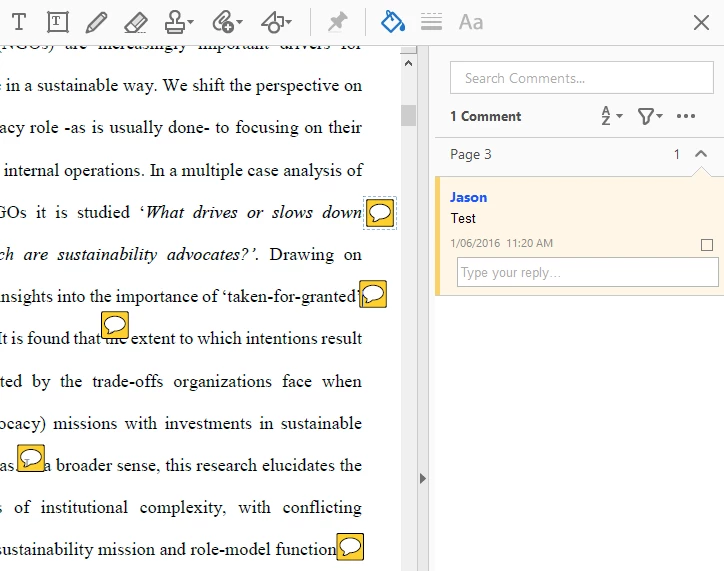
I have Acrobat DC 2015.016.20041 and all comments have become not selectable and don't display the text. If I insert a new sticky note it shows the details but all old ones are not viewable.

Top Sticky note is the new one but all others don't show. Image 1 below.

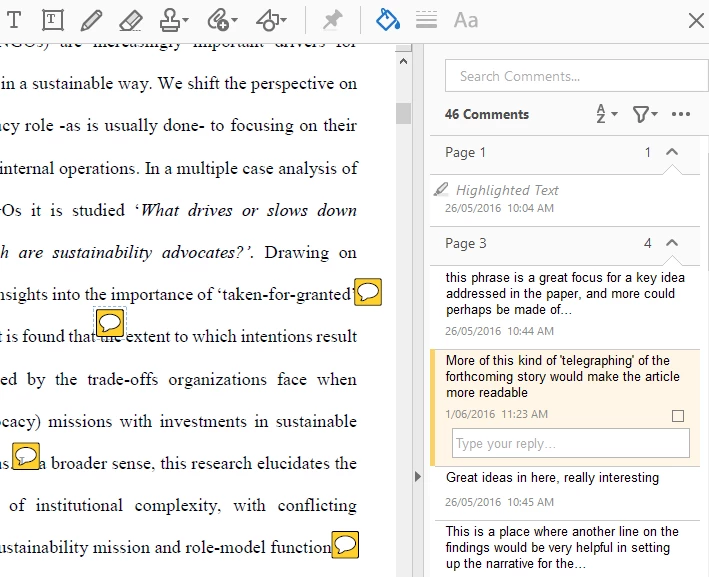
A friend opened the document in another program (not Adobe) and they can see the comments. Image 2 below.
This topic has been closed for replies.
Correct answer Adorobat

Hi jay71au ,

Try to download the latest update for Acrobat DC from here -  Acrobat Help | Release notes | Acrobat DC, Acrobat Reader DC | Update .

After downloading the update, kindly restart the computer and then open the document in Acrobat .

Let us know if it worked.

Thanks!

Shivam

2 replies

New Participant
September 13, 2017

This answer does not help me. I have the online version. It should update automatically.

Adorobat
Community Manager
Community Manager
September 15, 2017

Hi Kirstenc,

Could you please confirm the version of Acrobat you have on the machine?

You can refer to this link on how to check the version: Identify the product and its version for Acrobat and Reader DC

-Shivam

Adorobat
Community Manager
AdorobatCommunity ManagerCorrect answer
Community Manager
June 2, 2016

Hi jay71au ,

Try to download the latest update for Acrobat DC from here -  Acrobat Help | Release notes | Acrobat DC, Acrobat Reader DC | Update .

After downloading the update, kindly restart the computer and then open the document in Acrobat .

Let us know if it worked.

Thanks!

Shivam