New Participant
April 4, 2016
Answered

Submit button on form not working on iPad

  • April 4, 2016
  • 10 replies
  • 10275 views

Hi,

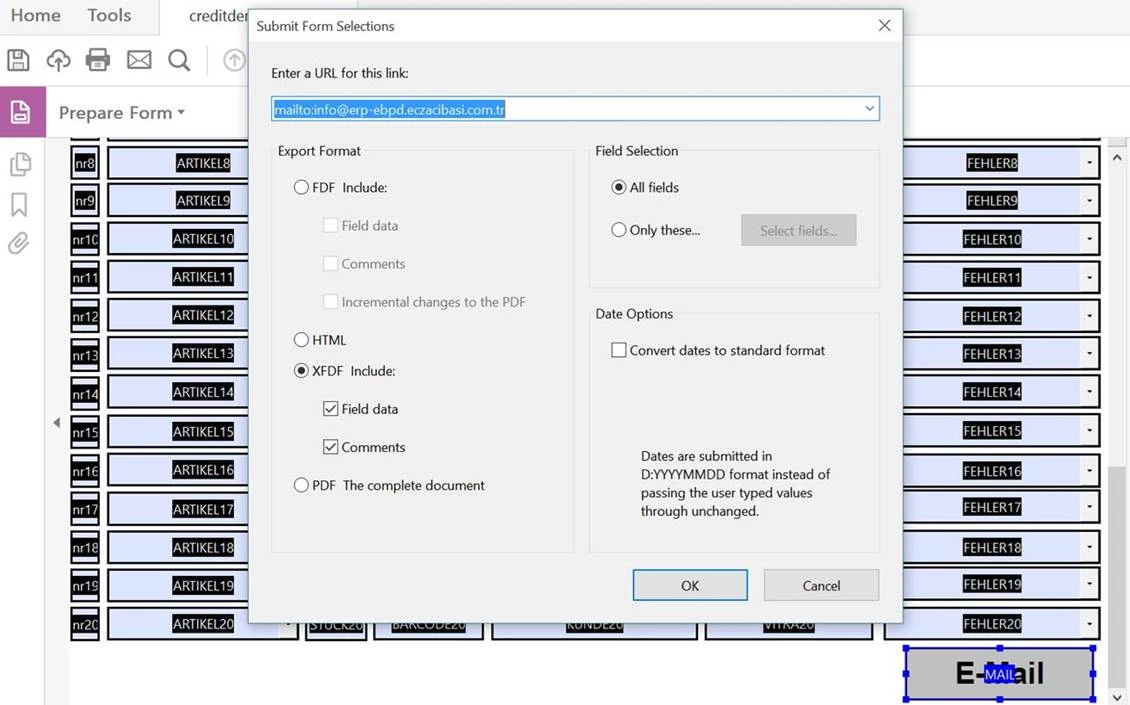
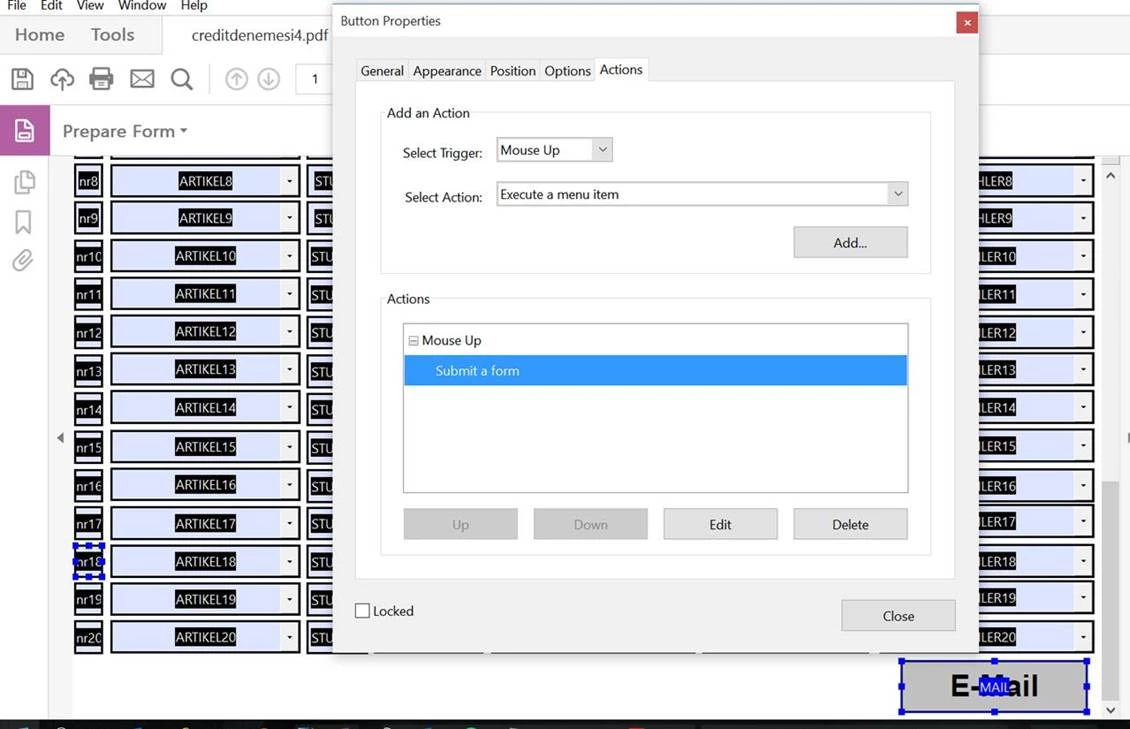
I add a Submit button on pdf via Adobe Acrobat Pro DC, and succesfully it is working on desktop.

But, it is not working on IPAD. When I click button, nothing happens.

Can you help us?
This topic has been closed for replies.
Correct answer anthonyf19797173

Hi,

I also had this issue.

Touch screen devices do not replicate the "Button down - Button up" action of a mouse click, instead they only replicate the "Button down" part.

Therefore, when programming the Submit button properties in the desktop version of Acrobat DC, set the "select trigger:" option to "Mouse Down".
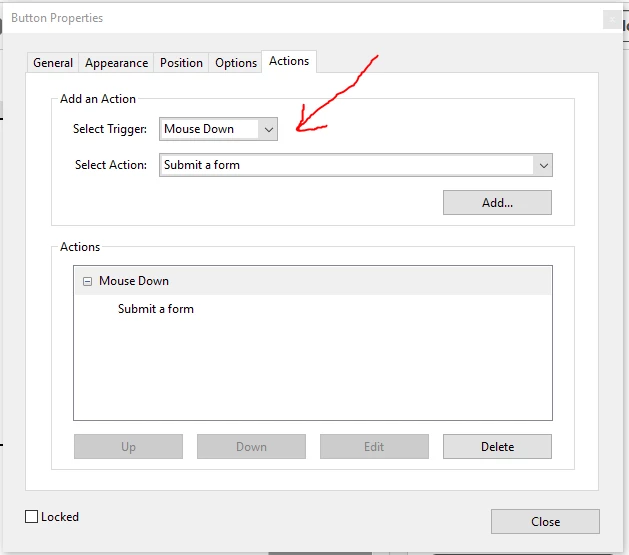
This solved it for me.

Hope this helps!

10 replies

New Participant
February 17, 2023

I got it to work by setting the trigger to Mouse Up and using the Acrobat app on my iPhone - it wouldn't work with Apple's native app but works with the Adobe app

New Participant
January 20, 2022

I have created a form with a submit button that will be used on IPads so I can't have it sent to an email, per the comments in this thread. Therefore I need to send it to a URL. I can't get it to work and was hoping for some help. Can I use sharepoint, teams or a sharesite? If not what kind of URL's work with this funtion? I have tried sending it to all of the above with no progress and am not sure if I'm doing something wrong or if it doesn't work for those.

Braniac
January 20, 2022

It's a similar situation to Submit from an HTML page. The URL must be of a special web "page" designed to read and process what is submitted. It is NOT the same as saving, so you cannot use a writable space. The URL is usually called a "script" (ASP/PHP/CGI...) and is written by a professional specialist up-to-date with the constant attacks. 

Arkwrights
New Participant
July 7, 2020

Has this been resolved as I've created a form but people on iPads still can't submit form?

kia-ora-sooz
New Participant
January 26, 2021

So has no one found any successful way to get the 'submit' button (to email) to work on ANY DEVICE other than desktop yet? This is just so frustrating!! From searching all forum posts, it seems that it doesn't matter what reader or device is used... it doesn not work unless it's submitted from a desktop. With so many people using mobile devices I'm surprised that there is no clear update/workaround for this yet. 

New Participant
February 24, 2021

Well it does depend on the app, but also on what you mean by "submit". If by submit you mean "send to an HTTP server", it can work in a number of apps. If you are, unfortunately, one of those who considers "send to an email address" to mean submitting, there's very little chance of that, and it's a good habit to get away from.


Try saving as other/reader extended PDF/Enable more tools (includes fill in and save).  Hope that helps.

anthonyf19797173
anthonyf19797173Correct answer
New Participant
December 16, 2018

Hi,

I also had this issue.

Touch screen devices do not replicate the "Button down - Button up" action of a mouse click, instead they only replicate the "Button down" part.

Therefore, when programming the Submit button properties in the desktop version of Acrobat DC, set the "select trigger:" option to "Mouse Down".

This solved it for me.

Hope this helps!

New Participant
July 5, 2019

The Mouse Down is how I originally programmed my submit button. It does not work on iPad Mini (in the built-in PDF viewer nor Acrobat) nor does it work on iPhone.

Any other recommendations?

New Participant
December 16, 2016

New update for Adobe Acrobat Reader version 16.12.15 seems to work from my ipad

Cheers

New Participant
August 4, 2016

Also interested to find a response.

bkolbay
New Participant
July 8, 2016

Has there been any movement in this area?  My PDF has a Submit to URL action on a button.  This works in Acrobat Pro on a Mac desktop and I can verify the file was uploaded, but it has zero effect in Acrobat Reader on an iPad Pro.  On the Mac, I get a confirmation dialog.  On the iPad, the only feedback is the border of the button changes upon touch.

Inspiring
August 4, 2016

Not all mobile apps are created equally. Many cannot even support form fields

It is important that you tell use the app you are using. Without this information we cannot help you.

Adobe Acrobat Reader - View, Annotate & Share PDFs does not show support for submission of forms You can fill them out and sign them and then you need have your app attach the form to an email.

JavaScript for Acrobat Reader Mobile API Reference (iOS)  shows no support for form submission by Mobile Adobe Reader for iOS.

Even the best viewer, PDF Expert, des not show support for form submission.

Inspiring
August 4, 2016

gkaiseril wrote:

Even the best viewer, PDF Expert, des not show support for form submission.

PDF Expert does support submitting forms, both to a web server and via email.

New Participant
April 5, 2016

Hi did anyone manage to find a solution to this? I have the same issue created a fillable form in DC the submit button works on the pc but open the email on a phone (any smartphone) then the submit button does not work at all...just comes up as text? HELP

Inspiring
April 5, 2016

What PDF viewer are you using on the iPad?

Community Manager
April 4, 2016

Hi barışm8108765,

Please provide the exact dot version of the software & OS installed at your system .Also check whether is there any update available for the software after going through "help > check for updates "

Follow this thread to reset the preferences for the Acrobat software :- How to reset Preference settings in Acrobat.

Would like to know is this happening with other documents as well or with this certain one .

Is this document is on server drive ,if yes then move it to the local drive & then check 

Also check with the application name using which the document originally created & also recreate the document to replicate the issue .

Regards,

Yatharth