


dfsnyemployee
Participant
October 12, 2016
Question

Text Recognition Feature does not function in Adobe acrobat pro dc

  • October 12, 2016
  • 4 replies
  • 1977 views

I am part of an organization that uses the pro version of Adobe Acrobat Pro DC

the process fails when I try to recognize any amount of pages in a pdf. I receive an error that states

"Acrobat could not accessthe regognition service because

Unable to locate the Paper Capture recognition service. Your installation may be corrupt.

This is probably due to either a low memory situation or an corrupt installation. If the problem is not cleared up by shutting down other applications and/or reboot, then please re-install Acrobat." then I click ok I get another diag box that states

"Acrobat could not perform the Text Recognition on this page because Unknown error.

I have checked the "security tab and enhanced security tabs, and the file properties have been checked to allow for that type of outside document to be unblocked. And have proceeded to check my system for RAM /Memory leaks,(none found)
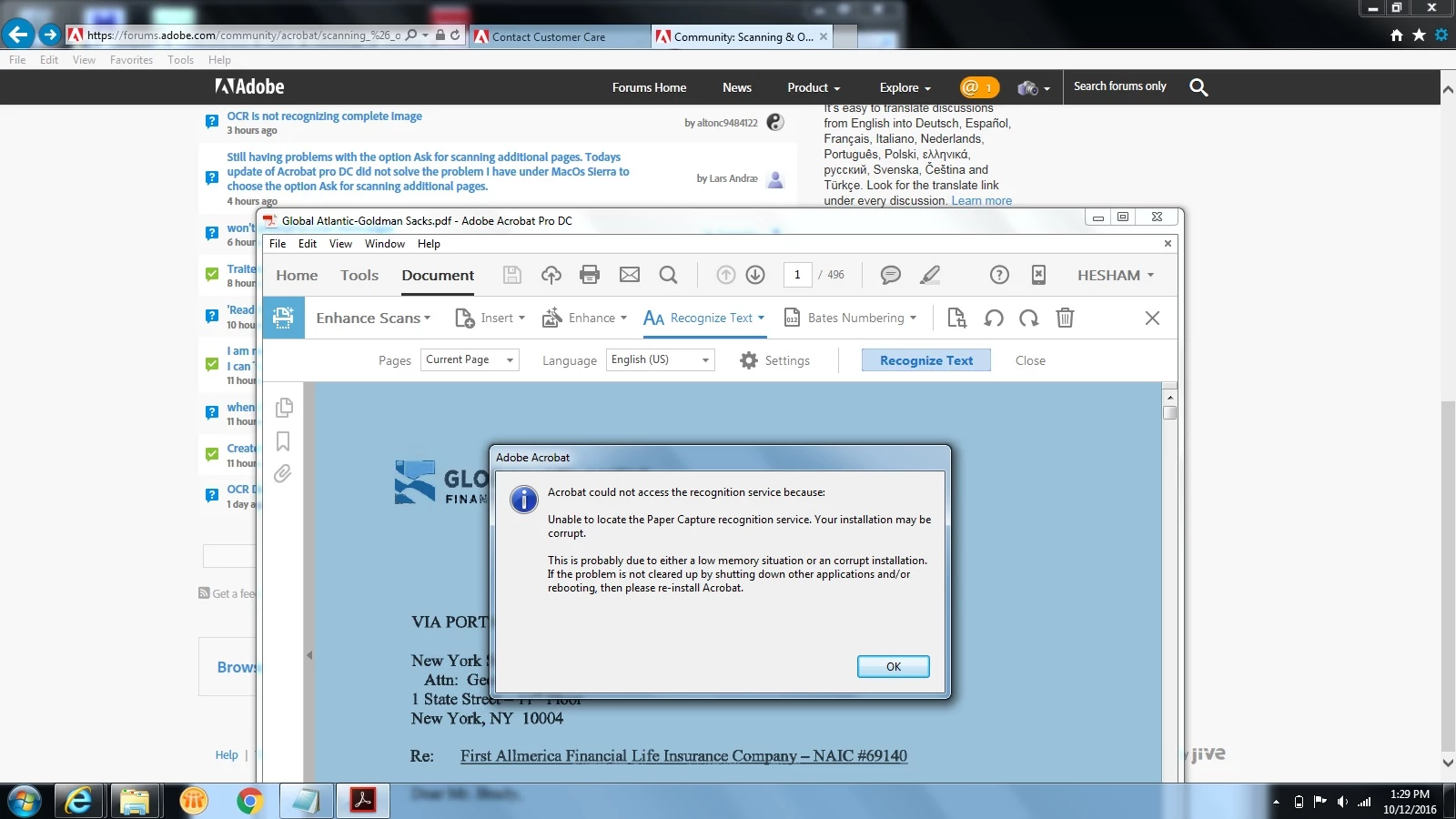
I have reinstalled several times, I then proceeded to use the the Acrobat cleaner application for DC and DC reader. then reinstall, then reboot then run everything again and reinstall, to no avail.

This topic has been closed for replies.

4 replies

Participating Frequently
July 18, 2017

found this thread:

Unable to locate the Paper Capture recognition service?

It had the key; locate the PaperCapture plug in folder and copy all of the files (taking them out of subfolders) and put them directly into the Plug_ins folder.

Participating Frequently
July 18, 2017

I have the same problem; All was working fine for years and stopped about 3 weeks ago.  I have upgraded, uninstalled/reinstalled several times without any of it working. I even have an adobe case Your Case Number:0189120028

Participating Frequently
March 27, 2017

-That's my version of Adobe DC.

-I sifted through the patches  for the month and supplied the patches that were Adobe related?

-Do you have any other questions that would help you troubleshoot this?

-I do need urgent help

Lovekesh Garg
Adobe Employee
Adobe Employee
October 13, 2016

We apologize for the issue you are facing. Can you please provide following information to help us identify and resolve the issue ASAP:

- Are you facing this issue for all files or some specific type of files like network files.

- Are you using Acrobat as standalone user or using an enterprise license

- Is this happening since you installed Acrobat or after any recent change.

Thanks.

Participating Frequently
March 24, 2017

I am experiencing this issue across all my PCs enterprise wide. It happened right after the Microsoft March 2017 security patch were applied.Here are the three Adobe patches that were included:

WRPending APSB17-07 APSB17-07 Adobe Flash Player 32-bit/64-bit ActiveX 25.0.0.127 Adobe Flash Player Important 2/28/2017 19:03

WRPending APSB17-07 APSB17-07 Adobe Flash Player 32-bit/64-bit Plugin 25.0.0.127 Adobe Flash Player Important 2/28/2017 19:03

WRPending APSB17-07 APSB17-07 Adobe Flash Player 32-bit/64-bit PPAPI 25.0.0.127 Adobe Flash Player Important 2/28/2017 19:03

How can we fix this issue? I have ascertained that these PCs have mostly 16GB RAM, so I know it's not a memory issue

Lovekesh Garg
Adobe Employee
Adobe Employee
March 27, 2017

The Version you shared were of Adobe Flash Player. It won't cause this issue. So can you please share the Acrobat version you are using.