


susang39582546
Inspiring
June 30, 2017
Answered

Working with acrobat pro cd. Trying to print a document with current date.

  • June 30, 2017
  • 1 reply
  • 839 views

I have a pdf document that does not contain any date.  When I print the document I want the current date to print.  I am looking for instructions to do this.  I've found previous versions that suggest  adding a text field and some javascript using the “document will print” feature under “document processing”, but I can’t find accurate/detailed instructions for it to work with Acrobar pro dc.  I’m not familiar with scripting.
This topic has been closed for replies.
Correct answer susang39582546

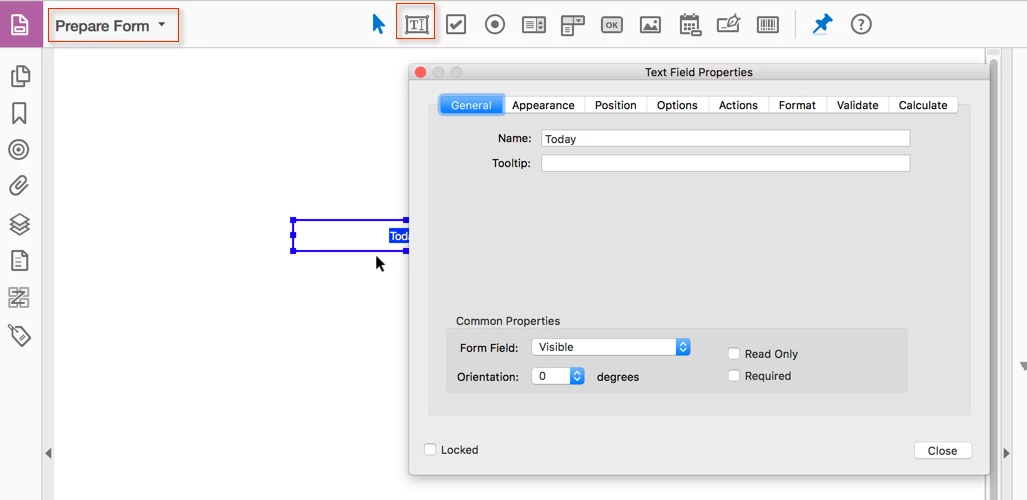
Where do you see "Common properties"? Your text field needs no special properties, just create it in the forms editor ("Prepare Form").

Just make sure that you select "Format" to "None". Then use the script that was already provided as your "Document Will Print" action. Make sure that the field name is spelled the same way in both the field's properties and the script.


I also went to the text field properties and selected "hidden but printable" and it works perfect.  The date does not appear on my document when viewing but prints current date.

Thank you very much.  I've been scratching my head for 3 days trying to figure this out.

1 reply

try67
Adobe Expert
June 30, 2017

Did you create a text field to hold the date? If so, create it and call it Today.

Now go to Tools and search for "document actions". Click on the item found (called "Set Document Actions") and you'll see something like this:

Select the Document Will Print item and click on Edit.

In the window that opens paste this code and then press OK:

this.getField("Today").value = util.printd("mm/dd/yyyy", new Date());

That's it, pretty much. Save the file and the next time you print it the field will be populated automatically.

susang39582546
Inspiring
June 30, 2017

Thanks for the info.  It didn't work for me.  I inserted a text field and called it TODAY.  Do I need to look at the properties of this text box and perhaps change something there?

Bernd Alheit
Adobe Expert
June 30, 2017

Then you must use:

this.getField("TODAY").value = util.printd("mm/dd/yyyy", new Date());