


Natalie_Ping
Inspiring
July 15, 2020
Answered

YES/NO Radio Buttons to show/hide a text field

  • July 15, 2020
  • 1 reply
  • 4834 views

Can someone potentially help me with a problem that is hopefully easy to solve.
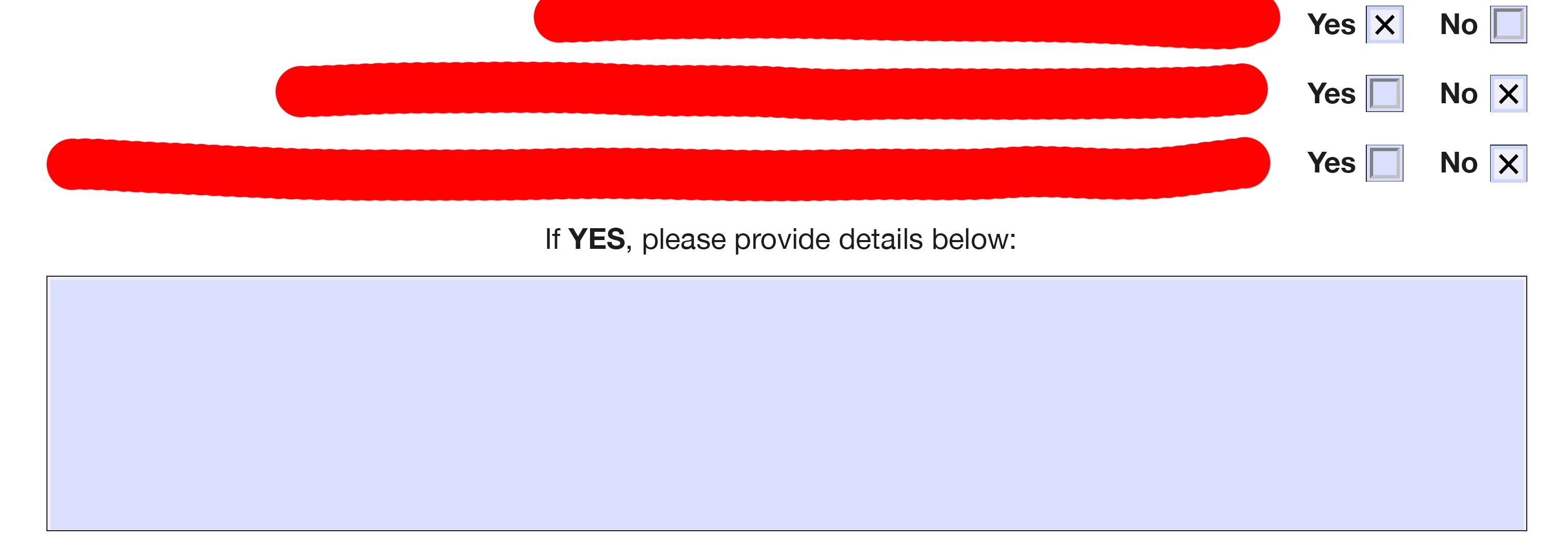


I have three groups of radio buttons (Group1, Group2, Group3) - all with Yes and No checkboxes. I want to make it that if Yes is selected in ANY of the groups the details box is visible. I managed to use "Mouse up" "show a field" for the "Yes" boxes and "Mouse up" "hide a field" for the "No" boxes to almost get it to do what I wanted, the only problem is if the bottom box is selected "No" they have to reselect a "Yes" box to reshow the details box. Is there a way to make it so that if any of the Yes boxes are selected the details box stays visible regardless of what they select afterwards? I haven't used JavaScript before and I'm pretty new to editable PDF's overall so am a little lost!

This topic has been closed for replies.
Correct answer try67

They are actually called "Group1", "Group2" and "Group3", and "Yes" and "No" are their export values (called "Radio Button Choice" for radio-buttons. You can do exactly the same with check-boxes. Just give them the same name and unique Export Values (under the Options tab of the Properties dialog). The only difference is that a check-box group can be "un-selected" entirely, which a radio-group can not (at least not easily).


OK, so as the custom calculation script of the text field enter this code:


var showField = (this.getField("Group1").valueAsString=="Yes" || this.getField("Group2").valueAsString=="Yes" || this.getField("Group3").valueAsString=="Yes");
if (showField) event.target.display = display.visible;
else {event.target.display = display.hidden; event.value = "";}

1 reply

try67
Community Expert
Community Expert
July 15, 2020

I would do it differently, through a single script located at the Calculation event of the text field.

What are the names (and export values) of the check-boxes?

Natalie_Ping
Inspiring
July 15, 2020

Hi try67


Thanks for the reply!


Incase it is important they are not checkboxes they are radio buttons as I needed them to be grouped so only "yes" or "no" can be selected at a time (couldn't figure out how to do this with checkboxes). 


Currently they are all simply called "Yes" and "No" and the groups are "Group1" "Group2" "Group3".  


I'm not sure how to find out their export values? If you could explain to me how to find this out I can let you know this information. Apologies - I'm very new to editable PDF's as a whole!

try67
Community Expert
try67Community ExpertCorrect answer
Community Expert
July 15, 2020

They are actually called "Group1", "Group2" and "Group3", and "Yes" and "No" are their export values (called "Radio Button Choice" for radio-buttons. You can do exactly the same with check-boxes. Just give them the same name and unique Export Values (under the Options tab of the Properties dialog). The only difference is that a check-box group can be "un-selected" entirely, which a radio-group can not (at least not easily).


OK, so as the custom calculation script of the text field enter this code:


var showField = (this.getField("Group1").valueAsString=="Yes" || this.getField("Group2").valueAsString=="Yes" || this.getField("Group3").valueAsString=="Yes");
if (showField) event.target.display = display.visible;
else {event.target.display = display.hidden; event.value = "";}