mattk56
Participant
March 9, 2016
Question

Error: This document has Been changed since it was created and use of extended features is no longer available

  • March 9, 2016
  • 1 reply
  • 3992 views

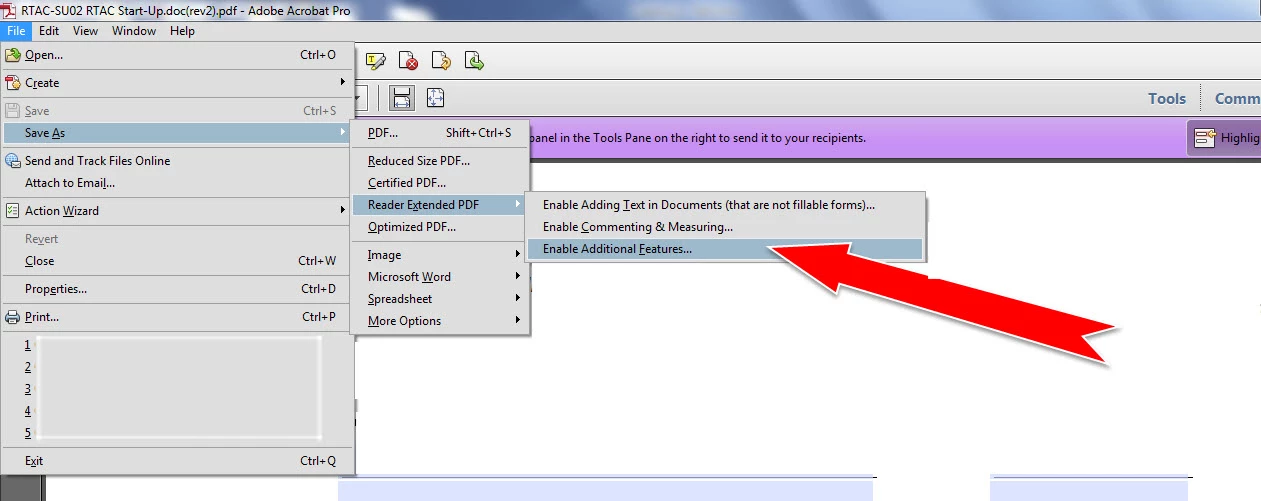
I have been using Acrobat X pro for several years to create PDF forms and save them with extended features so that the forms can be filled out with Reader.

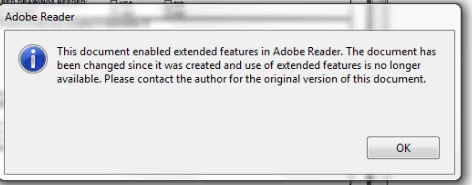
Recently some of the forms created have an error of, This Document Enabled Extended Features in Adobe Reader. The document has been changed since it was created and use of extended features is no longer available, Please contact the author for the original version of this document.

I have searched the Adobe forum, and found problems like this but the solutions given are not fixing my problem,

I have let Acrobat check for updates, and I have run the repair installation tool.

Below is a screen shot of how I am saving the document, and the error Reader has

I am grateful for help to fix this issue.
This topic has been closed for replies.

1 reply

Participant
April 9, 2016

After hours of experimentation, I have come across a reliable fix for this problem.  The issue can be fixed using Adobe LiveCycle Designer.  Here is how to do it.

First open the problematic document in LiveCycle Designer.  Then create a new blank form in LiveCycle Designer.  Ensure that you set the correct 'Paper Type' in the Master Page tab of the Object palette to match that of the problematic file.  Next go to the XML view of both forms.  (You may need to enable this in the 'View' menu.)

Then copy absolutely all of the XML from the problematic form.  Go to the new blank form and delete all of the XML completely.  Then paste the copied XML into the new form.  Save the form.  This new form can now be reader enabled using Adobe Acrobat.  The error messages will be gone. 

This process can be repeated if further work is done on the form causing the error message to appear again in Adobe Acrobat Pro.

Participating Frequently
January 4, 2017

I am also having this issue. 

Removing data bindings from all fields seemed to work initially. However, after some other changes to the form were made, and I resaved as a Reader Extended file with a new name, the error has reappeared. I've checked the form, and there are no data bindings on any field.

The date/time thing is not an issue -- all PCs are on the same network.

I cannot demand that everyone upgrade to the latest version of Adobe Reader.

Even after extensive Googling, I have no idea how to save a copy that disables the usage rights for Reader as Indiana Homeland suggested in another thread.

It's an extremely complex form, so I do not want to create a new form as Lund UK suggested.

Any thoughts? This is an extremely frustrating situation.