


Known Participant
April 30, 2017
Answered

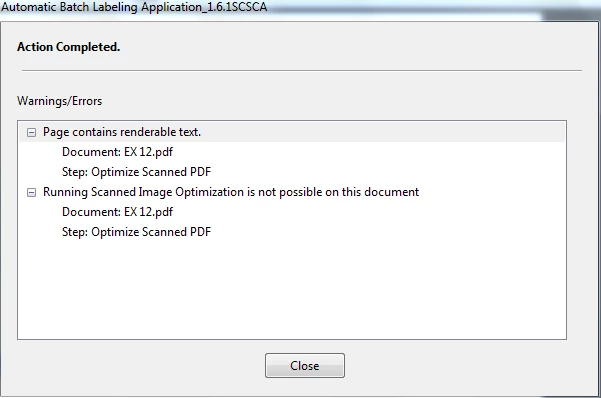
Renderable Text Error during Optimize Scanned PDF executed in Action Wizard

  • April 30, 2017
  • 2 replies
  • 2782 views

Hi,

How do I get rid of renderable text in pdf in Action Wizard?  My annotations are already flattened but still searchable.  However, I don't know how to make them nonsearchable.  I am using Adobe Acrobat Pro X 10.1.16 on Windows 7.
This topic has been closed for replies.
Correct answer Test Screen Name

Acrobat X has no tools to remove text so you can OCR. Why did you flatten the annotations?

2 replies

Participant
June 18, 2019

Would you be willing to share how you locked the annotations?

Test Screen NameCorrect answer
Legend
May 1, 2017

Acrobat X has no tools to remove text so you can OCR. Why did you flatten the annotations?

suemo22Author
Known Participant
May 1, 2017

Good point, I figured out yesterday, I don't get this error if I lock the text instead of flattening so now I am not going to flatten.