Exit
  • Global community
    • Language:
      • Deutsch
      • English
      • Español
      • Français
      • Português
  • 日本語コミュニティ
  • 한국 커뮤니티
6

1 signer - Create an Agreement from an uploaded Document and send for Signature Help

Community Beginner ,
Dec 06, 2023 Dec 06, 2023

Hello,

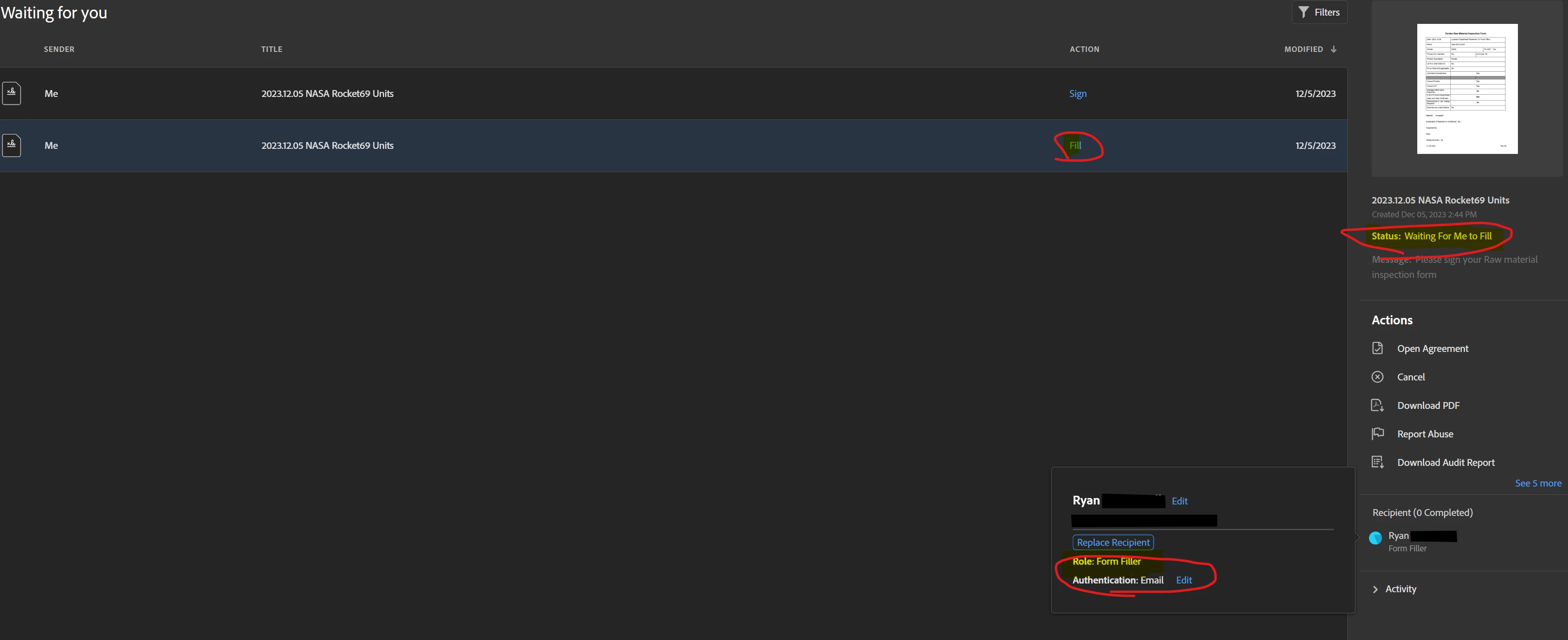
I have a flow that creates an agreement and sends for signature in Adobe sign, this agreement needs only 1 signature and it will not send the document for signing after successfully running. Only when I add another signer does the flow send the document for signing. When the single signer flow is ran, in my adobe account it is saying my role is "Form Filler" even thought it is set to signer. When I add another signer being my same email again, only then does it say my role is "Signer" and then sends for signature.


How do I get this action to work with only 1 signer? 
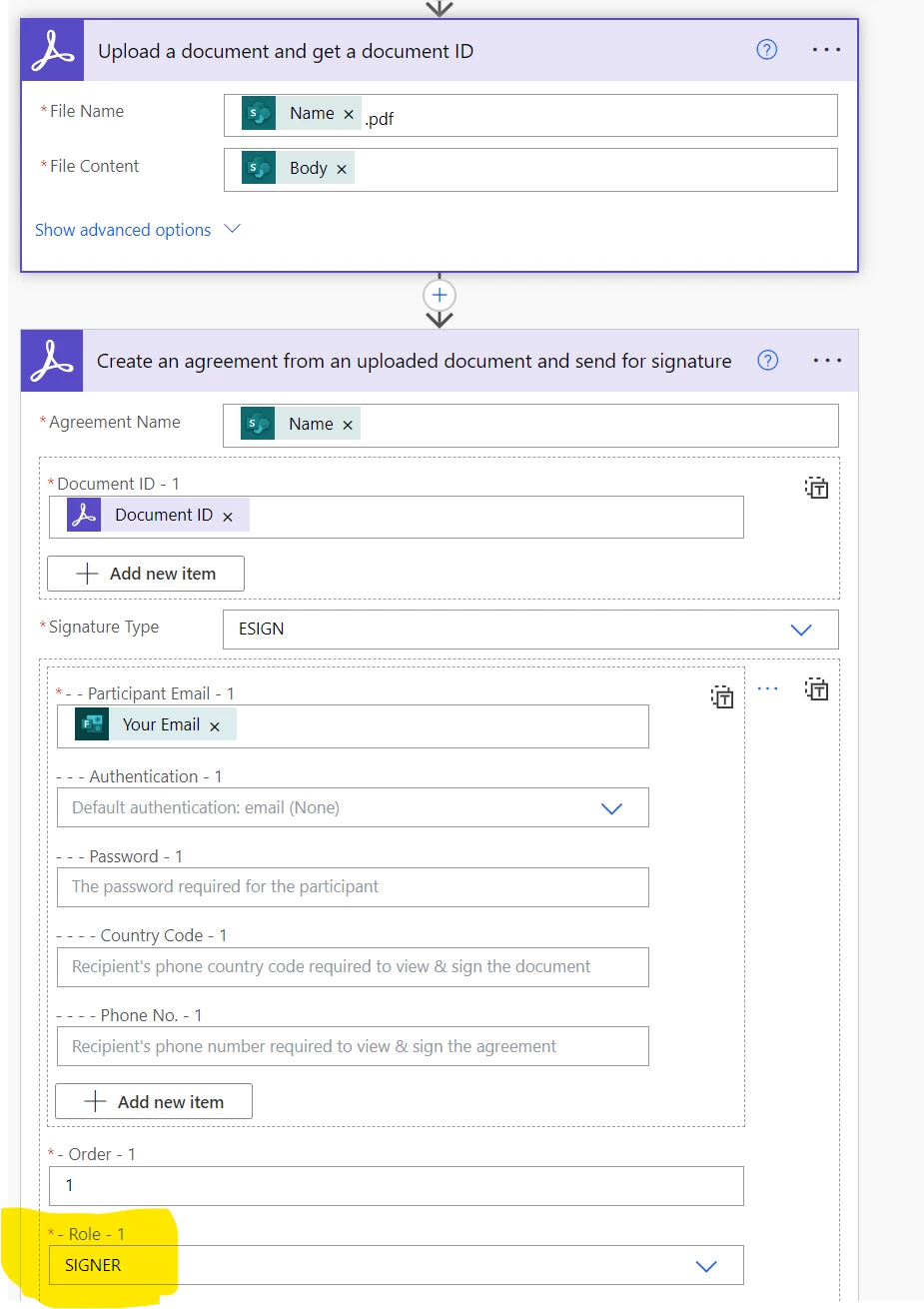
 

1 signer Create Agreement and Send.png1 signer Adobe account showing Form Filler.png2 signers adobe account view.png


Thanks you

-Ryan

TOPICS
Adobe Sign forms , How to sign , Self sign , Send documents
1.9K
Translate
Report
Community guidelines
Be kind and respectful, give credit to the original source of content, and search for duplicates before posting. Learn more
community guidelines

correct answers 1 Correct answer

Community Beginner , Dec 08, 2023 Dec 08, 2023

Issue was I cannot be the one sending the document and be the only one to sign. Fixed when testing 1 signer with different email.

Translate
Guide ,
Dec 07, 2023 Dec 07, 2023

Instead of form filler, try the approver role and then the signature.

Translate
Report
Community guidelines
Be kind and respectful, give credit to the original source of content, and search for duplicates before posting. Learn more
community guidelines
Community Beginner ,
Dec 07, 2023 Dec 07, 2023

Hello mariahweyne,


Thank you for your response. Unfortunately your suggestion did not solve the issue. The goal is to have only 1 signer and to have the document sent out to that one person. No where am I selecting "Form Filler" as a role, it just seems to default to that when only one signer is in the Action of "Create an Agreement from an uploaded Document and send for Signature" in power automate. I did add another signer with my same email, selected "Approver" for Role 1 and "Signer" for role 2 and while it did send the email for signing, it required my signature twice from two seperate emails. It just seems like adobe sign requires two signatures on documents for it to work with power automate, which cant be right, right?


Thanks again,

Ryan

Translate
Report
Community guidelines
Be kind and respectful, give credit to the original source of content, and search for duplicates before posting. Learn more
community guidelines
Community Beginner ,
Dec 08, 2023 Dec 08, 2023
LATEST

Issue was I cannot be the one sending the document and be the only one to sign. Fixed when testing 1 signer with different email.

Translate
Report
Community guidelines
Be kind and respectful, give credit to the original source of content, and search for duplicates before posting. Learn more
community guidelines