
Question
Adobe Sign Access Denied Transient Documents
Hi,
I am using adobe sign enterprise edition.
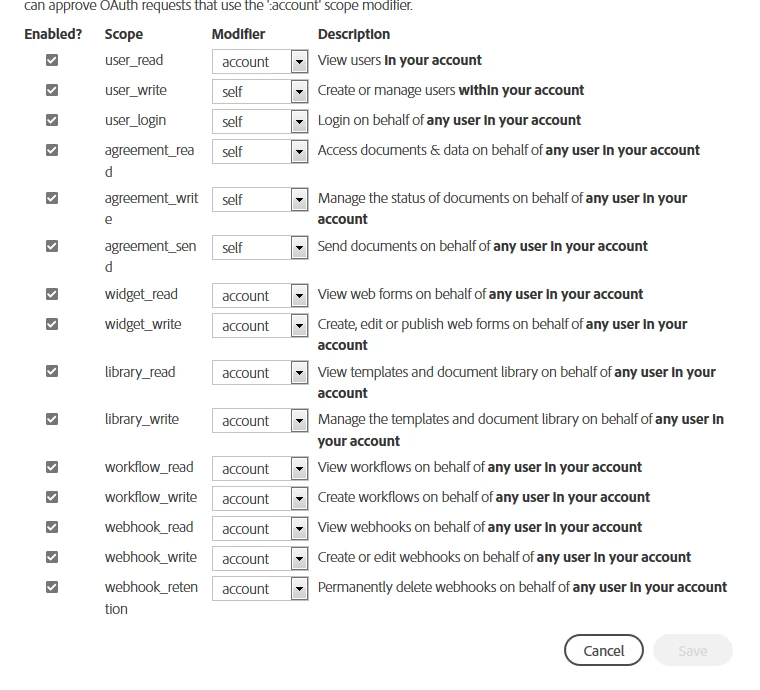
Scope for API Application.
https://secure.na1.echosign.com/public/docs/restapi/v6#!/transientDocuments/createTransientDocument
URL: https://api.na1.echosign.com/api/rest/v6/transientDocuments
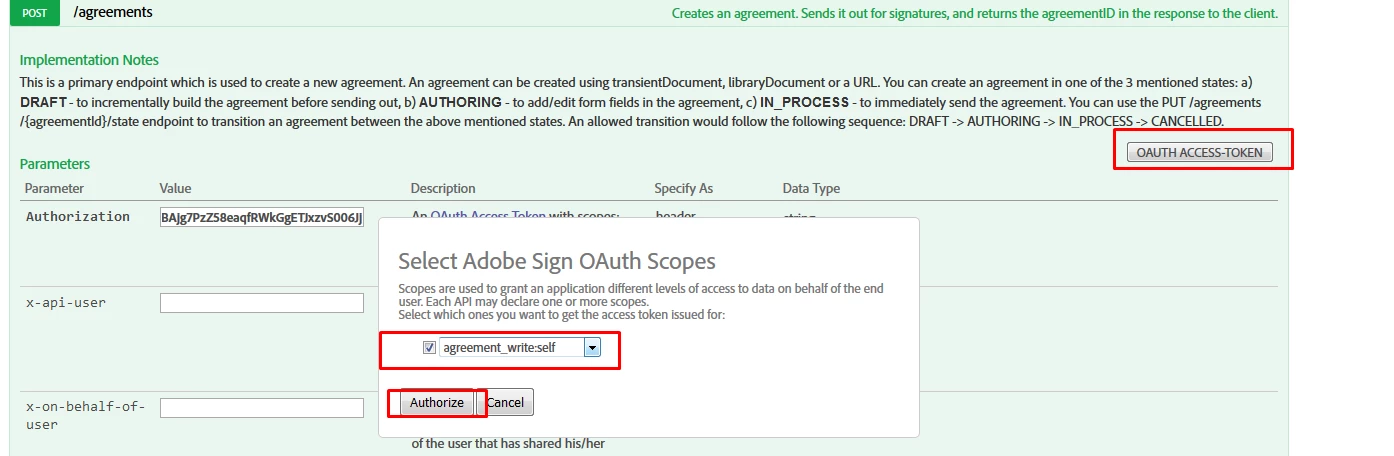
I always have to click on the top right OAUTH ACCESS-TOKEN and allow access through my account when a new access token is generated.
If I don't do this.
The response I get is
{
"code": "PERMISSION_DENIED",
"message": "The API caller does not have the permission to execute this operation"
}
Is there a way to create transient documents without having to click on the OAUTH ACCESS-TOKEN button?
 AdChoices