Participant
January 21, 2025
Question

Adobe Sign Manage page shows no agreements

  • January 21, 2025
  • 1 reply
  • 1790 views

Recently (2 to 4 months), Adobe Sign has had a highly disruptive issue on desktop.  I often have multiple agreements waiting for me that I need to review and e-sign. 

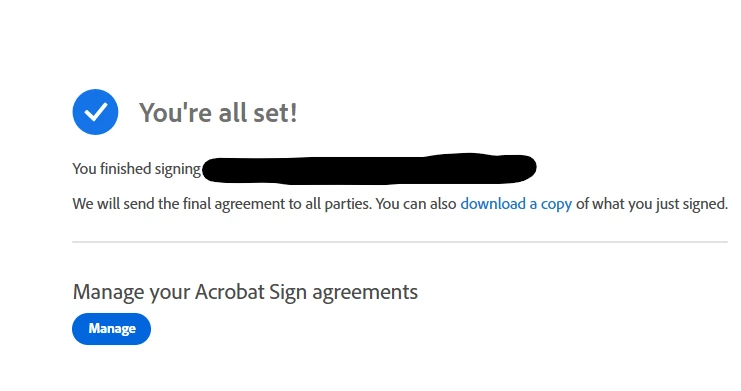
Previously, after completling an agreement, clicking the "Manage" button would take me back to the "Waiting for You" page, where I can click the next agreement to review and process. 

Now, it takes me back to "Waiting for You," but it shows 0 agreements to review when there are other agreements needing to be reviewed and approved. The moble app will show the remaining things to review.  Only when I sign out and sign back in does it then show the remaining agreements to review.  I can only sign one at a time in this manner.  


Anyone else expericing this frustration?  This is on the latest versions of Edge, Chrome, and Firefox
 

1 reply

Meenakshi Negi
Legend
January 21, 2025

Hi Brandon27917846iew5,


Thank you for reaching out.


Please let us know if you get any emails about pending documents in your email account. It is possible that there were no pending documents at that time. Please check again and let us know if that is not the case.

If you are still not receiving the agreements under "Waiting for You".


Let us know how it goes.


Thanks,

Meenakshi

Participant
January 22, 2025

No emails about "pending" requests unless we're not using the same definitions.  I get the "singature requested" emails, but I have inbox rules to collect those.  I typically go into my account once every few days to review and sign any pending documents.  Again, the issue is when I log into E-sign, I can see 4 to 6 agreements in the Pending menu.  I open one to sign and complete it.  The following page ("You're all set!") acknowledges completing it with the option to return to the e-sign menu to Manage agreements.  I click it, it takes me back to the "Pending" menu, but it shows 0 agreements.  I sign out, sign back in, and then I see the remaining 4 to 5 agreements pending.  

Participant
January 23, 2025

I am having the SAME exact issue. @Brandon27917846iew5  - I'm on Google Chrome, logged in via Google SSO. The only helpful workaround I've found is that after I approve the first one I click on, I log in, see my agreements (in my case I have 7 right now), open another to approve, approve it, and then after I sign, I hit my back button on my browser to get to the agreements listing. I'd do a video of what I do but most of what I approve is relatively sensative and I don't want it to be out in the world for people to see, but this process is frustrating at the very least.