
Participant
January 12, 2021
Question

Blank white page when trying to use Adobe Sign Extension/Add In for MS Word

  • January 12, 2021
  • 6 replies
  • 1531 views

Anyone have any idea why Adope Sign wont laod when trying to Fill & Sign a Word document from within word? the extension/add in is installed correctly, permisions granted to Adobe via my Microsoft Live account and the extension appears to be logged into Adobe just fine. However when clicking Fill&Sign document, a blank white Adobe sign dialogue box trys to load but doesnt. 



Followed by the following warning 
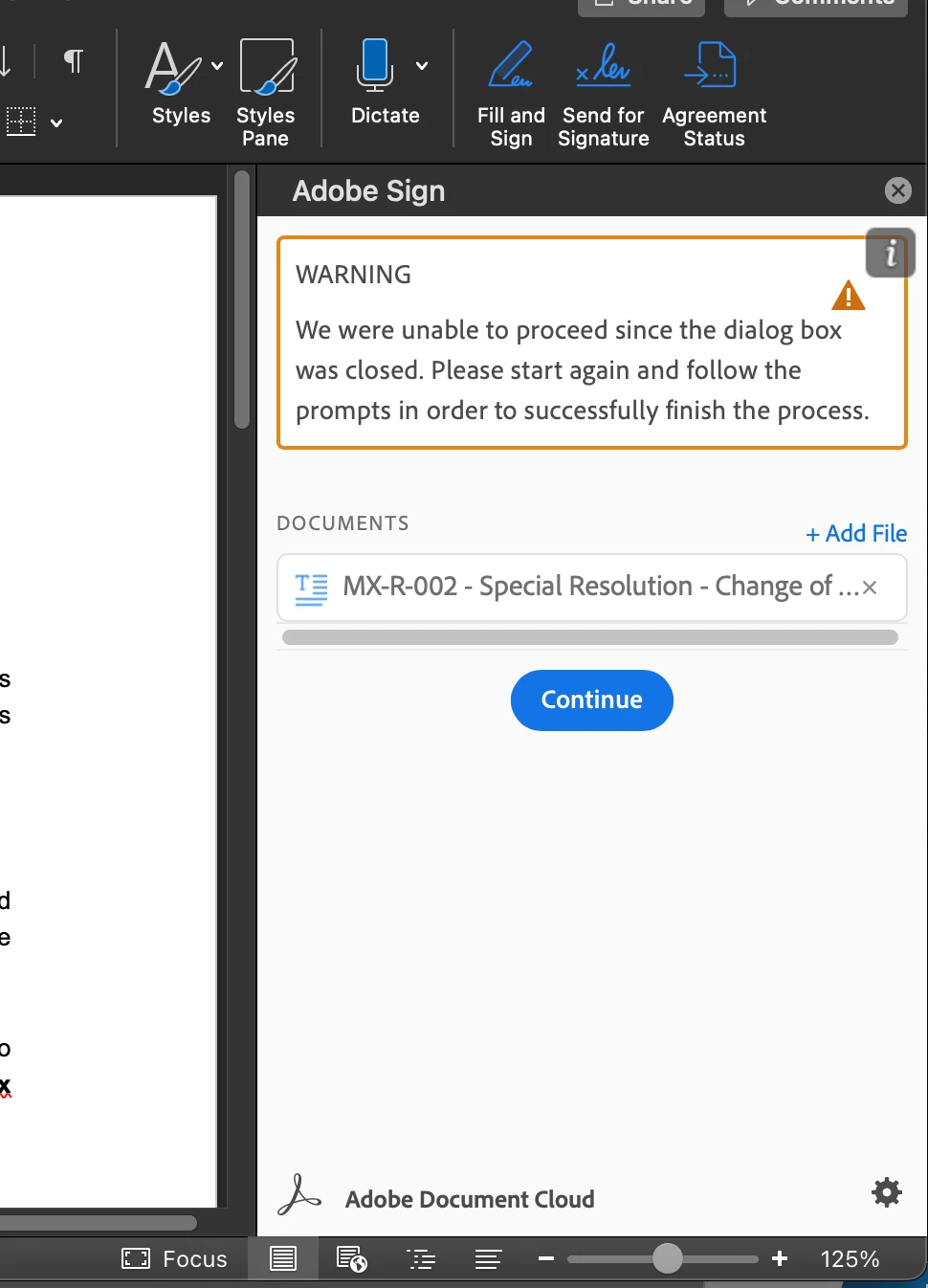


In any normal case i would just open the document in Acrobat DC and sign there, but our company web filing requires us to hold word documents. 


Any help on this would be greatly appreciated. 


thanks 

This topic has been closed for replies.

6 replies

Participant
December 28, 2021

Any update here @ adobe. 1 year later cannot find answer in any forums...so far word app integration has never worked....

Participant
January 6, 2022

same issue here, started when I downloaded and installed Adobe desktop.

Peter5C32Author
Participant
January 6, 2022
Hey Guys,

It’s been a while since I started this thread. Mine seems to be working just fine since moving to Brave browser. My hunch is that the window that opens to connect to MS may have been encountering problems with my pop-up blocker browser extension or my VPN. Try again and let me know how you get on…. Best of Luck
Participant
December 5, 2021

Same issue here. No responses?

Participant
October 13, 2021

Having the same issue did you manage to solve it?


Tnx

Davide

Participant
November 30, 2021

Same issue here.

Participant
May 12, 2021

I have the same error. I also get the error in Outlook. In Teams the add-in works.


Participant
May 5, 2021

Yep.   Same here.  All users have this problem.

Participant
March 14, 2021

I have exactly the same issue. Can anyone help?