Answered
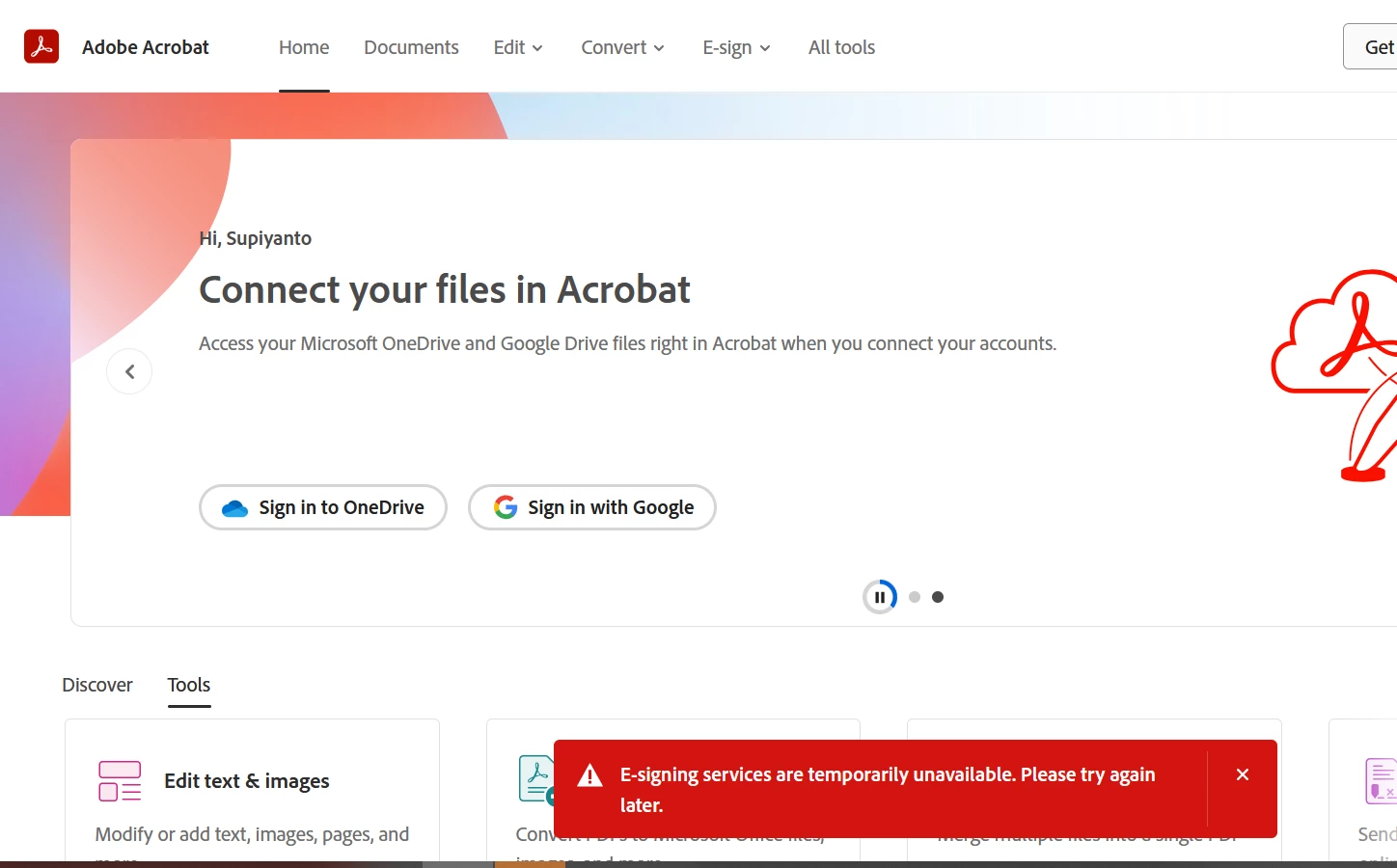
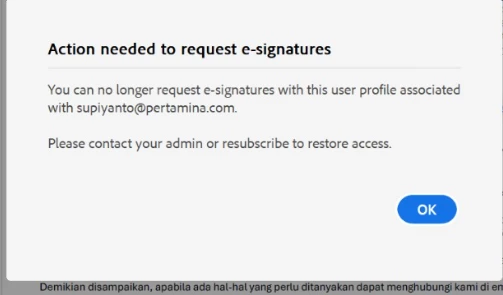
Error E-Signature
Halo
Can Someone Help me with error , E-signing
I 've checked it via Online Web and application ,
But none of them can work well , pliz PM me or DM me.

Halo
Can Someone Help me with error , E-signing
I 've checked it via Online Web and application ,
But none of them can work well , pliz PM me or DM me.
Thank you for reaching out.
We checked that your account shows as inactive, which is why you get the error message. If you are using the account provided by your organization, please check with the IT team there to find out why the account is set as inactive.
You must contact the Acrobat Sign support team to reactivate the account, as it can not be done from our end. Please check with the IT team in your organization.
If the account is inactive, you cannot sign the document via this account. For more information, refer to the information in the following help document: https://adobe.ly/42w21JG.
Let us know if you are referring to another account or need help.
Thanks,
Meenakshi
Already have an account? Login
Enter your E-mail address. We'll send you an e-mail with instructions to reset your password.
 AdChoices