New Participant
January 25, 2019
Answered

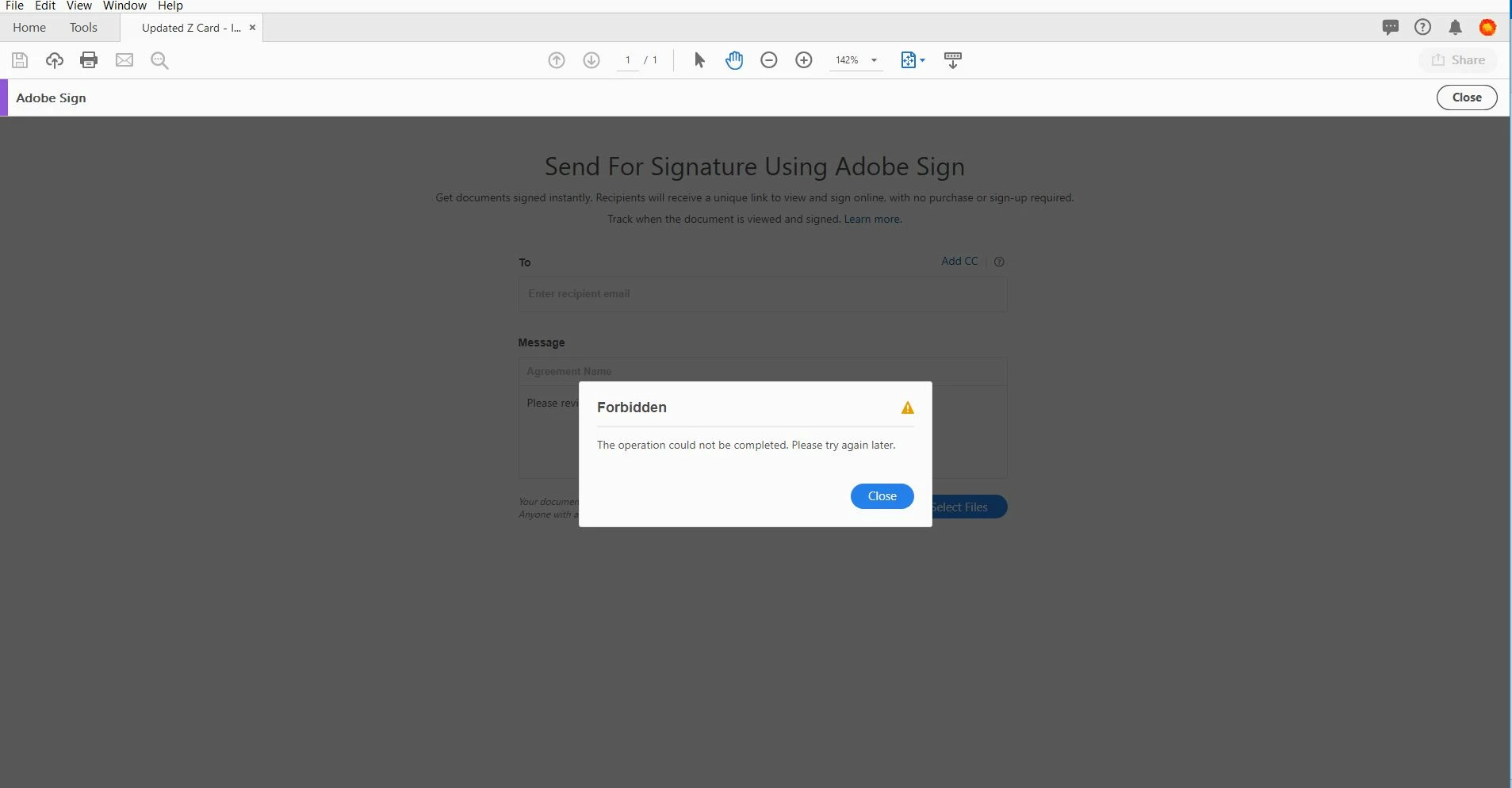
Forbidden error when sending for signature

  • January 25, 2019
  • 1 reply
  • 2476 views

Hi all,

I am receiving a 'Forbidden - This operation could not be completed. Please try again later.' error when trying to send for a signature. Really need to get this fixed as we have some contracts to send out.

Thanks!

This topic has been closed for replies.
Correct answer Meenakshi Negi

Hi Harrik,

It seems that you have recently made changes to the Adobe ID.

I have checked your Adobe Sign account and it is in a pending state.

This generally happens when you set an email address which is already registered under an Adobe Sign account.

That means you already had an Adobe Sign account with that email address.

In this case, you will need to free that email from the old account.

Then only it will be able to send a document for signature using the current account.

I would request you to contact support to get help with this.

You may use this link Contact Customer Care

I have also sent a private message with the contact details.

Please check your inbox.

Regards,

Meenakshi

1 reply

Meenakshi Negi
Community Manager
Meenakshi NegiCommunity ManagerCorrect answer
Community Manager
January 25, 2019

Hi Harrik,

It seems that you have recently made changes to the Adobe ID.

I have checked your Adobe Sign account and it is in a pending state.

This generally happens when you set an email address which is already registered under an Adobe Sign account.

That means you already had an Adobe Sign account with that email address.

In this case, you will need to free that email from the old account.

Then only it will be able to send a document for signature using the current account.

I would request you to contact support to get help with this.

You may use this link Contact Customer Care

I have also sent a private message with the contact details.

Please check your inbox.

Regards,

Meenakshi