
Participant
December 10, 2024
Resuelto

How can I get rid of the automatically added signature blocks at the end

  • December 10, 2024
  • 2 respuestas
  • 1040 visualizaciones

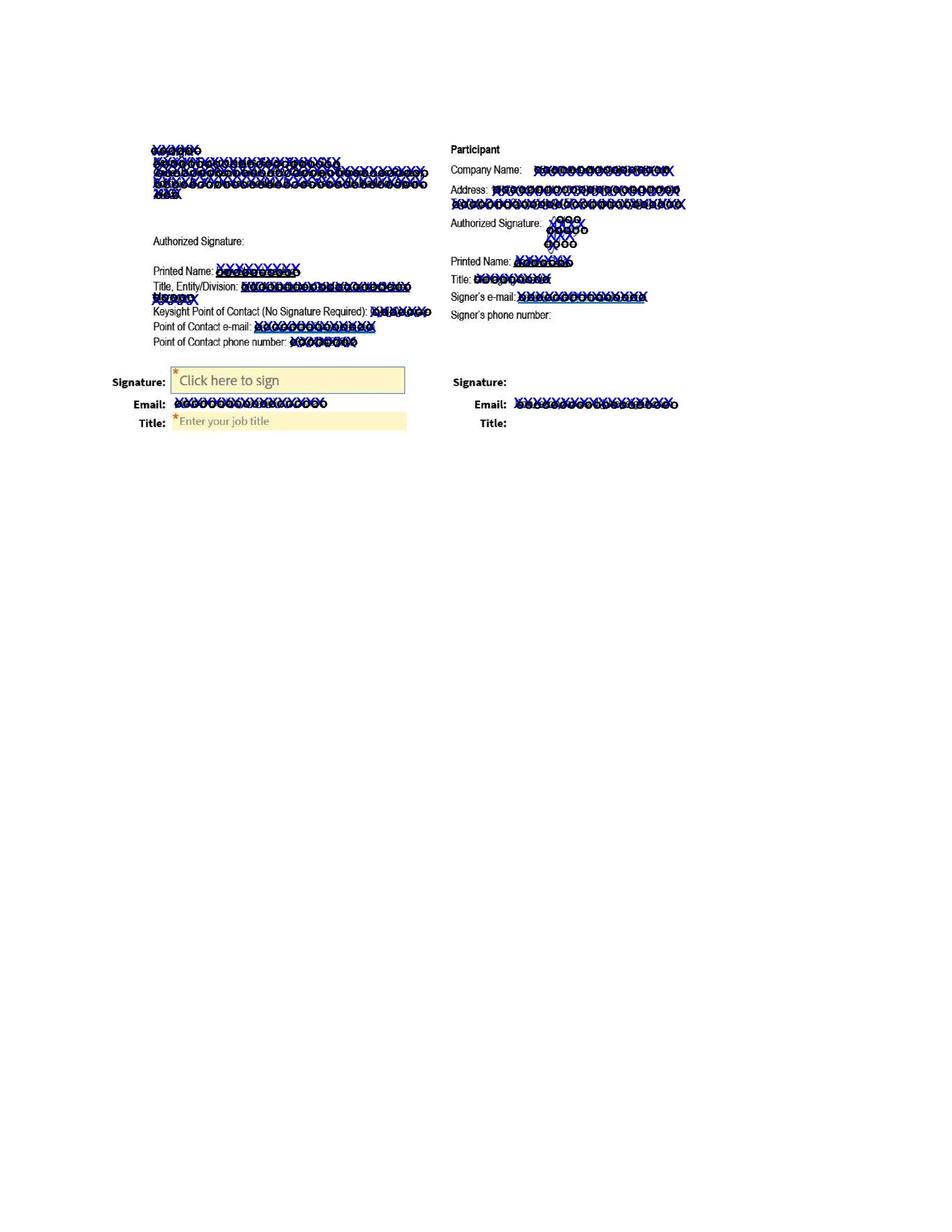
See screenshot below. When I send a document for signature the two signature blocks underneath are not visible, but for the signer they are added and compulsory to complete. Moreover, the first one is assigned to the first signer who is actually signing on the right above. We are four in the Contracts department and two have these signature blocks at the end and two have not. How can we get rid of them?
 

    Este tema ha sido cerrado para respuestas.
    Mejor respuesta de connie_2663

    Hi,

    I've been able to solve this with the help of our IT department. The signatures are always correctly assigned to the participants, so that wasn't the issue.

    IT granted me admin access and checked to which Group my Account is assigned. Then we changed the Group Settings under Signature Preferences by unticking "Require signers to provide their job title when e-signing" under Additional Settings.


    2 respuestas

    mariahweyne
    Inspiring
    December 11, 2024

    The blocks appear automatically because you did not assign the signatures to the participants specifically. 


    Request signatures from others

    connie_2663AutorRespuesta
    Participant
    December 11, 2024

    Hi,

    I've been able to solve this with the help of our IT department. The signatures are always correctly assigned to the participants, so that wasn't the issue.

    IT granted me admin access and checked to which Group my Account is assigned. Then we changed the Group Settings under Signature Preferences by unticking "Require signers to provide their job title when e-signing" under Additional Settings.


    kglad
    Community Expert
    Community Expert
    December 10, 2024

    assuming this is acrobat pro...


    in the future, to find the best place to post your message, use the list here, https://community.adobe.com/

    p.s. i don't think the adobe website, and forums in particular, are easy to navigate, so don't spend a lot of time searching that forum list. do your best and we'll move the post (like this one has already been moved) if it helps you get responses.


    <"moved from using the community">
    Participant
    December 10, 2024

    Hi,

    I assume it's Pro - my account states "Adobe Acrobat Sign Solutions for Enterprise".
    But I don't understand why my post is now deleted from the Community. Where did you move it to?

    Cheers

    kglad
    Community Expert
    Community Expert
    December 10, 2024

    your post was in the acrobat pro forum, but now will be moved to the enterprise and teams forum.


    but for help with your issue, you should contact your admin, or if it's unrelated to your enterprise subscription, you could post your question in the acrobat sign forum.