
Participant
September 21, 2020
Answered

How to wait till everyone signs a document in Power Automate?

  • September 21, 2020
  • 2 replies
  • 5493 views

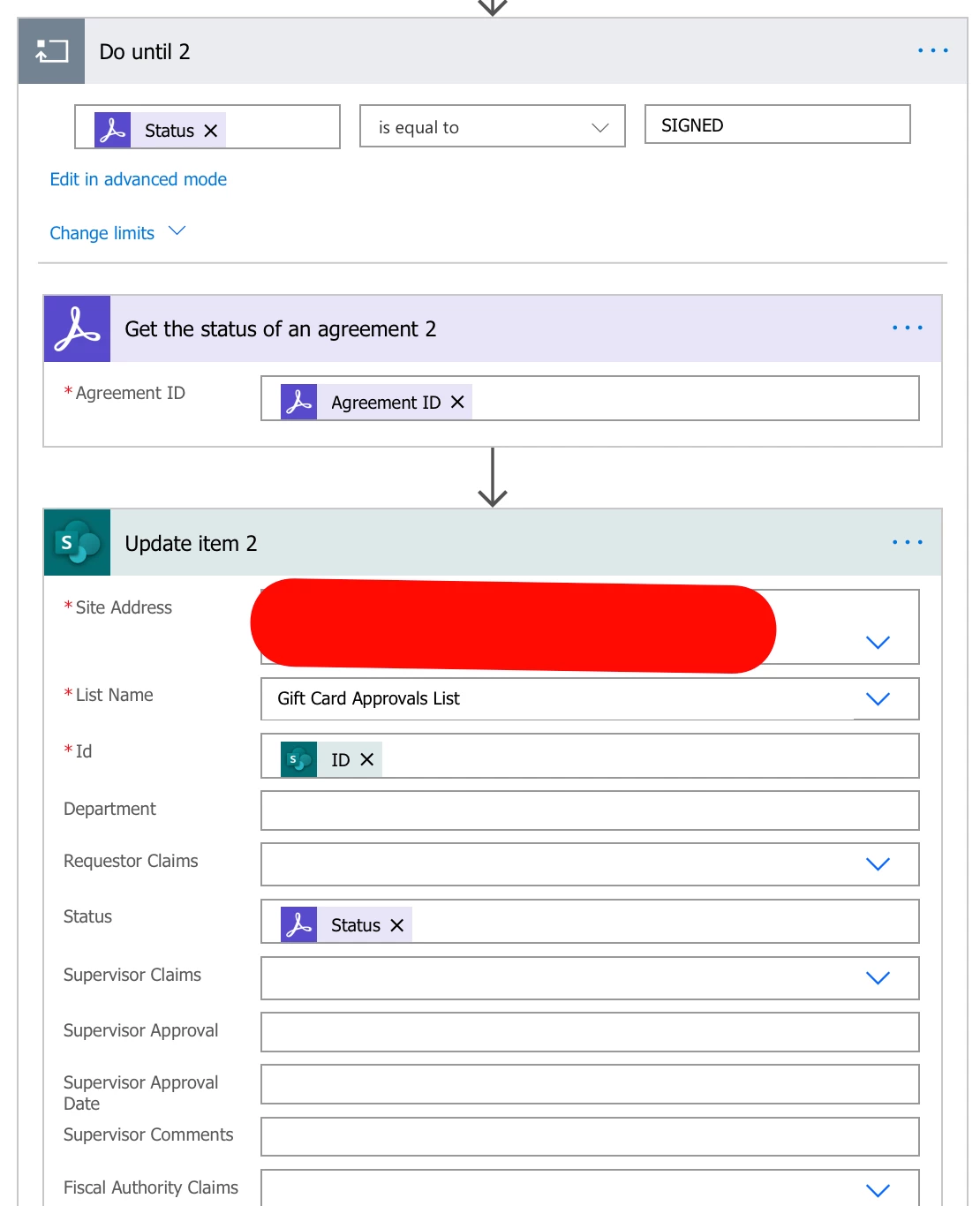
I created a flow that sends an adobe sign agreement to multiple people to sign. Once the first person signs, it is triggering the status of signed in the "do until" that I have set up and continuing the flow. I would like it only to proceed once all the parties have signed not after the first person signs. Any ideas on how to make this work?
 

Correct answer ashwin_4520

Hi ashwin_4520,


Thank you for reaching out.


We have checked that you are using the Acrobat Sign individual multi-plan. To use the Power Automate integration, you will need an Acrobat Sign Enterprise plan. For more information on Power Automate integration, refer to the following help document: https://adobe.ly/4jZHvsW


If you have an Acrobat Sign Enterprise account with an alternate email address and have an integration-related question, the experts can best answer it. Please contact our Adobe Sign Enterprise support team for the correct information. You may contact them using the steps in the following help document: https://adobe.ly/4jVpGLq.


Thanks,

Meenakshi


Never mind Meenakshi....I figured out and used "When the state of an agreement changes" trigger.

2 replies

Participant
October 13, 2021

Hi everyone,

I am creating flow where I will send a document to multiple people to sign off. Here I put all names in to array with order = 1.

My issue is, how can I wait for them to sign? Because as soon as they have signed, I have update SharePoint list item with their names. If I "Do Until" and wait for them to sign, would it trigger every single time when one of them has signed or it will only trigger once everyone has signed?

If above way is not reliable, what's the best way to wait for each person to sign and then update SharePoint list item with their email address?


Many thanks in advance.


Adobe Employee
October 13, 2021

do until has a maximum time frame. Something like 30 days 

https://powerusers.microsoft.com/t5/General-Power-Automate/Do-Until-Need-help-understanding-limits/td-p/371374

and

https://docs.microsoft.com/en-us/power-automate/limits-and-config


it's better to have a second flow to monitor the status. Sign alsohas some very good triggers to aid you here.

Adobe Sign triggers in Power Automate are basically webhooks which documentation of the events will help

https://www.adobe.io/apis/documentcloud/sign/docs.html#!adobedocs/adobe-sign/master/webhooks.md


The main even you want to use is the agreement_action_completed

event which lets you know when a participant has signed, approved, filled etc their turn.

Once all signers have signed you can then make use of the agreement_workflow_completed  event


Participant
October 15, 2021

Thank you Simon. 

You are right, because of 30 days flow limit; it makes more sense to create second flow which waits for agreement action to be completed. So far I have done following and it works like charm.


Many thanks for your help.


Allta Media
Community Expert
Community Expert
September 26, 2020

I believe what you looking for is the event "When an agreement workflow is completed successfully". You can find details on the triggers here: https://helpx.adobe.com/sign/using/microsoft-powerapps-and-flow-integration.html#Triggers