
Participant
February 12, 2018
Answered

Issue with "Full Name" Field

  • February 12, 2018
  • 1 reply
  • 708 views

I am having an issue with the "Full Name" field in Adobe Sign.  I drag the field onto the document in the same manner I have since I began using the service, and then send the document.  All of the fields I added to the document show up in the signature document except for this field.  I cannot seem to figure out why it is not working. Any ideas?
This topic has been closed for replies.
Correct answer ScottCarter

Greetings,

The Full Name field is a Read-only field that is populated by the system when a Signature value is applied.

The expected behavior for the Full name field would for it to appear as white space on the form until the Signer applies a signature.

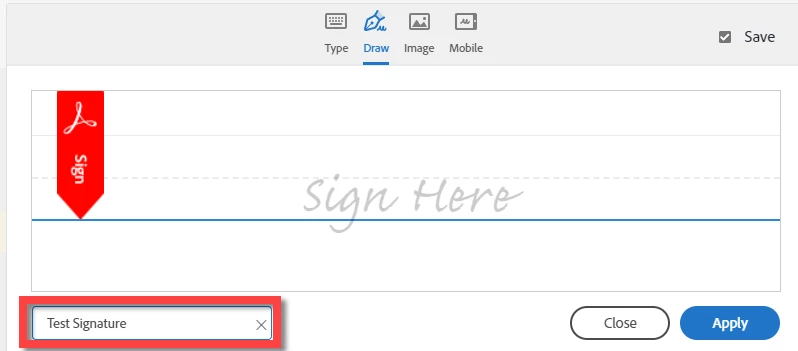
When the recipient applies their signature, they also need to type in their name:

This typed in value is what is populated into the Full Name field.

Signers that have a registered email address may have a signature saved, and in those cases, because the Name is a known value, the Full Name field can be pre-populated.  But if the signer changes the typed in version of their name, the field value will change.

1 reply

ScottCarterCorrect answer
Participating Frequently
February 13, 2018

Greetings,

The Full Name field is a Read-only field that is populated by the system when a Signature value is applied.

The expected behavior for the Full name field would for it to appear as white space on the form until the Signer applies a signature.

When the recipient applies their signature, they also need to type in their name:

This typed in value is what is populated into the Full Name field.

Signers that have a registered email address may have a signature saved, and in those cases, because the Name is a known value, the Full Name field can be pre-populated.  But if the signer changes the typed in version of their name, the field value will change.