
No way to go back in AdobeSign??
More often than I would like, I upload documents to AdobeSign, and only after I am at the page where I manually add signature fields, etc. (more on that below) do I notice that something is wrong with the document I uploaded, or I remember I forgot to say something in the message field. The thing to do would be to go back and upload a corrected version of the document, right? Or go back and add something to the message field? Wrong. There's no "back" button to fix anything. Once you've moved to the "review and add signature fields" page, you are screwed if you find a mistake. You have to go all the way back to the beginning and start from scratch, including typing in the recipient e-mails, uploading the documents, typing the subject and instruction message, etc.
NO SOUP FOR YOU!
Is there some hidden way to back up, and I have just missed it?
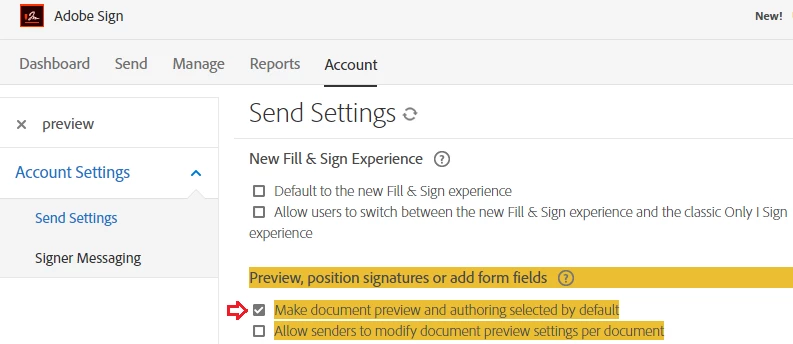
And also, why isn't there an option to set "review and add signature fields" to be the default? I ALWAYS want to make sure the signatures are in the right place before the document goes to the signing party. I get that others might not want to do that, but there should be an option to set this for myself so that I do not have to click the check box (which is WAY too close to the "send" button -- another curious design choice) every single time I send a document.
Honestly, I do not know how Adobe manages to stay in business. Their software is not designed with the customer in mind. A back button and a few options for default settings should be a no-brainer!
 AdChoices