
Participant
October 16, 2019
Question

Not seeing option for Mega Sign

  • October 16, 2019
  • 1 reply
  • 2089 views

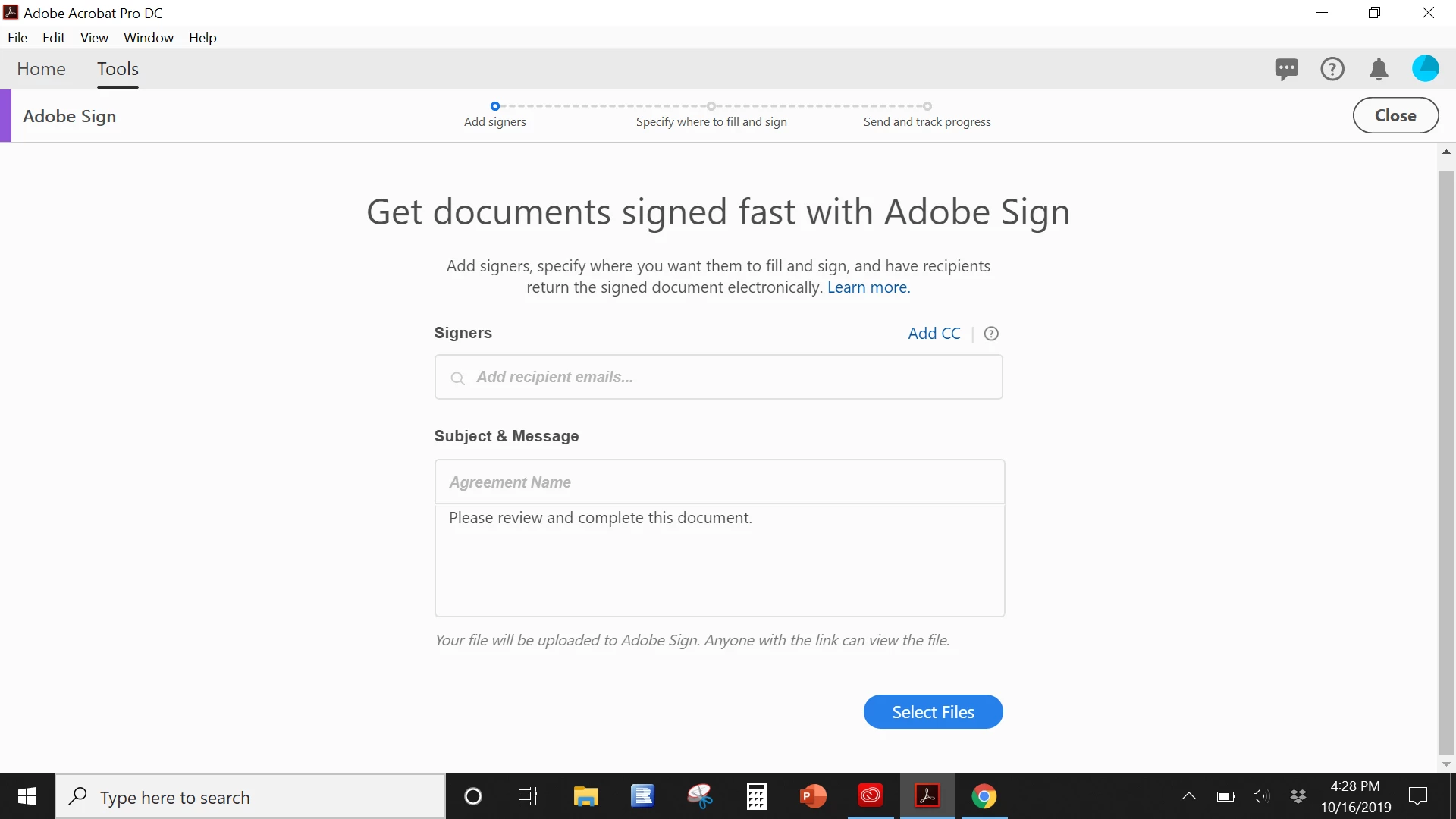
Hello, I've had the standard Adobe account for a few years and upgraded to Pro today so I would have the ability to use megasign. I need to send a document that populates specific info for each recipient based on fields in a spreadsheet.  I followed the instructions to create the CSV in the proper format but when I go into megasign, I don't see the option to upload a file. I tried contacting support but was on hold for hours. This is the screen I see when I go into Adobe Sign on my desktop app. Can someone please guide me before I go insane?


1 reply

Meenakshi Negi
Legend
October 27, 2019

Hi Williamr,


Sorry for the delay in response.


As per the screenshot, you have Adobe Acrobat DC which includes the Adobe Sign individual plan.

The Mega Sign feature is not available with individual plan.

However, if you just need help with adding the files, click on the select files button provided as shown in the screenshot.


Let us know if you are referring to somthing else.


Regards,

Meenakshi

Participant
October 30, 2019

Hi Meenakshi, I believe that I do have mega sign as I have adobe sign for small business as part of my adobe pro dc account. i upgraded it recently so i would have the mega sign feature. I even just tried to purchase adobe sign separately and it told me I already had it as part of my existing subscription.