Copy link to clipboard
Copied
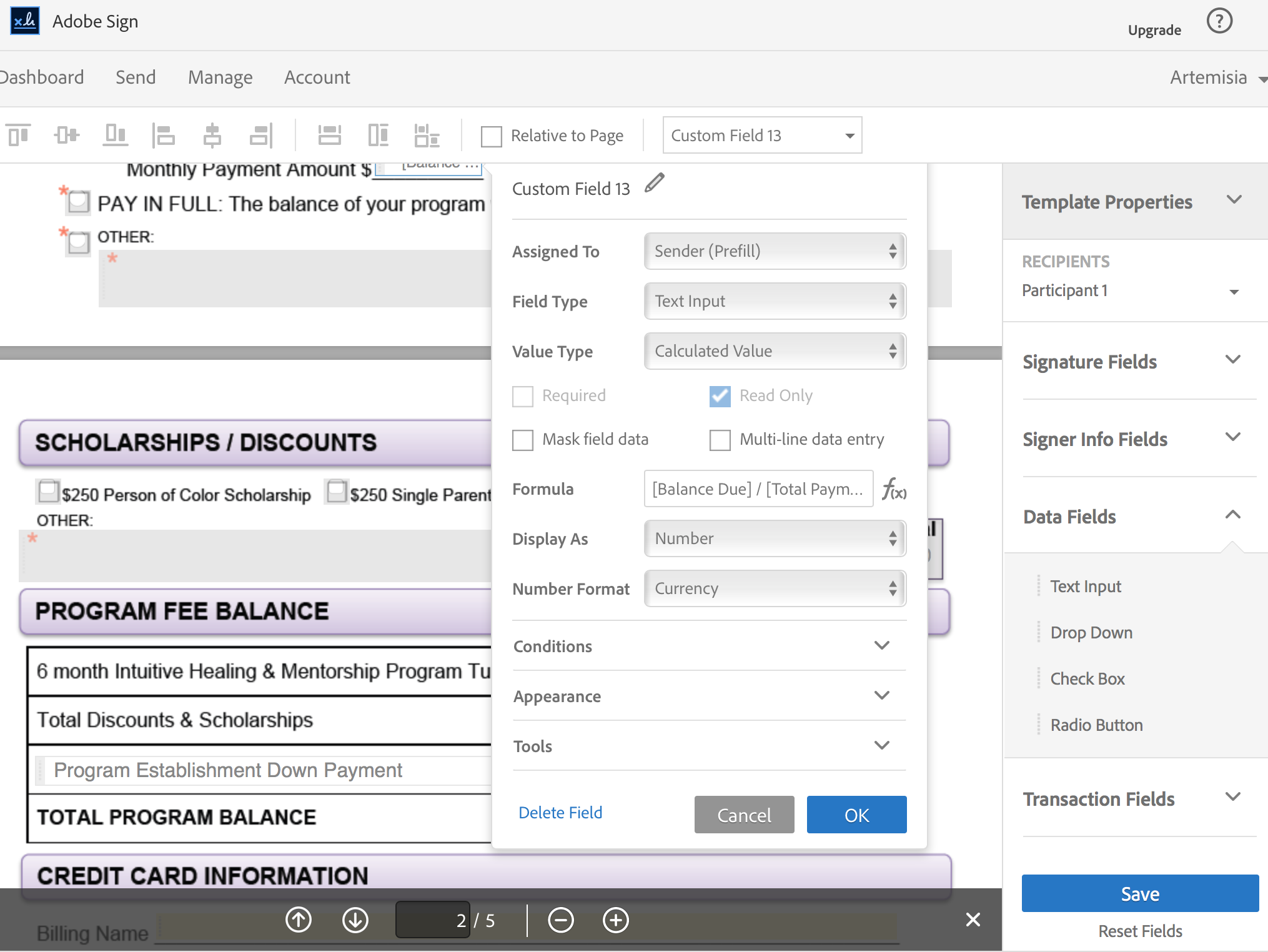
I am trying to enter a calculated value based on a formula in a new document I am currently editing in Adobe Sign to save as a template. There is no option for "Value Type" so that I can input a calculated value! It only allows for text input. HELP!! Where is this option? How do I get it back?

I looked this up in the help directory and got this link: Adobe Sign - Calculated Fields This page talks about the Value Type field as if it exists still however as you can see, it does not exist in the Custom Field options for this document. Argh!
When I attempted to edit a pre-existing, older document I do have the "Value Type" drop-down menu available to me so that I can input a calculated value and Formula. This is not currently available (as shown above) in the document I am working with!

What do I do? What's going on?
Michael, that is not right. Adobe Sign fields are quite capable of doing calculations and Acrobat does not need to be used to achive this, but the right Adobe Sign tier is required.
Also Adobe Sign is very much a stand-alone service and not there to just supplement/complement Acrobat, although of course they work together. Adobe Sign also support PKI based workflows.
In OPs case i would guess that they have downgraded account type as calculated fields are only available in the business or perhaps
...Copy link to clipboard
Copied
You will probably need to use Adobe Acrobat Pro for that capability.
Copy link to clipboard
Copied
It's an online service. Why would we need Adobe Acrobat Pro? You are supposed to be able to upload any format of document and add the fields online. A Word document for example.
I'm having the same issue.
Copy link to clipboard
Copied
The forms available from Adobe Sign are limited. Adobe PDF forms computes values using JavaScript the only way to create the Javascript within Acrobat. Adobe Sign is essentially a signing Service meant to supplement/complement their Acrobat product which is also available as a subscription. It was meant to be an easy to use for service as opposed to the other Third Party Digital/Certificate Signing capabilities that Acrobat has supported for a long time.
Copy link to clipboard
Copied
Michael, that is not right. Adobe Sign fields are quite capable of doing calculations and Acrobat does not need to be used to achive this, but the right Adobe Sign tier is required.
Also Adobe Sign is very much a stand-alone service and not there to just supplement/complement Acrobat, although of course they work together. Adobe Sign also support PKI based workflows.
In OPs case i would guess that they have downgraded account type as calculated fields are only available in the business or perhaps even just in the enterprise tiers. This may happen if initially a trial was used. trial account over all enterprise features, but they ended up with a lower tier account like pro or team (or whatever they are called, i don't keep track too much!.)

Get ready! An upgraded Adobe Community experience is coming in January.
Learn more