



Value Type & Calculated Value options missing
I am trying to enter a calculated value based on a formula in a new document I am currently editing in Adobe Sign to save as a template. There is no option for "Value Type" so that I can input a calculated value! It only allows for text input. HELP!! Where is this option? How do I get it back?
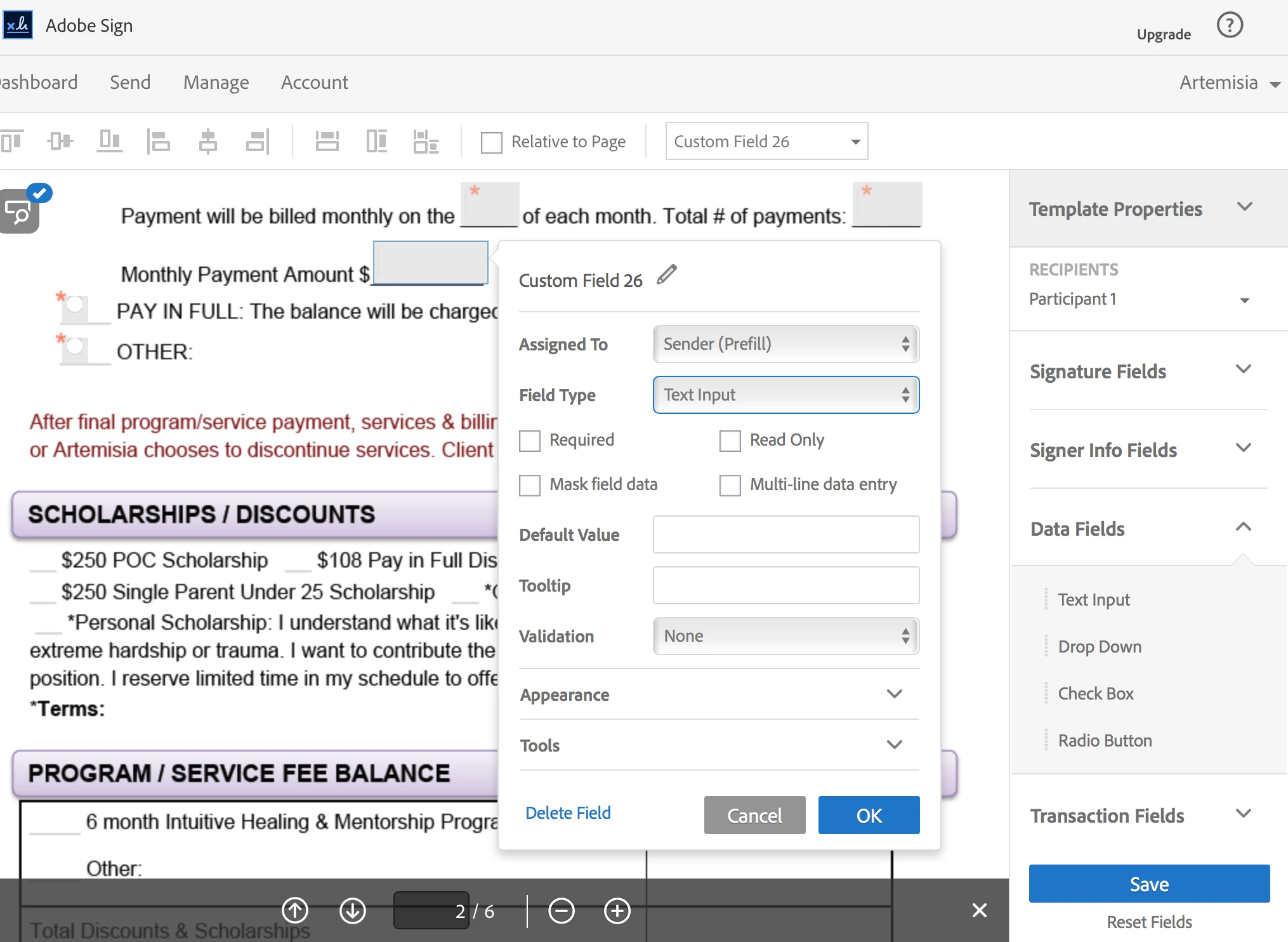
I looked this up in the help directory and got this link: Adobe Sign - Calculated Fields This page talks about the Value Type field as if it exists still however as you can see, it does not exist in the Custom Field options for this document. Argh!
When I attempted to edit a pre-existing, older document I do have the "Value Type" drop-down menu available to me so that I can input a calculated value and Formula. This is not currently available (as shown above) in the document I am working with!
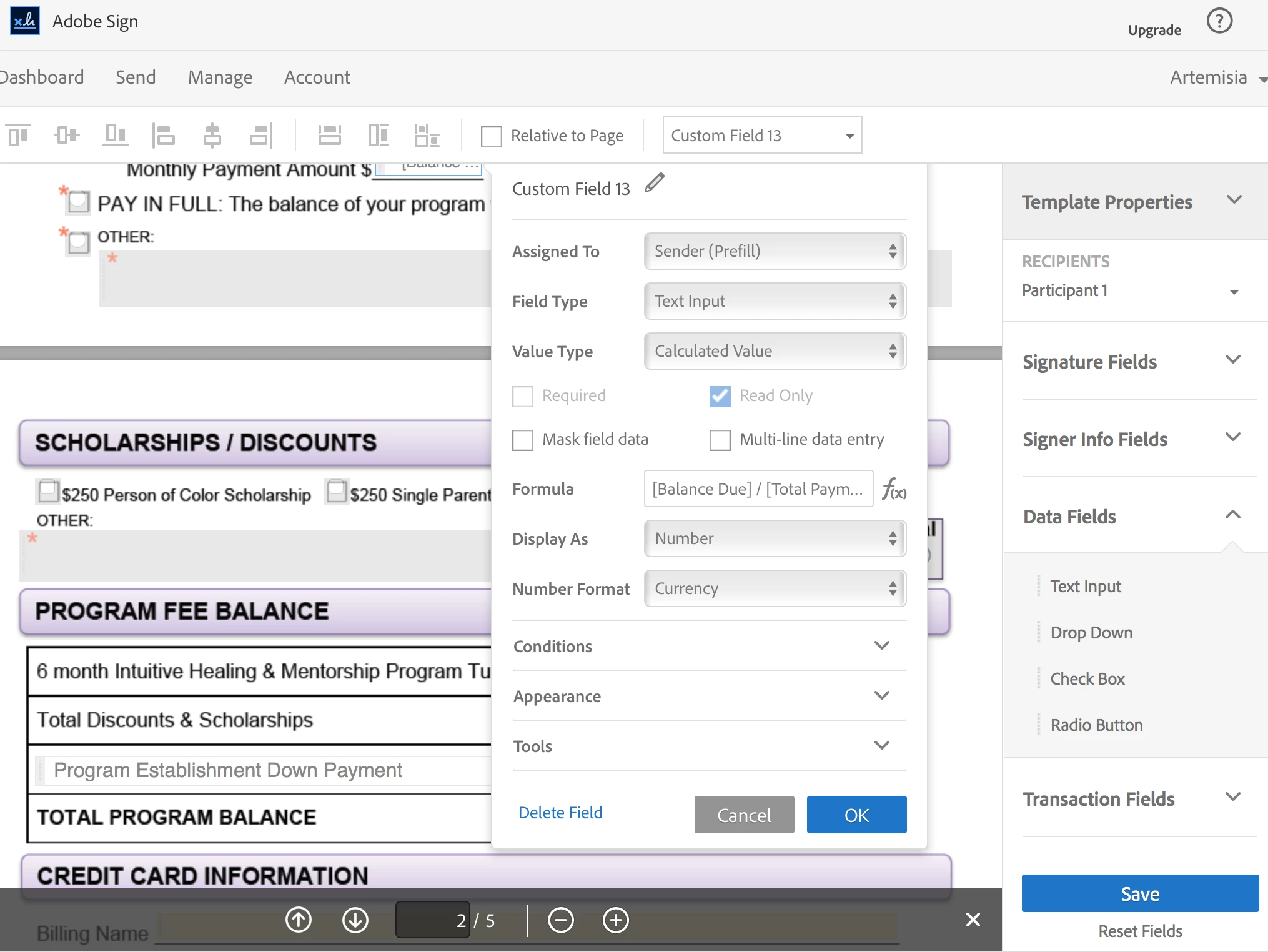
What do I do? What's going on?
 AdChoices