
WHAT is going on with E-Signature
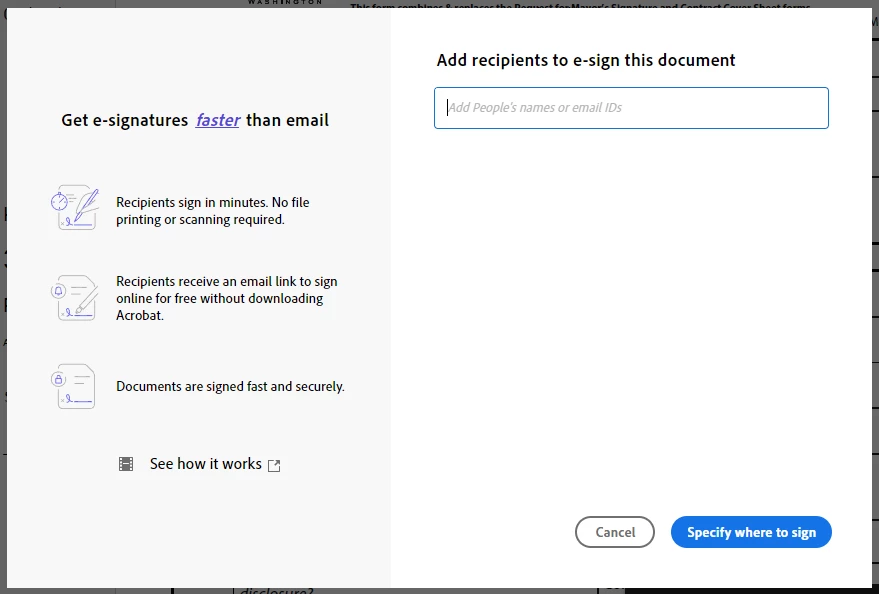
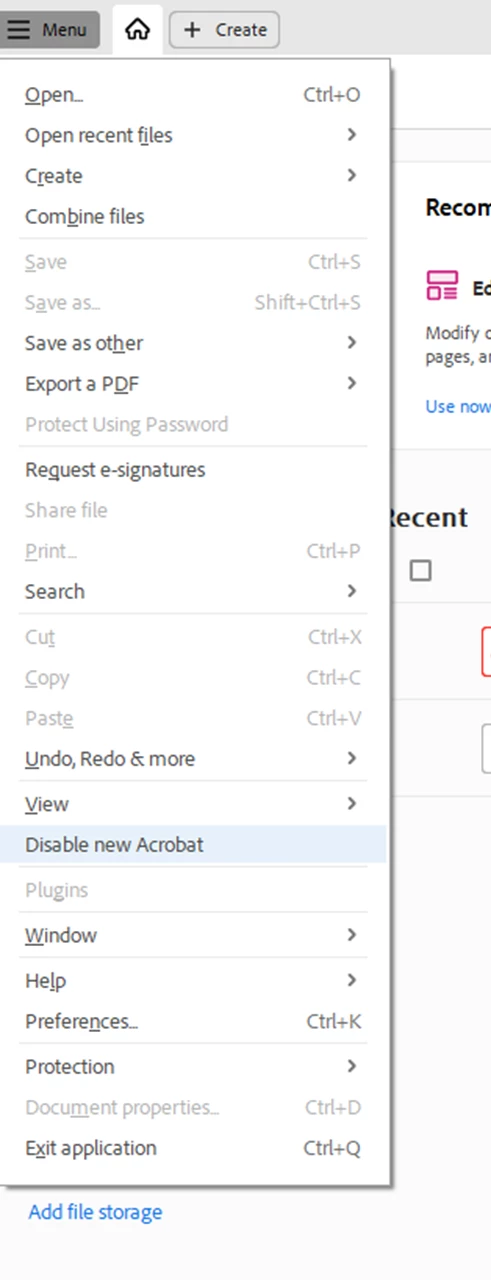
What is going on with your system? This pops up when we go to route a contract for signature, however, it removes the ability to CC and does something else really bad to the PDF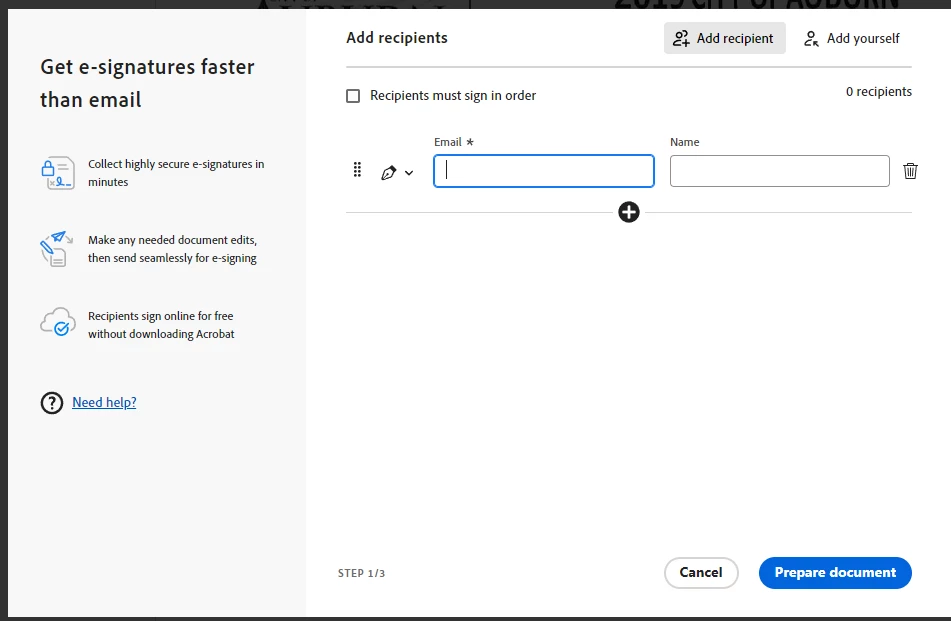 This is the original way until recently. However, if you sign out and back in you get the view below. So it can't be a system update. However, it returns to the above after you send and you have to sign out and back in each time you go to route.
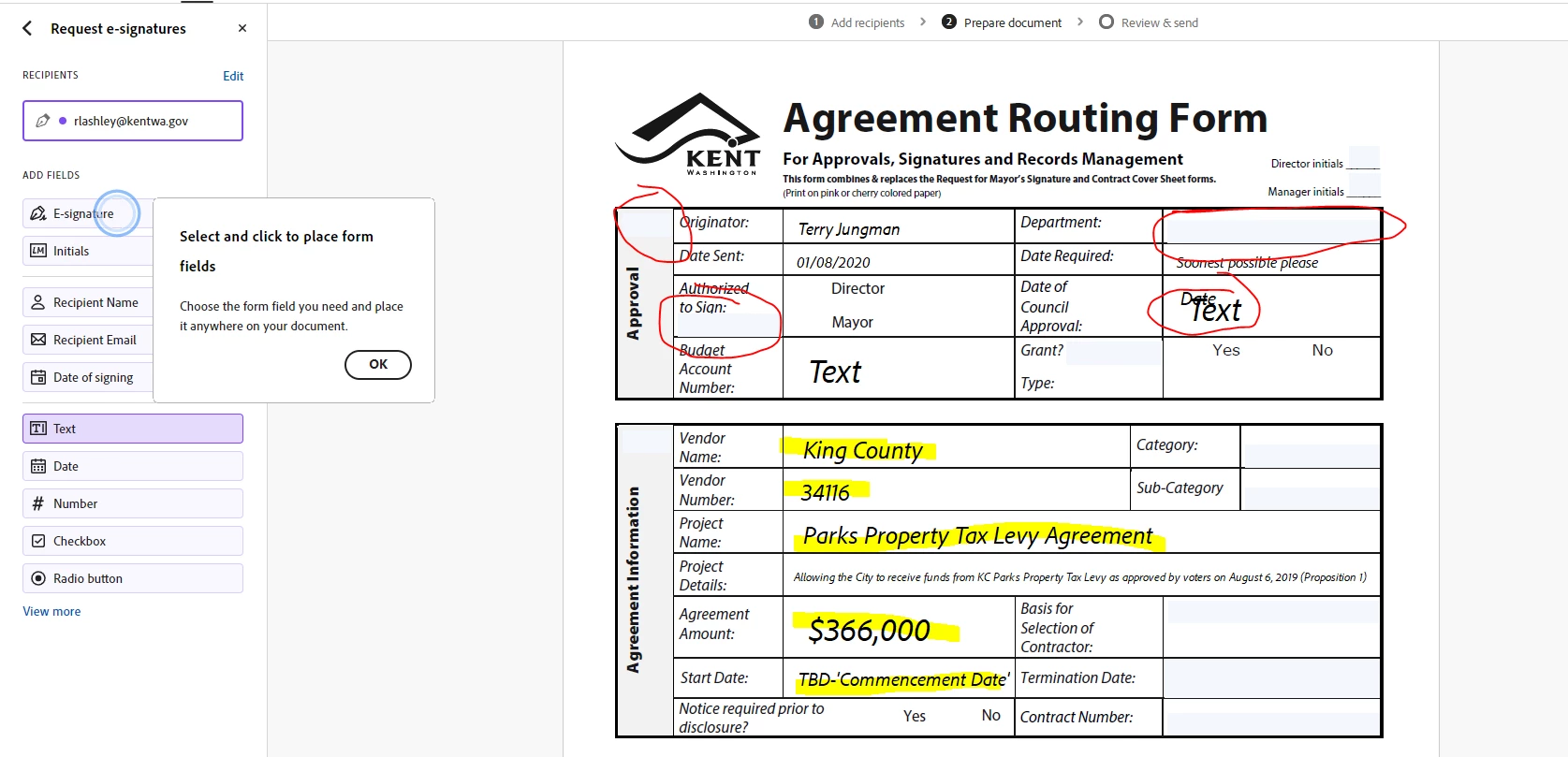
  When you continue with the first image process, this is what it does to fields in the contract. It moves and or deletes fields and changes the font.
  Once you get it back to how it's supposed to look, this is what the form looks like.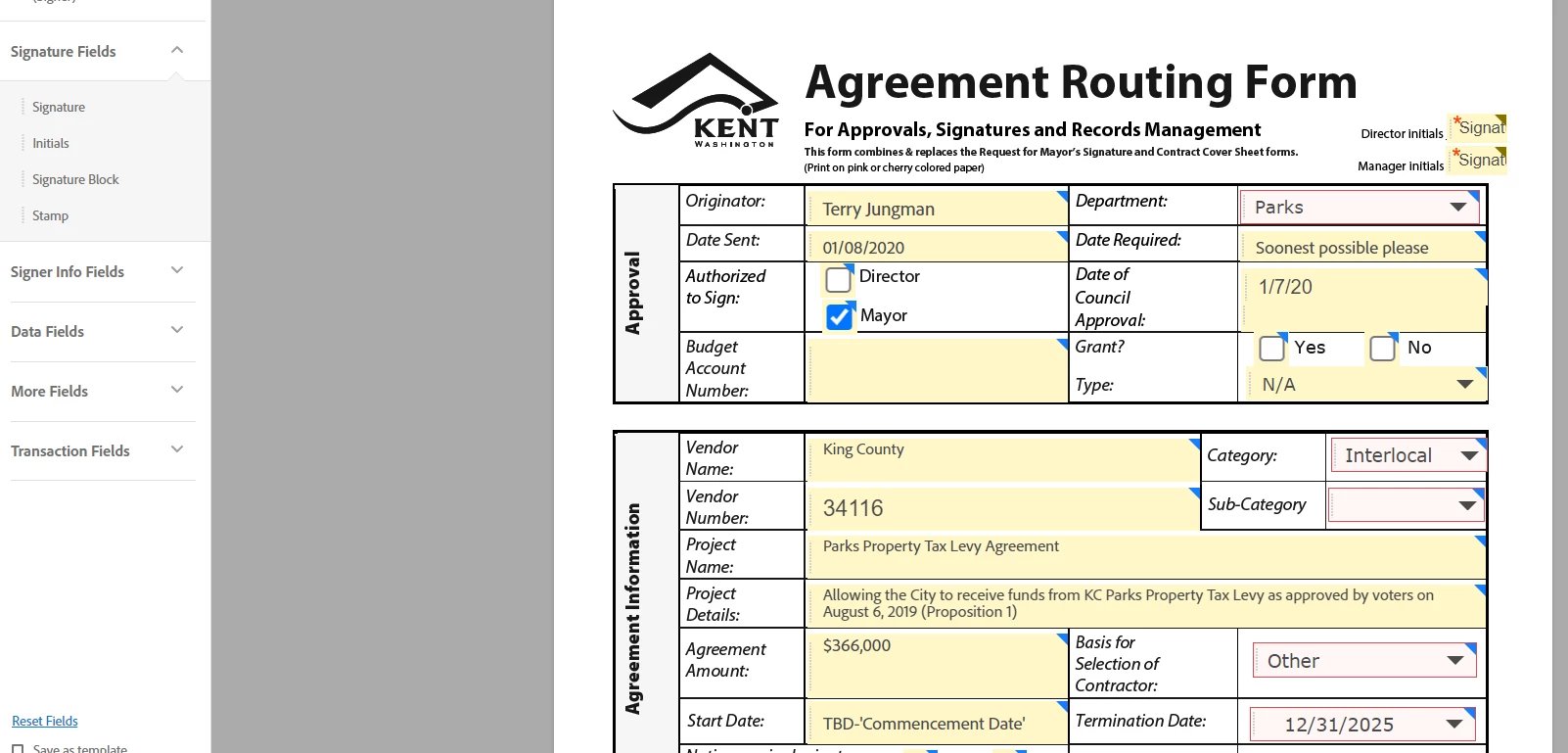
This is bad and no clue how to stop this from happening by default now. People thought it was an update until I showed them how to get back to the view that doesn't mess up the document. Can someone explain this?
 AdChoices