
Firefly white screen bug
I found a solution for Firefly-Chrome-Windows 10
Click the security icon and select the 'cookies and site data' option
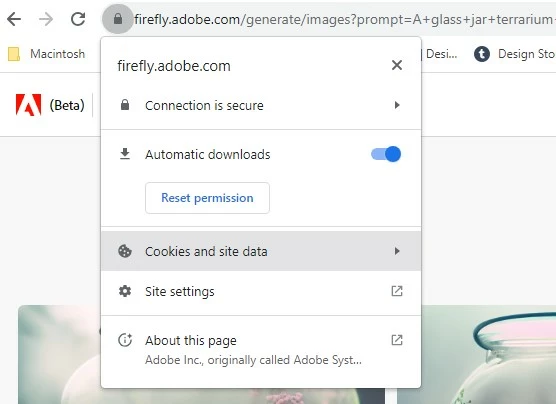
In the next panel select 'manage cookies and site data'
Delete/Bin all the cookies.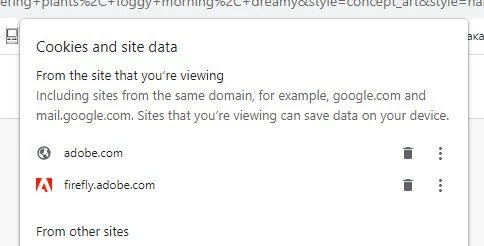
Then when prompted, click the reload button
I tried the firewall and browser refresh solutions, none of which worked!
This option removing the cookies manually worked first time.
Good luck
 AdChoices