December 12, 2025

Problem generating videos from image

  • December 12, 2025
  • 10 respuestas
  • 1260 visualizaciones

10 respuestas

January 7, 2026

Self-defense - Copy.jpg

Kartika Rawat
Community Manager
Community Manager
January 12, 2026

Thanks for the image. I tried it and able to reproduce the issue. Please share your OS and the browser.


^KR

January 6, 2026

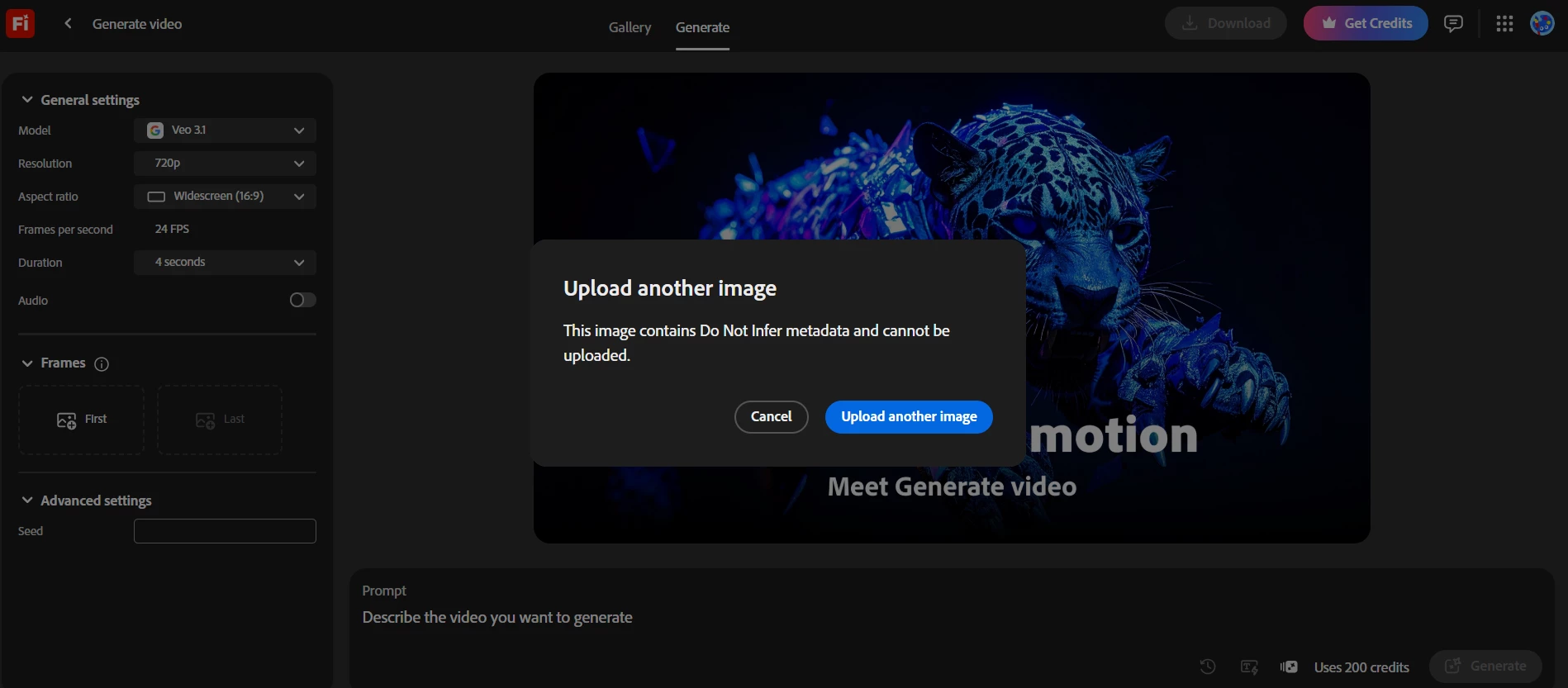
When creating a Firefly video, the first image upload is always blocked with the message:
“Upload another image. This image contains Do Not Infer metadata and cannot be uploaded.”

This happens with every image I try, including:

  • photos I took myself (camera/phone originals), and

  • images I previously generated with Firefly.

I’m not intentionally adding “Do Not Infer” metadata. The issue seems to affect all uploads, not a specific file.


Kartika Rawat
Community Manager
Community Manager
January 6, 2026

Hi dopa269031269nkq!

Thanks for bringing this. Could you please share the image with us, so we can test it? Which OS and browser are you using? 


Let us know. Happy to investigate
^KR

December 27, 2025

I been having the same problem for days now, I cannot attach images in Adobe Firefly (both first frame and end frame image attachments) in order create image to video prompt

Online Content Creator
Kartika Rawat
Community Manager
Community Manager
January 1, 2026

Hi jazevox!

Sorry to hear that. Have you already tried another browser? 


Let us know how it goes.

Thanks, 

^KR

droopydog500
Community Manager
Community Manager
December 25, 2025

Hi @Jikesh37568902lj58,


Can you please share the file so I can test with it?


Thanks,

    droopy

Adobe Community Expert (not an Adobe employee)
December 25, 2025

i also got the same issue. i tried saving it again in another location with different name but it doesn't work.

droopydog500
Community Manager
Community Manager
December 24, 2025

Hello @mihai_111 and @jason_8241,

If you move the file to another location and change its name, do you get the same error?  What kind of file type is the file? Are you able to share it?

Thanks,
    droopy

Adobe Community Expert (not an Adobe employee)
December 18, 2025

Hi Team,

I am trying to insert an image in the first frame to generate a video from an image. But unable to upload the image. It is showing the below error.


Hiten21984615fx2c_0-1766051296876.png


droopydog500
Community Manager
Community Manager
December 23, 2025

Hello @Hiten21984615fx2c,

Thank you for your message. 

Can you please share the image you were trying to upload as a keyframe so we can diagnose the issue?

Thanks,
    droopy

Adobe Community Expert (not an Adobe employee)
December 16, 2025

I can't upload any of my own pictures to Firefly—I keep getting the attached message. I'm certainly not adding this metadata to the image

daniellei4510
Community Expert
Community Expert
December 12, 2025

I found this, but not being a programmer, I have no idea what it means or how to fix it. Anyone?


"Contains: Do not infer metadata" means a system (often Salesforce tools like CLI/VS Code) is looking at a file, sees it contains other metadata components (like code or definitions), but needs you to explicitly tell it the type of metadata (e.g., Apex Class, Lightning Web Component) rather than guessing (inferring) it from the filename or structure, which often leads to errors if the naming or location is slightly off. It's a directive to be precise with file naming (e.g., MyComponent.cmp-meta.xml) and folder structure (e.g., in lwc folder) so the tools know exactly what they're dealing with." 

Adobe Community Expert | If you aren't submitting your assets in sRGB, you probably didn't read the rules.
December 12, 2025

Does anyone knows why Im getting this mesage. Previously I used the tool succesfully. Today I suddenly cant do it anymore