
Exit
  • Global community
    • Language:
      • Deutsch
      • English
      • Español
      • Français
      • Português
  • 日本語コミュニティ
  • 한국 커뮤니티
5

very poor text understanding

Community Beginner ,
Mar 05, 2024 Mar 05, 2024

this is happening to every image i am trying to generate, where as i am asking for specific details in this instance a pyramid with no stairs, and after 4 attempts to generate, it is only giving the image with what i have asked it not, furthermore it stacks the backdrop with the exact type of pyramid i desire. i have spent up over 100 credits on this program and resulting from it is only 2 or 3 satisfactory images due to issues exactly like this. i had an image i was trying to create and it cost me 10 credits just to get blonde hair that i had specifically requested and was a key detail as the images i am wishing to generate are going to be used in a story book and the way this generative AI performs it will cost me a fortune just to generate the 15 images i require for book one of my series. very disapointed to say the very least
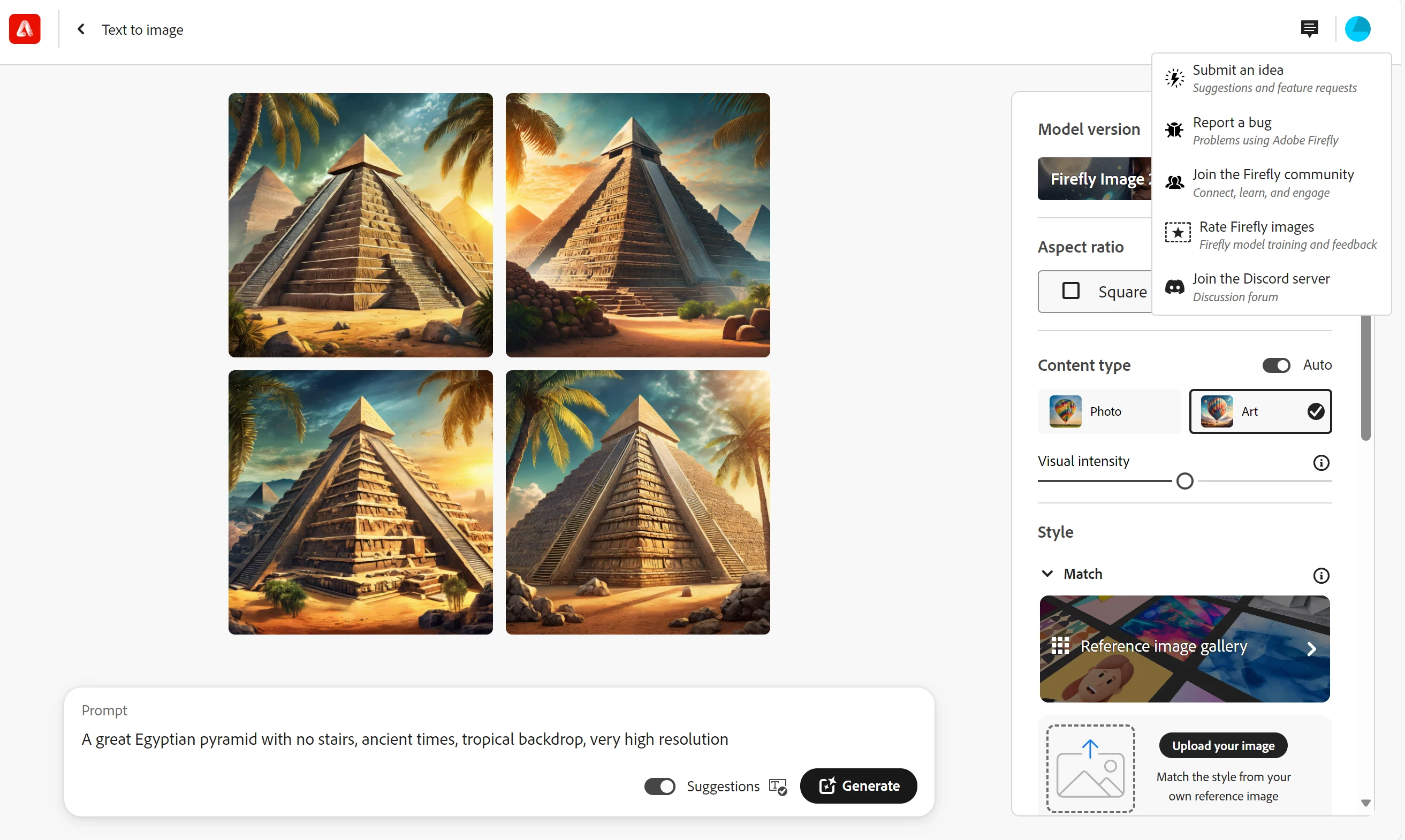
 

Screenshot 2024-03-06 161108.png

Bug Unresolved
622
Translate
Report
Community guidelines
Be kind and respectful, give credit to the original source of content, and search for duplicates before posting. Learn more
community guidelines
4 Comments
Contributor ,
Mar 05, 2024 Mar 05, 2024

Hi Phil, did you see the drop-down menu below advanced settings? It's at the very bottom, there you can enter words to exclude in your generations like stairs, steps, etc


Stairs.jpg


Translate
Report
Contributor ,
Mar 05, 2024 Mar 05, 2024

There is also an advanced prompt that would look like this:

A great Egyptian pyramid [avoid = stairs] ;ancient times, tropical backdrop, very high resolution

I would test it for you, but at this time Firefly is at max capacity, so I can't generate it for you. You separate the prompts with " ; " the reason being is that this advanced prompt will be isolated to only its location and not affect the other prompts. So if you have steps/stairs attributes in another prompt they won't be affected, only the pyramid. I used it a few times and it worked. Will it work? Testing it out worth a try.


The difference between this and the "Advanced settings" menu is that advanced settings with "nuke" all stairs in the total image. The advanced prompt only affects the subject in it's location this being pyramids. Yes it is frustrating, I'm running in to several roadblocks due to picture plane/depth issues. There seems to be a lot of "tribal knowledge" surrounding this program lol and no comprehensive guide in a central location.

Anyway try the advanced menu first, if you have steps/stairs in other parts that you want, then Advanced prompt it.

I hope something here helps

Translate
Report
Community Expert ,
Mar 06, 2024 Mar 06, 2024

A few things I have learned....


I never had much success with the "[avoid=xxx]", but now that seems to be stripped out with no effect when you click generate. So, you now have to use the side box.


When using the exclude from image box, add synomyms.  In this case: stairs, stairway, steps, staircase, etc. If you are not sure what synonyms to use, ask ChatGPT or Google Gemini.


Do not say "no something". My experience is it keys in on that "something" and adds it rather than avoids it.  Use antonyms instead:

  • stairless for no stairs
  • stepless for no steps
  • hairless for no hair


In some cases (like this one it appears), it is very hard to get it to not add something you do not want.  When you realise it will be a struggle to remove, I have found it can be easier (and use less credits) to use the remove function on Generative Fill to get rid of it.


This was the best I could get to with Text to Image:

droopydog500_0-1709721129964.png

a great ancient stone Egyptian pyramid stairless stepless smooth-surface , ancient times, tropical b... 


I took this into Generative Fill and did a few removes to get rid of the stairs:

droopydog500_1-1709721607036.png

I focused on the right side. The left could still use a little work.


Translate
Report
Community Expert ,
Mar 06, 2024 Mar 06, 2024
LATEST

That's very helpful !

Jill C., Forum Volunteer
Translate
Report