Participant
May 30, 2024
Answered

how to keep the same picture but only change one detail (eyes are closed, I want them open) ?

  • May 30, 2024
  • 2 replies
  • 4580 views

Hello! I was able to generate the (almost) perfect picture for what I need, except for one minute detail: models eyes are closed and I want them open. How do I keep the picture intact and only change one detail on Firefly?


Some of the things I tried: I made that picture become the reference for structure and style at 100% and kept the same description but asked specifically for eyes open, didn´t work, just made new (different) pictures with eyes closed; clicked "generate similar"  after adding the in the description to keep the same face and add eyes open, didn´t work, just made new (different) pictures with eyes closed.


--> Configuration: Firefly Image 3,  content is photograph,  reference structure at 100%,  reference style with visual intensity at 100% and intensity at 100%, hyper realistic, close up, studio light,  no specific color  tone.


Help! Any ideas?  T . T
Correct answer droopydog500

Hello @Larissa M,


You can use generative fill from the Adobe Firefly web site:

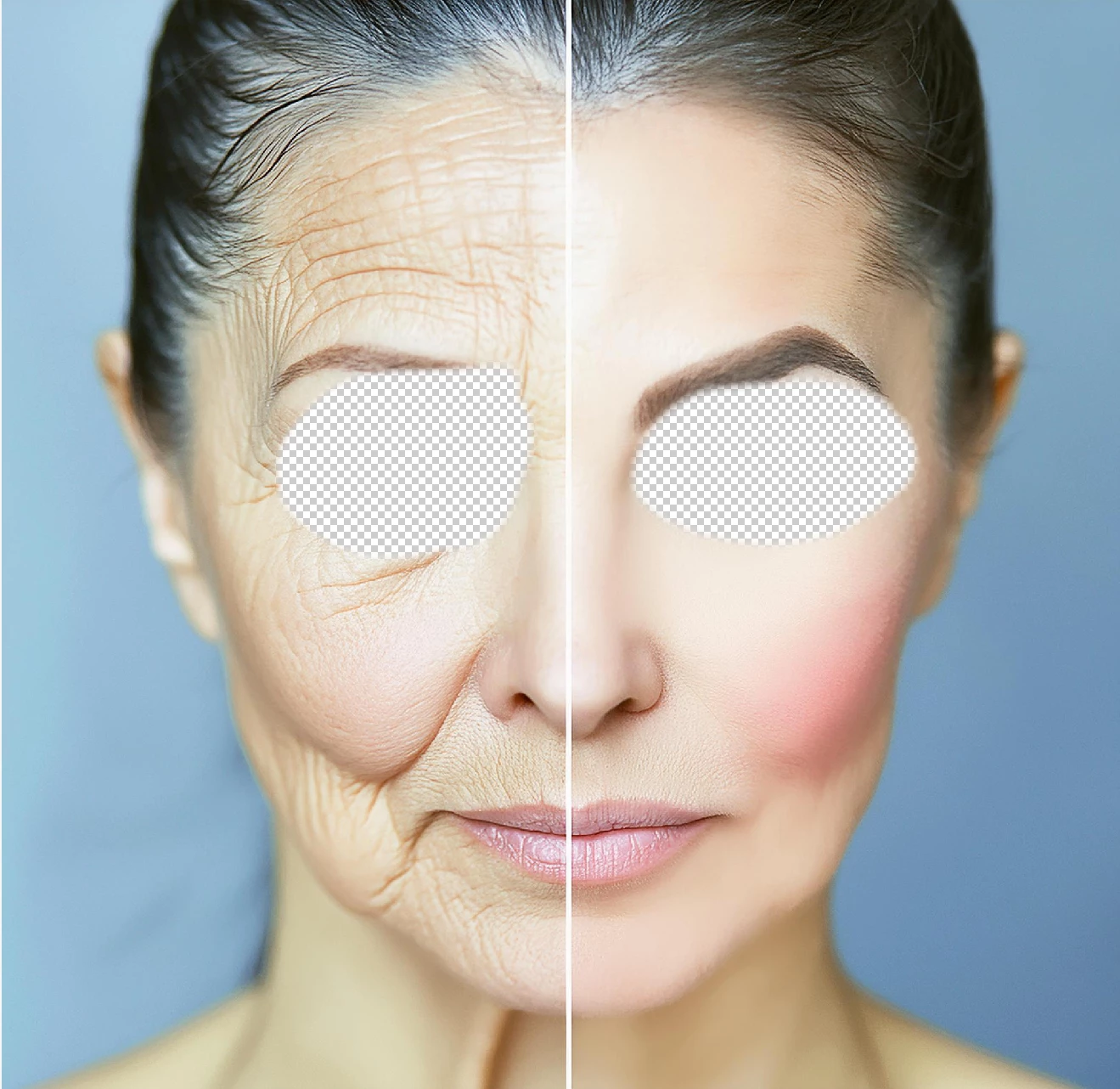
Upload your image into Gen Fill. You can then select the eyes:


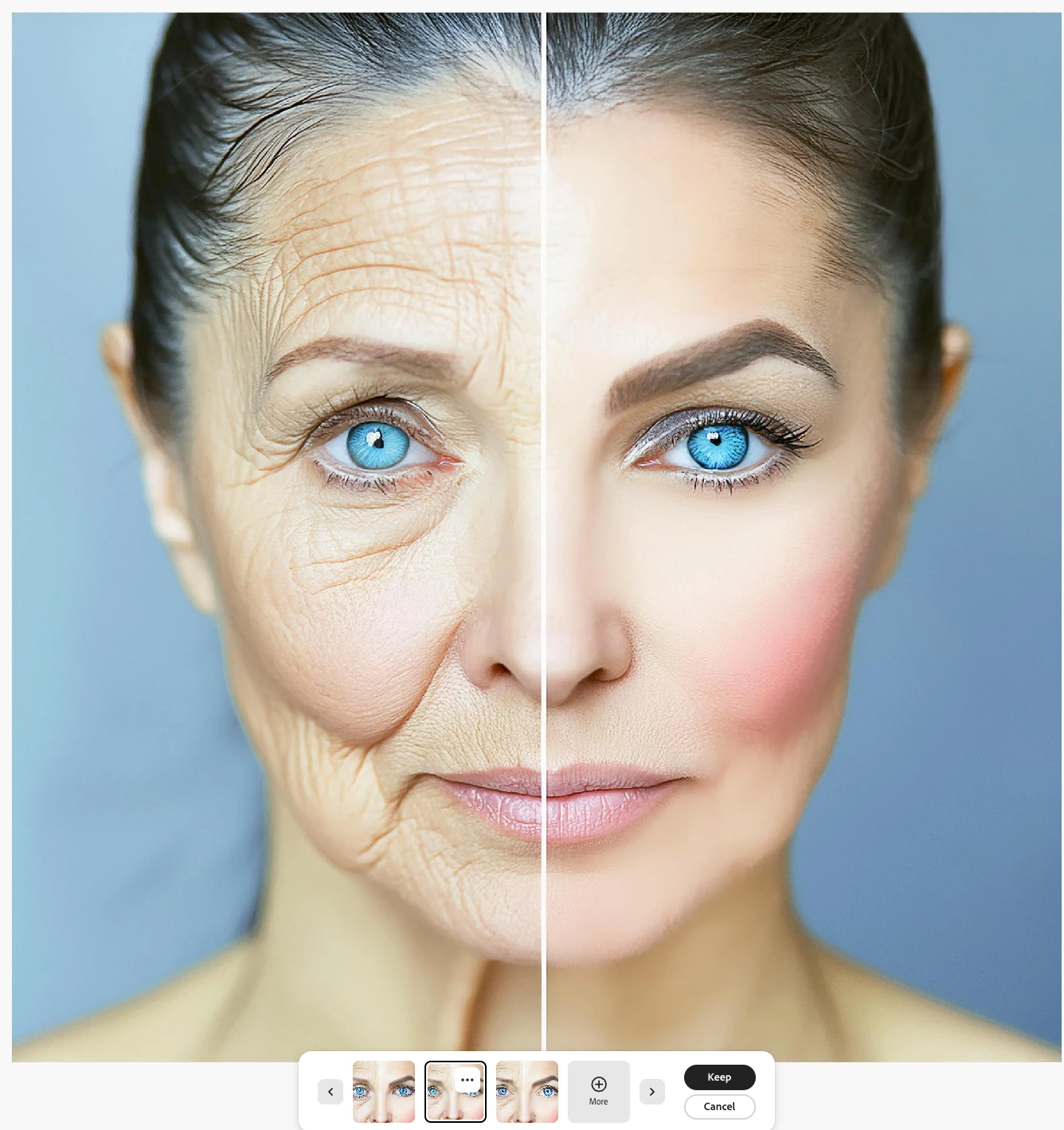
and use a prompt for open eyes. I used, "open blue eyes". Here was my result:

My best,

    droopy

2 replies

Larissa MAuthor
Participant
May 30, 2024

I figured it out !! 10 minutes after I posted this haha!! 

I went to 'generative filling' (???? ... in portuguese it is called "Preenchimento gerativo" which translates to that), clicked on remove, removed eyes, put new description of eyes open and it worked perfectly!!

droopydog500
Community Manager
droopydog500Community ManagerCorrect answer
Community Manager
May 30, 2024

Hello @Larissa M,


You can use generative fill from the Adobe Firefly web site:

Upload your image into Gen Fill. You can then select the eyes:


and use a prompt for open eyes. I used, "open blue eyes". Here was my result:

My best,

    droopy

Adobe Community Expert (not an Adobe employee)
Larissa MAuthor
Participant
May 30, 2024

thank youuuuu!! I figured it out a little before I read your post but you were very helpfull!