
Known Participant
October 7, 2023
Question

Photo Violates Community Standards

  • October 7, 2023
  • 1 reply
  • 6654 views

OK, let's try this again. I'm not getting an answer to my problem. This is the fourth time I've tried to get an answer.


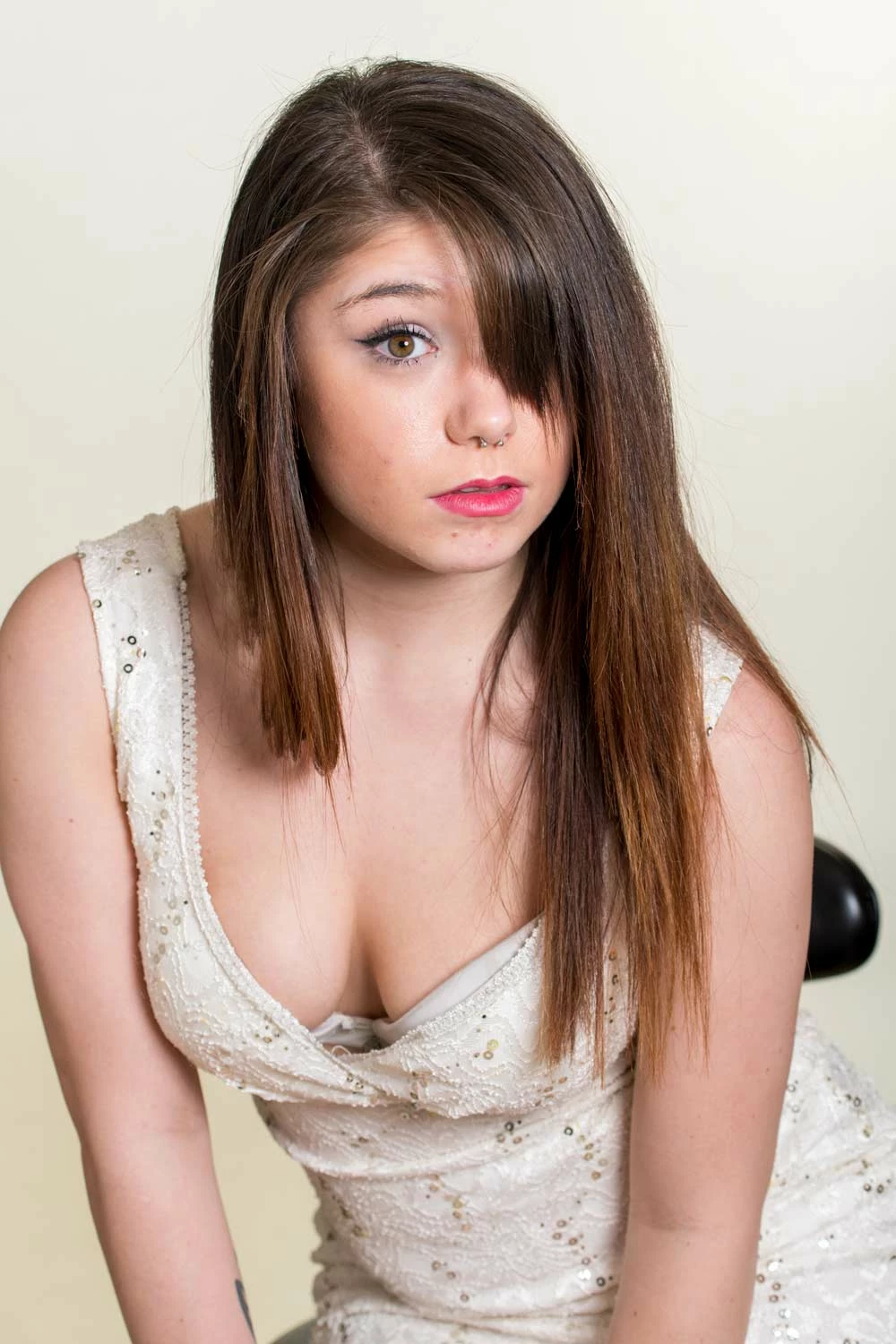
I wanted to play with a photo I had trouble with before. This time I selected the woman, inverted the selection, and asked to put dancers in the limited background available. It worked. But I wanted more space around her. So I started over. This time I used the crop tool and brought out the sides and top to have more room around her. This time it rejected my "request." I've asked for a review. I've requested a review of a different photo a week ago and, of course, heard nothing. What's the point of a review that doesn't get reviewed. 

It's simply a woman in a dress leaning forward, so there's cleavage. Unless the community standard is conservative and only burkas are allowed I don't think I've violated any reasonable American standards.


If anyone else wants to comment on why this violates community standards, I love to hear your opinions.


I'd really like an answer/review of this specific photo.


[Personal informaiton removed by Mod]
 

This topic has been closed for replies.

1 reply

Henrik Heigl
Community Expert
Community Expert
October 9, 2023

Hi,


I'm not sure what you want to hear, but for me this is clearly to much skin to be processed in any kind. It may be Ok for you, but not for others and as it seems also not for the Community Standards. So I would suggest you try other Images. Hope that helps.

regards,Henrik
Known Participant
October 10, 2023

Interesting anwer. I've run photographs of women in bras and p*nties which went through with no problems. This is a professional program for professional users as well as advanced amateurs (I'm a very advanced amateur). This is not a great photo, I picked it more or less at random. There are many users who would find this photo very innocuous. It's not obscene or pornographic. Yes, there is skin and cleavage. I've seen many wedding dresses that show more skin. If a professional wedding photographer can't change the background or even expand the space, then it's no longer a professional tool.


I guess my problem/question goes to the concept of who makes community standards? Is there a committee at Adobe that rules on all possible violations? I've posted this 4 times and Adobe hasn't had the courtesy of letting me know why this violates community standards. It certainly doesn't violate the standards of my community (I've posted in on my facebook page and not one person had a problem).


I'd really like Adobe to define community standards. I can spend a LOT of time fiddling with mask and then find out it violates community standards.


Why is Adobe so reticent about their own standards? Is it just a computer measuring skin percentage? I asked for a review twice (in the Generative AI) and heard nothing.


Adobe has dropped a big ball!


John

Known Participant
October 19, 2023

I would still like a real answer to my prior questions. 


Simply saying "too much skin" is a completely useless answer. As of November 1 every time I attempt to use Generative AI will cost me "credits." Will Generative AI decide that Venus de Milo and Michaelangleo's David violate community Standards? Are community standards based on Florida and Texas standards (whatever they might be). 


Photographers have been photographing nudes and semi-nudes since the beginnings of photography. Photoshop has been used for decades to edit all sorts of "questionable" photos. 


I want to know specifically why THIS photo violates community standards. Simply saying that YOU think there's too much skin is completely disingenuous. I've asked for reviews and never gotten them, at least no feedback to me. Without knowing what the standards are, how can I possibly edit my photos accordingly? If this is too much skin, how do you determine it? By percentage?  By square inches, centimeters, or whatever standard you use?