



Weekly challenge - Grayscale Art
Hey everyone,
Hope all are doing well.
We’re excited to keep the momentum going with our Weekly Challenge! This week, we’re diving into the world of Duotone art using Firefly. Design a grayscale image that captures your artistic vision using Firefly. Explore the nuances of shadows, textures, and contrasts without any color.
The Prompt I used: Create a monochrome image of a rainy time at night with girl walking in the aisle carrying a red umbrella, add dim lights.
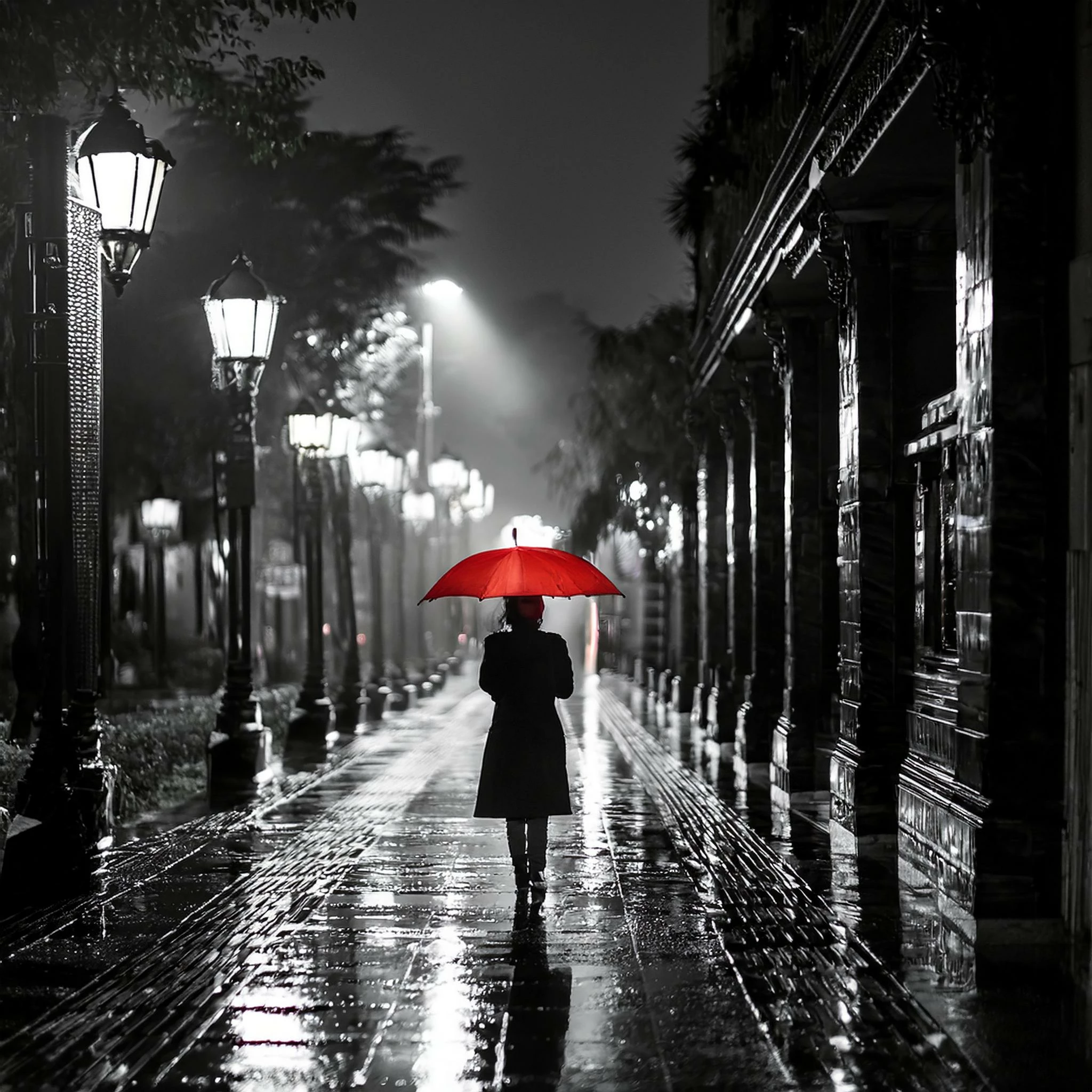
I clicked Download to download the image to my computer.
What to Submit:
- Your Images: Images of Monochrome/ Greyscale
- Your Prompt: Share the text prompt you used for your creation.
Submission Deadline:
- Please submit your creations by Aug 25, 2024, 12:00 AM PT (GMT+7).
How to Participate
1/ Create Your Image:
- Launch Adobe Firefly and select the Text to Image feature.
- Create a prompt and generate your image. Need ideas? Visit the community tab for inspiration, or ask here for ideas.
2/ Capture Your Creation:
- Once satisfied with your image, hover over it and click “Share” at the top right corner.
- Select “Copy image” from the drop-down menu.
3/ Submit Your Entry:
- Come back to this thread, click “Reply,” paste your image, and describe the prompt you used.
- Hit “Post” to submit your entry.
We can't wait to see your monochrome masterpieces! Let your creativity shine in shades of gray.
Happy creating!
Thanks,
Kartika
 AdChoices