Answered
Where are my Firefly creations?
Hi,
My "Files" section in Firefly is empty. I can't see any of my many creations suring 2024. I am a registered paying customer. Help....?

Hi,
My "Files" section in Firefly is empty. I can't see any of my many creations suring 2024. I am a registered paying customer. Help....?
Hello @revitalm73617907,
Thank you for your message.
Are you looking for old favourites? If so, since the new release, favourites are now stored in the cloud rather than in the local browser cache. However, old favourites are still available from the local browser cache. When you go to the Favourites page, if you have favourites in the local browser cache, a button will appear on the right side "View favourites saved in browser":
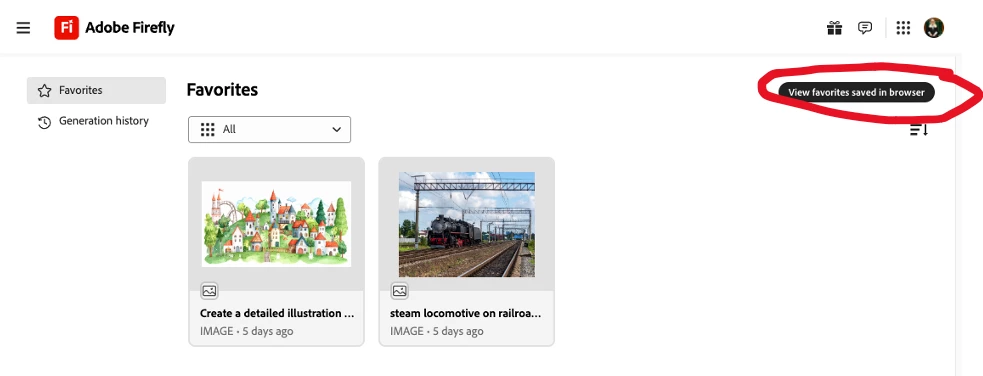
Note, if you have a lot of favourites stored in the browser cache, it can take a few seconds for that button to appear. It takes 17 seconds for it to appear in my browser window (I have hundreds of favourites saved in this browser).
Browser favourites are only available on the computer and in the specific browser they were saved in. There is no function available to transfer those favourites to cloud storage.
My best,
droopy
Already have an account? Login
Enter your E-mail address. We'll send you an e-mail with instructions to reset your password.
 AdChoices