


Participant
March 24, 2023
Open for Voting

P: Maintaining a scene or character across different prompts

Let's say I wanted to storyboard a script and produce different angles of the same thing. It would be nice to have something that holds on to the core look and objects within the frame so we can get a wide, medium , and close shot of the same scene.
返信数 150

Jimmy Flame
Community Expert
Community Expert
January 28, 2026

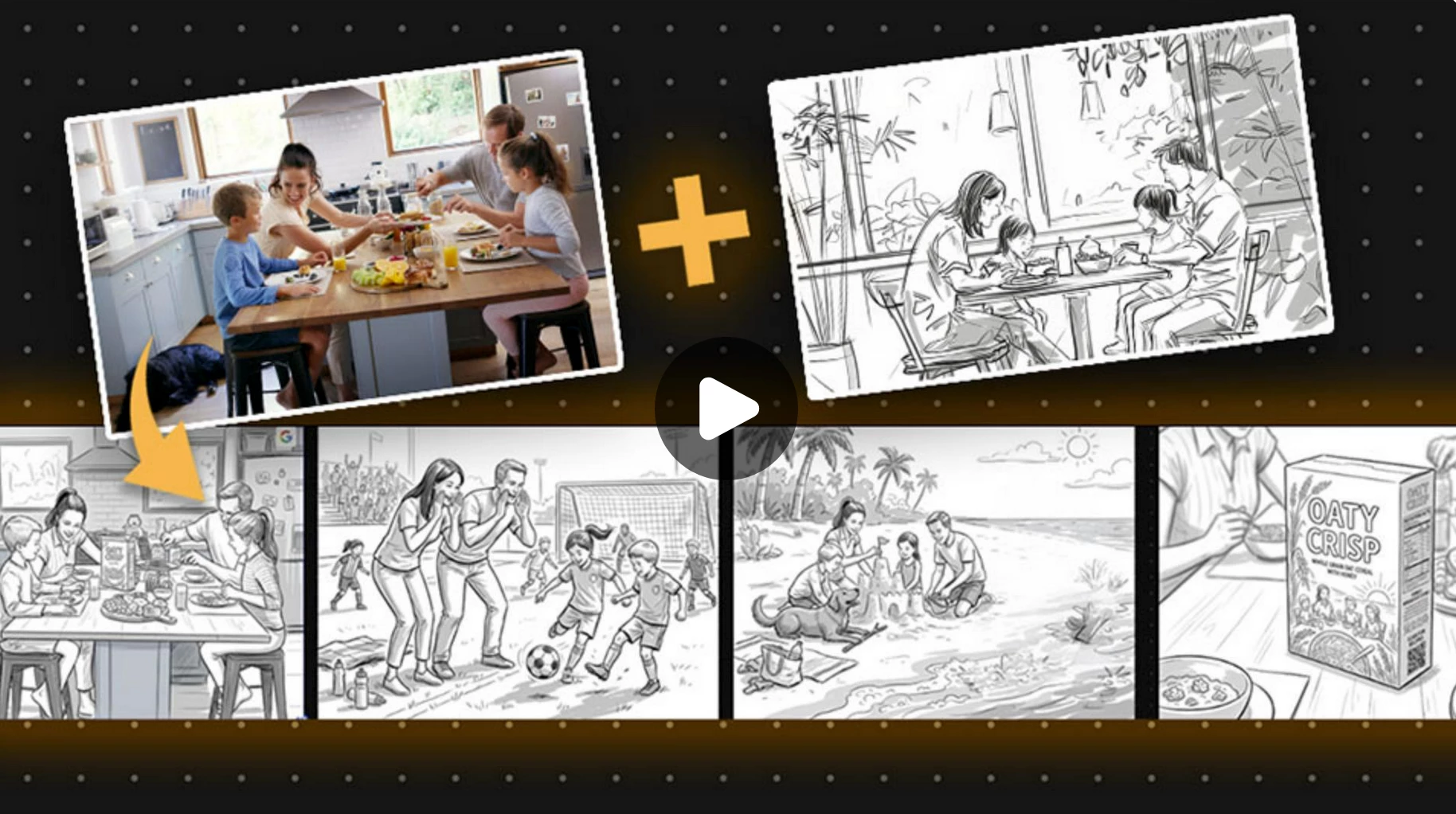
My personal strategy to this is using Firefly Boards with a core image. The image can either be generated or something you upload. I use the eyedropper tool to identify the reference then use Nano Banana Pro (Gemini 3) to generate the images. Gemini 3 has ‘reasoning’ capabilities, so start the prompt with something like “You’re an amazing storyboard artist helping me create different angles from the image.” Then write the command, something like, “Redraw (or some similar term) this image at a Dutch angle...etc”. Be really specific about what you want. If you like the generated image, click “Add to board” or equivalent. Can’t remember the exact phrasing. Be sure to use the original image and not the generated one for additional generations at different angles, etc. The key here is understanding Reasoning language versus straight up commands. Gemini “understands” what to do with both, but starting with a line of “reason” (e.g., You are a great artist or whatever) and then following with commands (e.g. Redraw this photo at a wide angle). I’ve had really great results producing multiple angles of a photo or drawing that holds on to the core with this approach.  

- Jimmy Flame
The Scott Valentine
Community Expert
Community Expert
November 20, 2025

I think a great approach would be to have a project board where you can upload character references from proscribed angles, effectively training a very small LoRA. I realize this would require using more compute time, but I would bet that many people would gladly use this feature. Alternatively, offer a training service for more advanced customers. Many providers are already doing this.

------------------------------------------------------------Never let your tools get in the way of your art!
Kevin Stohlmeyer
Community Expert
Community Expert
November 19, 2025

@thurid_wadewitz @SamarthS why doesn't the two samples above not meet this need? I uploaded a character (me) in boards and was able to generate 16 different scenes using my consistent look. 

Known Participant
November 19, 2025

Many people already requested for consistent character generation. I would love to have a possibility to use/upload a character image and to use that character in my upcoming generations. 

Community Manager
November 19, 2025

Hi @thurid_wadewitz


Thank you for sharing your feedback and idea about a character reference upload option in Adobe Firefly.

We understand that consistent character generation is vital for many creators, and we appreciate your suggestion to allow users to upload a character image as a reference for upcoming generations. This feature request has been recently raised by several community members, and we want to assure you that your input is valued.

Our product team regularly reviews feedback from the Firefly community to help guide future development and prioritize new features. While we cannot confirm a timeline for this capability yet, your request has been added to our internal discussions regarding features. We’re exploring solutions that could enable creators to generate characters with greater continuity, style, and accuracy.
We appreciate your patience.

^Sam
Kevin Stohlmeyer
Community Expert
Community Expert
November 14, 2025

Oh sure @The Scott Valentine I get a cab and you get a sports car. I see you. lol

The Scott Valentine
Community Expert
Community Expert
November 14, 2025


 "A 2x2 grid of images showing this man getting out of a sports car in a busy city"

This was generated from a simple selfie headshot. While it's not a perfect representation of me (the source of the selfie), it's remarkably close. Starting from several actual images in the same layer showing different angles and lighting may yield more accurate results. Cleaner starting images definitely produce more consistency so far. The main trick is getting everything you want to use as a reference in a single flat layer, then selecting the entire layer.

------------------------------------------------------------Never let your tools get in the way of your art!
jane-e
Community Expert
Community Expert
November 13, 2025


@CSI Productions wrote: "I would save this as "Correct Answer" instead of the previously listed Correct Answer"


It has been marked correct.


For those who come across this thread later, please note that it started in March 2023 and things have changed since then. Adobe listens!


Jane

Participant
November 13, 2025

Sounds really interesting Kevin, do you have a rough outline of the prompts and steps you did to achieve the storyboard with the consistent character/talent/subject? Thank You.

CSI Productions
Inspiring
November 13, 2025

Heck Yah! Saw the Correct Answer - BIG thumbs up.


R.CatesCSI ProductionsIf you want peace, be peaceful.
CSI Productions
Inspiring
November 13, 2025