New Participant
June 26, 2024
Answered

Trouble with macron letters

  • June 26, 2024
  • 2 replies
  • 542 views

Hello everyone.


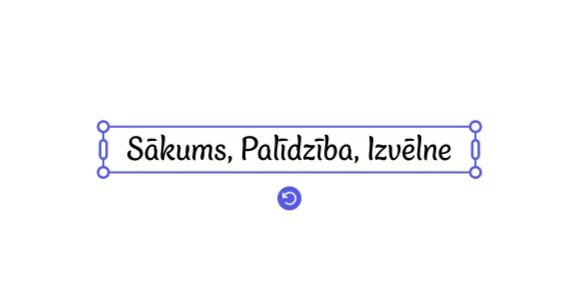
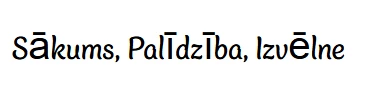
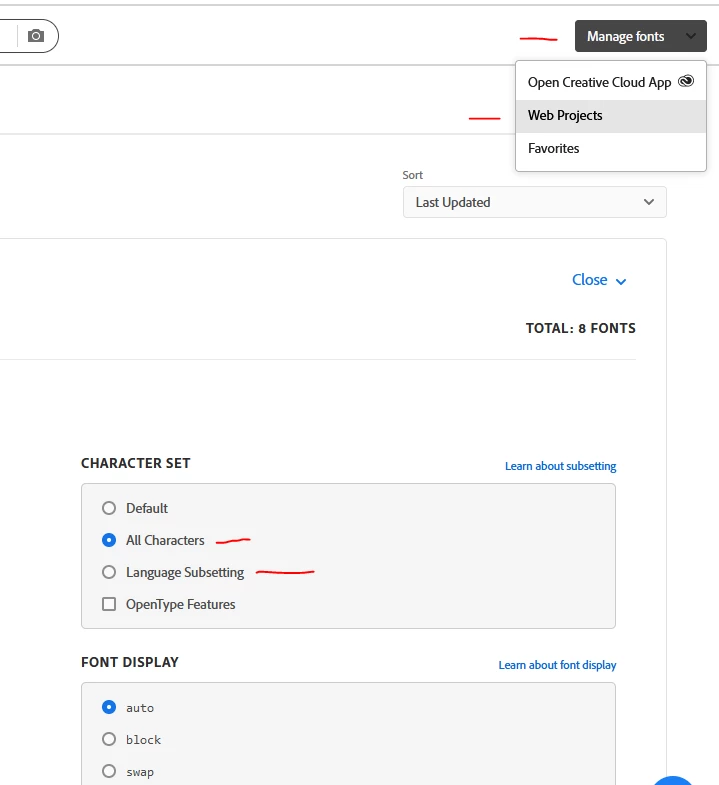
I am currently designing a website in the latvian language, and was trying to find some fonts that support the used letters (Ā, Ē, Ū, Ī, etc). I found a few and even checked the font's compatibility in Adobe Express. But when I use the font inside a website, it does not display the specific latvian letters as per preview.


Below I have added screenshots from: 1. Adobe Fonts preview, 2. The font inside Adobe Express, 3. The font used in the website.

NOTE: I even made a fresh html file and added only the required elements provided by Adobe, yet it displays the same.


Thank you


This topic has been closed for replies.
Correct answer elwheelss

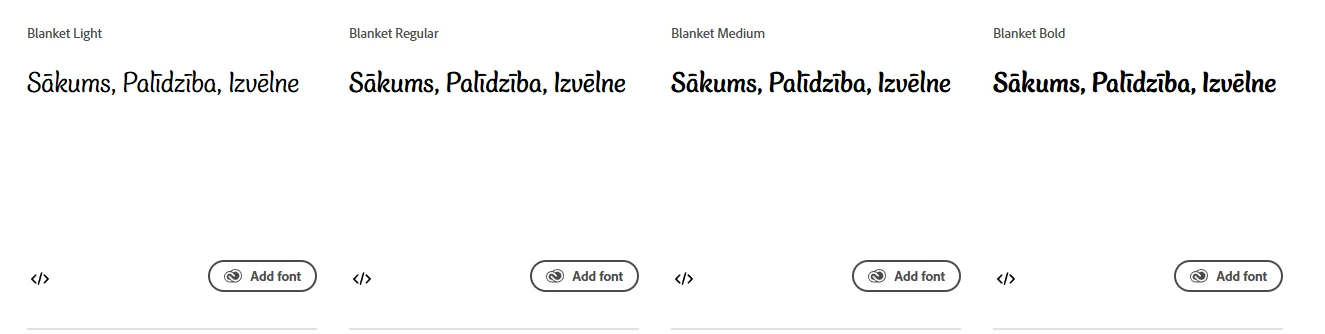
If you are using Web Projects to include the font via Typekit, this worked for me just now:


Log into adobe account and on fonts.adobe.com go to Manage Fonts right hand dropdown > Web Projects > Edit Project > Character Set

Can choose All Characters, or Language Subsetting to limit to only a few languages.


2 replies

elwheelssCorrect answer
New Participant
July 1, 2024

If you are using Web Projects to include the font via Typekit, this worked for me just now:


Log into adobe account and on fonts.adobe.com go to Manage Fonts right hand dropdown > Web Projects > Edit Project > Character Set

Can choose All Characters, or Language Subsetting to limit to only a few languages.


CherizerAuthor
New Participant
July 1, 2024

Thank you, this solved the issue!

New Participant
July 1, 2024

We have the same problem.  We are using a web project link to include a font via Typekit to our websites, and some special characters - not all - are not rendering as they should on our HU, PL and CZ sites.