dataforge
Inspiring
June 5, 2018
Answered

Adobe Encoder CC 2018 Media Cache Location

  • June 5, 2018
  • 1 reply
  • 5810 views

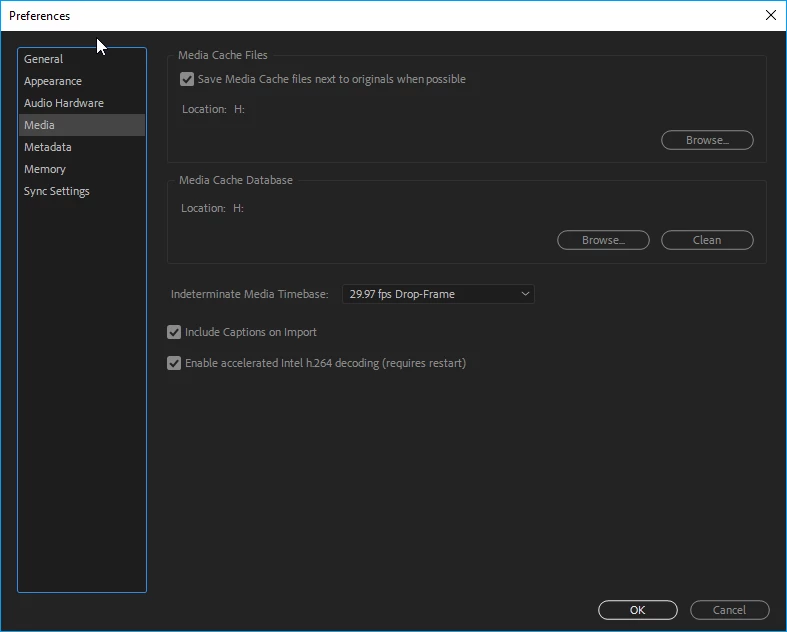
In Edit, Preferences, Media, I have changed the cache file locations to a different drive

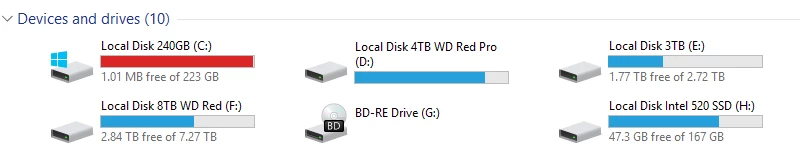
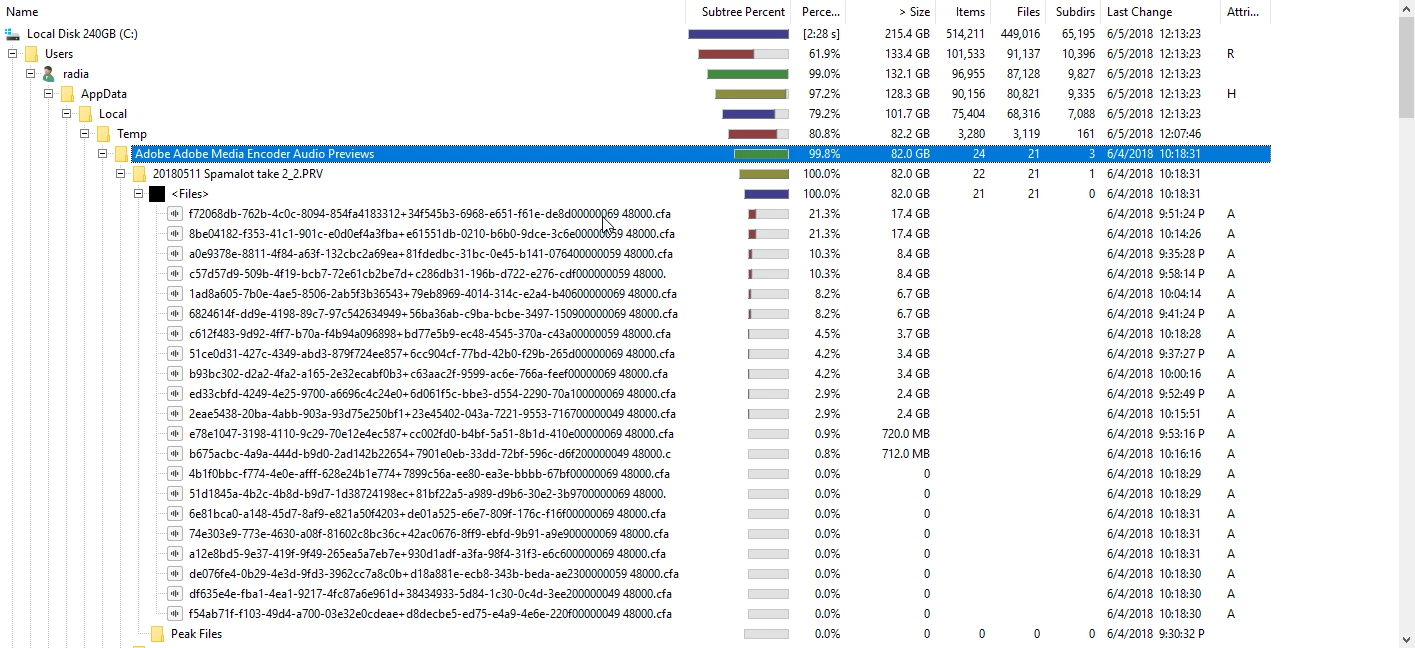
but it still fills up my C: folder of files anyway

I have cleaned the media cache database and it just fills back up

I have build 12.1 build 171

whats the problem?
    This topic has been closed for replies.
    Correct answer Kevin-Monahan

    I'm not going to bother with that.  This isn't the only project this happens with, its happened for months with numerous new projects


    Hi dataforge,

    Sorry for this. Kindly report this anomaly to our developers: Media Encoder: Hot (176 ideas) – Adobe video & audio apps

    Thanks,
    Kevin

    1 reply

    dataforge
    dataforgeAuthor
    Inspiring
    June 5, 2018

    i have upgraded to 12.1.1 build 12 and still same issue

    Peru Bob
    Braniac
    June 5, 2018

    Try starting a new project and set the locations you want.  Then import or copy the old project into it.

    dataforge
    dataforgeAuthor
    Inspiring
    June 5, 2018

    I'm not going to bother with that.  This isn't the only project this happens with, its happened for months with numerous new projects