


aletial55931476
New Participant
June 28, 2018
Answered

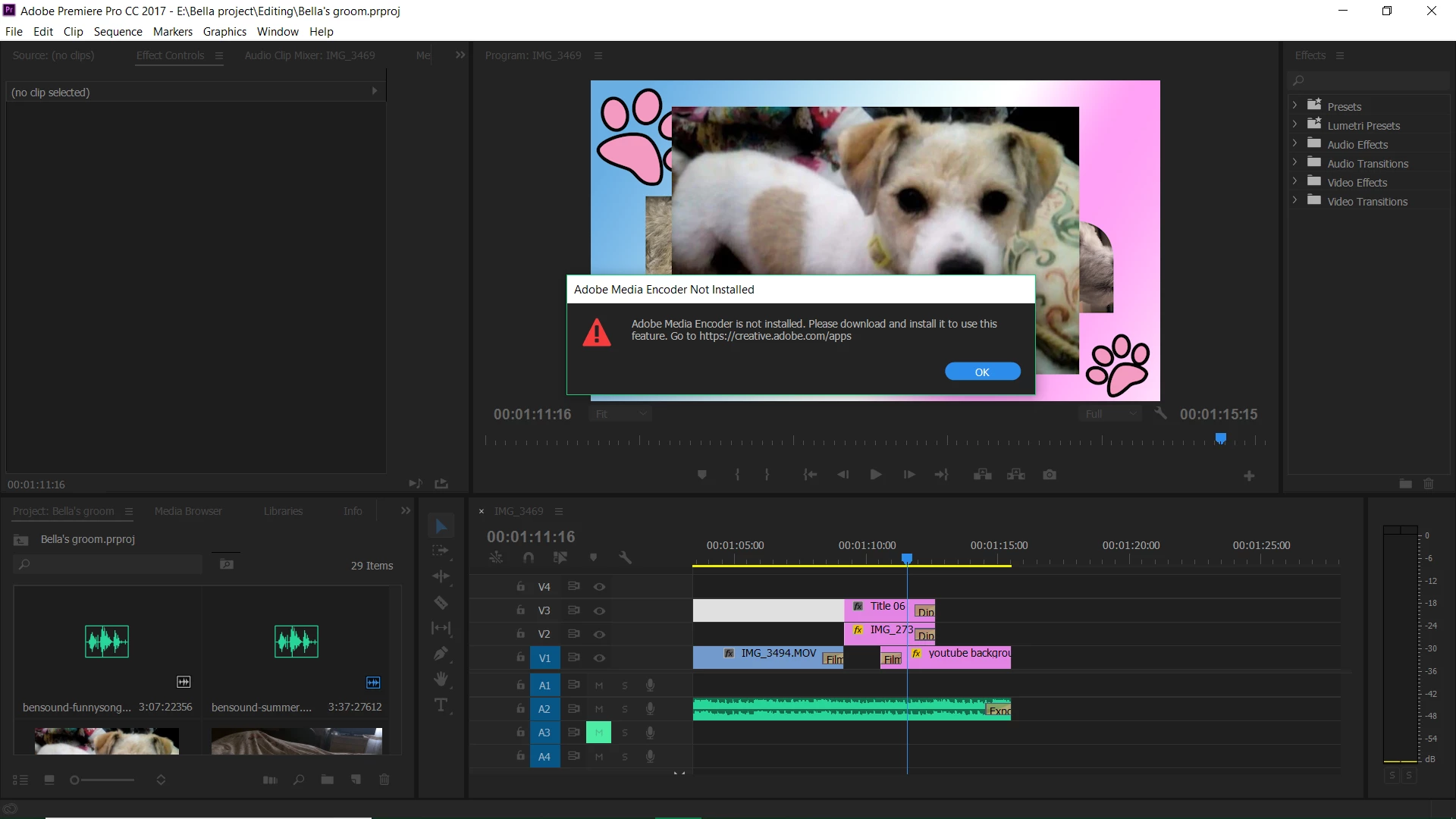
Adobe media encoder not installed, but it is!
  • June 28, 2018
  • 10 replies
  • 106175 views

I've been making videos and exporting them perfectly and uploading them to youtube. However, yesterday I go to export this video and I get this message. No idea what to do. Thought Premier pro and media encoder would need updating so I've updated them both to the most recent one, yet it still says it's not installed. Please help, I need to upload videos.

Correct answer R Neil Haugen

Tends to be a quick fix. Close both, start up Me, start up Pr ... see if that works.


If not, sign out of your CC Desktop app, reboot, sign back in.


If not then, uninstall Pr and Me, reboot, reinstall Pr and Me.


Normally by then you're back "up".

10 replies

New Participant
May 21, 2025

please help me for Exporting

R Neil Haugen
Brainiac
May 21, 2025

Please give the specific builds of both, as in 25.2.1 build 36 or whatever. The media, effects and all.

hellopaul4
Inspiring
August 29, 2024

Getting this same issue (29 August 2024) with PPro beta. Ugh.

Known Participant
December 11, 2023

It is 12.10.2023 -I just updated PPbeta, can't export ANYTHING to ME because well.. it says "not installed". It is installed. 


I AM INSANELY FED UP. 

R Neil Haugen
R Neil HaugenCorrect answer
Brainiac
December 11, 2023

Tends to be a quick fix. Close both, start up Me, start up Pr ... see if that works.


If not, sign out of your CC Desktop app, reboot, sign back in.


If not then, uninstall Pr and Me, reboot, reinstall Pr and Me.


Normally by then you're back "up".

New Participant
November 3, 2023

I was having the same problem.  I updated both Premiere Pro and Me, and that alone didn't fix things.  Then I restarted my computer and now everything is working well.

New Participant
October 13, 2023

why...

New Participant
December 3, 2022

Fix:

1. Close Adobe Premiere Pro.

2. Copy Media encoder .exe file.

3. Paste it on the Adobe Premiere Pro Installation folder.

4. Open Adobe Premiere Pro.

5. Done. Fix

New Participant
April 11, 2023

Worked like a charm.

serrini
Known Participant
March 12, 2021

Yes, you need the same version BUT make sure you dont have two versions on your computer. All morning I couldn't figure out why after updating everything it still gave me an error. Seems like when I opened the project file from explorer it was pointing to an old version of Premiere, not the latest. Why it didn't delete it during the upgrade I will never know. Delete it, open the project again (you'll be promted to save it as a new project) and you'll be gold. No need to delete and reinstall. 

R Neil Haugen
Brainiac
March 12, 2021

I've not had this issue. I also always keep all older versions when updating/upgrading.


The OS opened the file in the version that created it, which is normal behavior. I open projects from the PrPro splash screen, or more often, from within my in-use Productions process, as nearly all my PrPro work is in Productions anymore.


Which gets around the troubles you had.


Neil

Participating Frequently
February 18, 2021

Its cause you probably have a different version of adobe encoder you can't use adobe after effects 2020 with encoder 2018 they want their money lol.


New Participant
March 10, 2021

Im having this problem now, just updates all today.........wth!!

Vidya Sagar
Community Manager
Community Manager
June 29, 2018

Hi aletial55931476,

As Neil mentioned, it requires same version of both applications to queue the export.

Here are the help articles to install latest version and older version:

Update apps to the latest release of Adobe Creative Cloud

Install previous version of your Creative Cloud app

Thanks,

Vidya

New Participant
December 15, 2018

It seems as though a number of users are still having issues with "Adobe Media Encoder Not Installed". Here is what finally resolved it for me. Uninstall Media Encoder. Next uninstall Premiere pro. Restart your machine. Once restarted, install Premiere Pro FIRST. It will then automatically install Media Encoder without further actions on your part. This will also reestablish the needed links. Finally restart your machine and all should be working normally. I hope this is of help to those still struggling with this issue.

Best regards and happy encoding...

Bill Steele 

R Neil Haugen
Brainiac
June 28, 2018

Your PrPro version in that screen-grab is a 2017 build ... I think you would need a 2017 equivalent build of Media Encoder for it to work with, and as the latest builds are several updates into the 2018 builds, you may have a wrong version of ME to go with that 2017 PrPro.

Neil