Participant
July 7, 2011
Answered

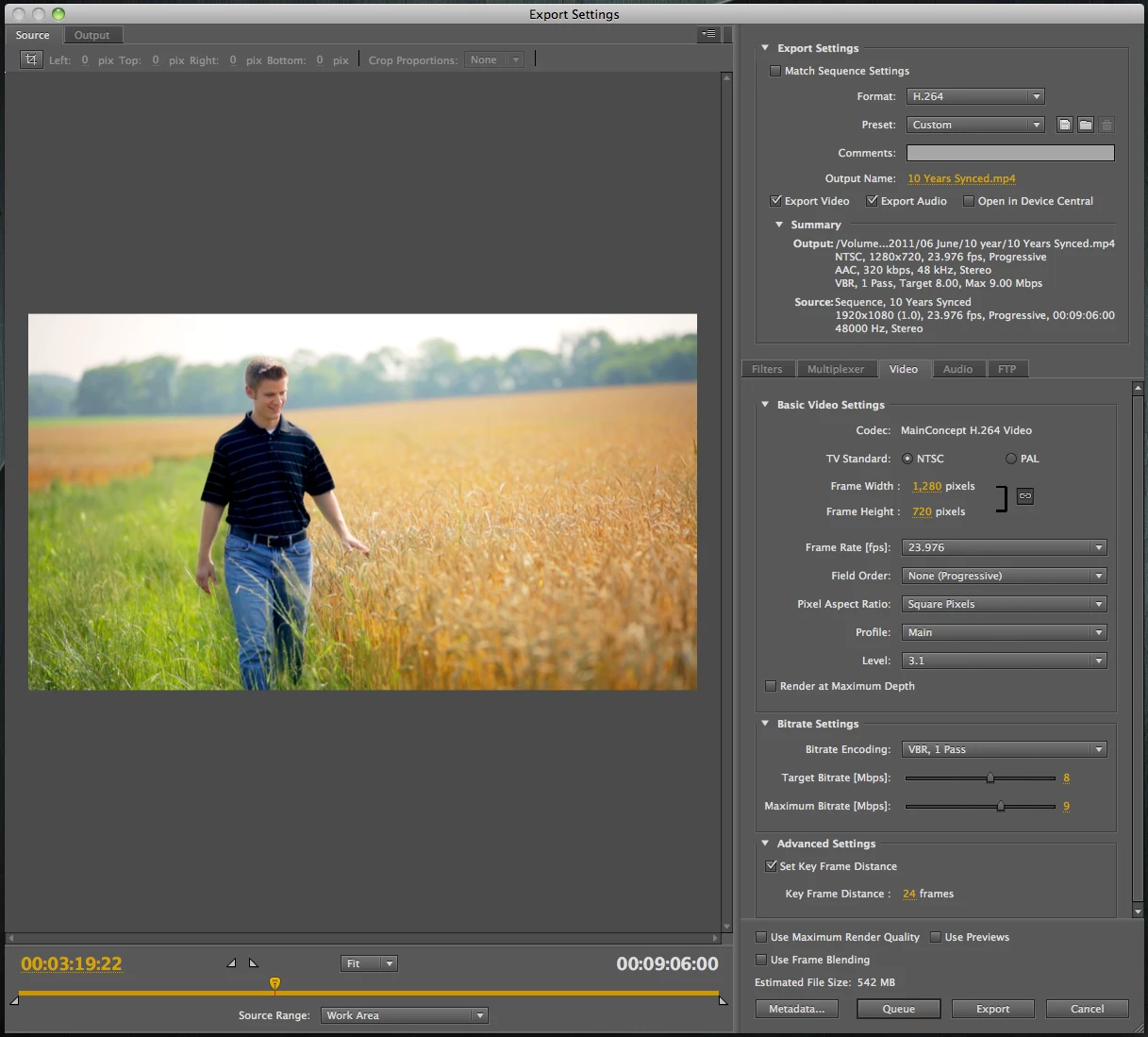
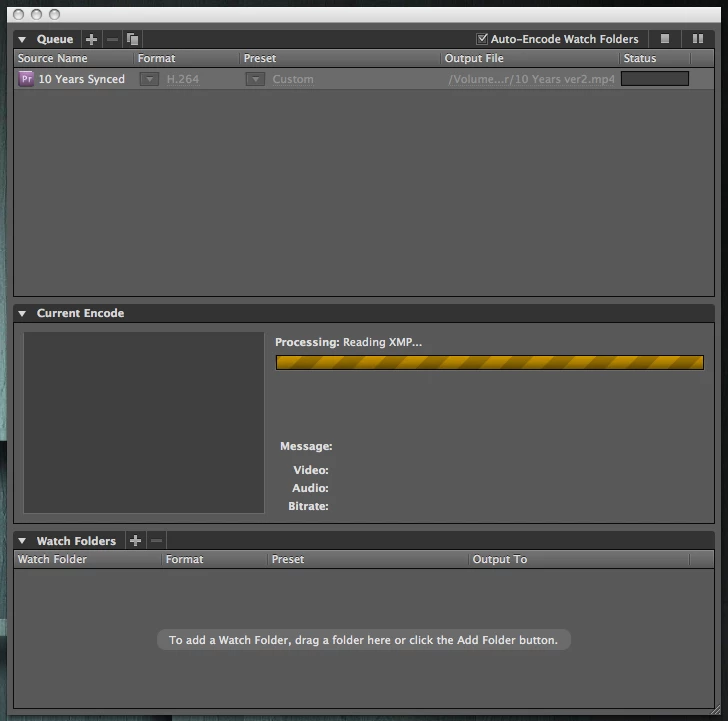
AME CS5.5 hangs on "Reading XMP"

  • July 7, 2011
  • 12 replies
  • 23760 views

Been having this issue ever since I upgraded to 5.5...

Finish a video in Premiere, export to AME, click the play/start encode. In the encode status, it gets to "Processing: Reading XMP" and simply hangs there indefinitely (hours). Clicking to stop/pause the encode doesn't actually stop it, only way to do anything is to force-quit AME. Then it won't re-open until a restart. Only way I can export my final video from Premiere is the direct export, which works well enough when it's a single video basis, but when I want to do a batch of exports, or continue editing something else while exporting, this completely puts me at a stand-still.

Any idea what's with AME just stalling out on me here?
    This topic has been closed for replies.
    Correct answer Dan LaDue

    Had the same issue...added 4 frames of black to the start of my video because I started with a time lapse and gfx over it..seems to have fixed the problem..

    12 replies

    Known Participant
    December 18, 2017

    Hi All, Yet another solution, if you're still stumped like me after reading this thread. I ran into this issue on CS6 AND even CC 2017 when working with timelapsed footage. CS6 would simply hang with no details as to why it hung on "reading XMP". In CC 2017, however, it showed that is was hanging on "audio preview 5 of 61".  I have a bunch of clips that are extremely sped up and evidently Premiere can't handle processing the audio or audio waves of those clips, EVEN IF you have that track muted for obvious reasons. It was attempting to render out 61 little audio preview clips that were sped up too fast for it, I assume. Once I deleted those since I didn't need them, exported like a charm. Hope this helps!

    achilleasd44460517
    Participant
    March 8, 2016

    Hey guys,

    Mine seems to be solved with above tips (@DaveTrayers post)

    But also i moused over the option "use rendered files" and it writes it only applies when exporting from Premiere, not AME.

    So, unticked that too with the other preferences on XMP from Dave and voila!

    Thx a lot !!!

    edit : It was not that simple it turned out... and i post for anyone that keeps having the problem.

    My sequence contained one image of 6000x4000 and 3 clips out of around 200 that had a 5.1 sound instead of stereo.

    my "reading XMP" error would appear when audio was to be exported with the video.

    If i were to export without audio, AME would work fine, but if i were to only export audio even without video, it would freeze the same way (even as mp3, even as .wav)

    I kept beating about the bush to try to find an alternative because this project relies on synchronization of audio to video and i could not risk a lengthy export to fail on synchronizing later.

    So..

    resized that image, changed all audio to stereo, it still wouldn't work and "normalize audio track" would also freeze inside PPr. CS6.

    Overall, nothing solved the problem!

    but i did find a guaranteed workaround.

    You need to manually delete all rendered files and start AME and open your project sequence through there (Import Premiere sequence)

    because if you open up PPR it immediately starts conforming files.


    That way, AME will start conforming files first and when it completes it will not hang on "reading XMP".

    Export time became 25 hours (for a 2hr 1080p .H264) because it has no rendered files completely but ... it worked!

    12 more hours for my project to be exported .... wish me luck :-)

    I hope this helps someone!

    i am writing this 4 days after my deadline!!

    achilleasd44460517
    Participant
    November 11, 2016

    I think the problem's solved!

    This took dozens of exports and deleting rendered files and trying to figure it out and i think i got it nailed!

    It has to do with forcing AME to render audio!

    This happens if you've made a change in audio in your timeline and did not render it before exporting.

    (I have the option to render audio after video disabled for ease of use)

    FIX : Last step before exporting : "Render Audio" and whatever you do DO NOT cancel it.

    Once canceled it freezes if you try rendering it again and may even crash Premiere.

    I suspect it passes a completed file to AME if you allow it to complete without interrupting

    otherwise AME is forced to render audio itself

    (maybe what we call "hang" is actually a background audio render attempt by AME that takes bloody ages or fails completely!)

    Setup :

    Adobe Premiere CS6 and AME CS6

    tried on both AMD AND INTEL setups

    Dan LaDueCorrect answer
    Inspiring
    February 16, 2016

    Had the same issue...added 4 frames of black to the start of my video because I started with a time lapse and gfx over it..seems to have fixed the problem..

    Participating Frequently
    August 24, 2013

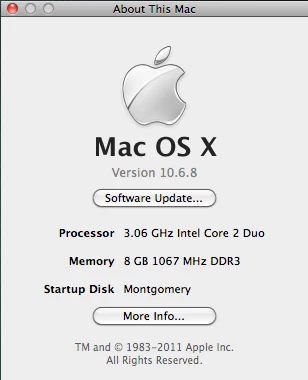
    I'm having the same problem with a fully up-to-date fresh install of CC on a Mac 2x2.66 GHz Quad-Core Intel Zeon with 12GB RAM running 10.8.4.

    Passing from AECC


    "Reading XMP" hang hang hang. I even turned off all metadata options and made an "all off" metadata output preset. Not cool. This is with any composition (even just AE solids) and any image sequence output template. Works fine from AE's Render Queue.

    I've tried all of the "solutions" mentioned here.

    daxmacrog
    Participating Frequently
    July 30, 2013

    Having the exact same problem with AME CC (Mac OS 10.8.4). Hangs indefinitely and no way to cancel except to Force Quit. My sequence does not contain any still images.

    Participating Frequently
    February 20, 2012

    Also now having the same issue with Media Encoder not start, just reading XMP file.....5.5.2

    And updates on this issue ??

    Dmitri Graf
    Adobe Employee
    Adobe Employee
    February 27, 2012

    Try restarting AME and make sure that dynamiclinkmanager process dies with it. If not, Quit that process through Activity Monitor.

    I've seen this issue in the past and for me it was due to dynamiclinkmanager not exiting.

    As noted above, it could also happen if you have some weird source in your sequence.

    Participant
    April 25, 2012

    Has there been any resolution to this?  I have even turned off "Write XMP ID Files on Import" and everything else in the Metadata preferences and still lockup on Reading XMP, pretty much every time it gets to the 2nd video in the queue.  It has never made it through an entire queue that was longer than 1 video.  Set 5 videos to render friday with the hope they would be done over the weekend.  It rendered the 1st one and was stuck the entire weekend.

    Here is my system-

    CS 5.5.2 (MC: 258762)

    Windows 7 64-bit)

    Intel Core i7-2600 3.4 GHz

    Video Card - Nvidia Quadro 2000 by PNY

    Mercury Playback Engine GPU Acceleration

    8 GB Ram

    No 3rd party plugins

    All recent updates installed.

    latest Nvida driver installed (april 3rd)

    Use dual monitors

    Known Participant
    December 5, 2011

    I also have this problem, which seemed to start with CS 5.5, AME 5.5 or 5.5.1. I'm on Mac OS 10.7.2, and it seems to happen 25%-50% of the time.

    When it gets into this state AME cannot be quit, it has to be force quit. Rebooting the Mac will temporarily cure it until the next time it happens, which is often.

    It doesn't happen with exporting directly from Premiere Pro CS 5.5.2. I usually am using AME 5.5.1 to encode H.264 for Vimeo or Youtube, either SD or HD quality. This is a siginficant problem and I'm wondering if there is a way to reset something to clear something out for AME to stop from hanging.

    Participant
    December 1, 2011

    I also have this problem, it is a rather significant defect in the software that makes the normal production flow unusable.  I depend on a lot of high resolution stills in making sports and other videos, where I pan and zoom photos to leverage different portions of the image.  Using low res photos is not a real option, it drives video quality degradation.  A fix would be great, since it used to work in CS4.

    November 16, 2011

    Having the same issue. I never had this before with CS5, 4, 3.....

    We need to encode 274 video for next week!!! (1 TB) I think we are in serous trouble. Impossible to encode with AME 5.5.1.12(64bit)

    I will try to find the problem tonight and let you know...

    Inspiring
    November 11, 2011

    I develop AME plugins and have a hunch as to what's happening. (far to technical to elaborate on though)

    Try exporting to another video type - does it do it still?

    What video format is your source (AVCHD, MPEG, HDV, DV etc etc)?

    Do you have Quicktime installed?

    I have a suspicion that you have a piece of source footage that doesn't have the appropriate decoder. (Premiere and direct AME video decoding works _slightly_ differently)