


New Participant
February 26, 2022
Answered

Colour management in Media Encoder

  • February 26, 2022
  • 2 replies
  • 2102 views

So I want to do a very simple transcode:

Sony FX6, Slog3, SGamut3.cine to Prores 422.

I don't want anything done to the footage, just a simple transcode.


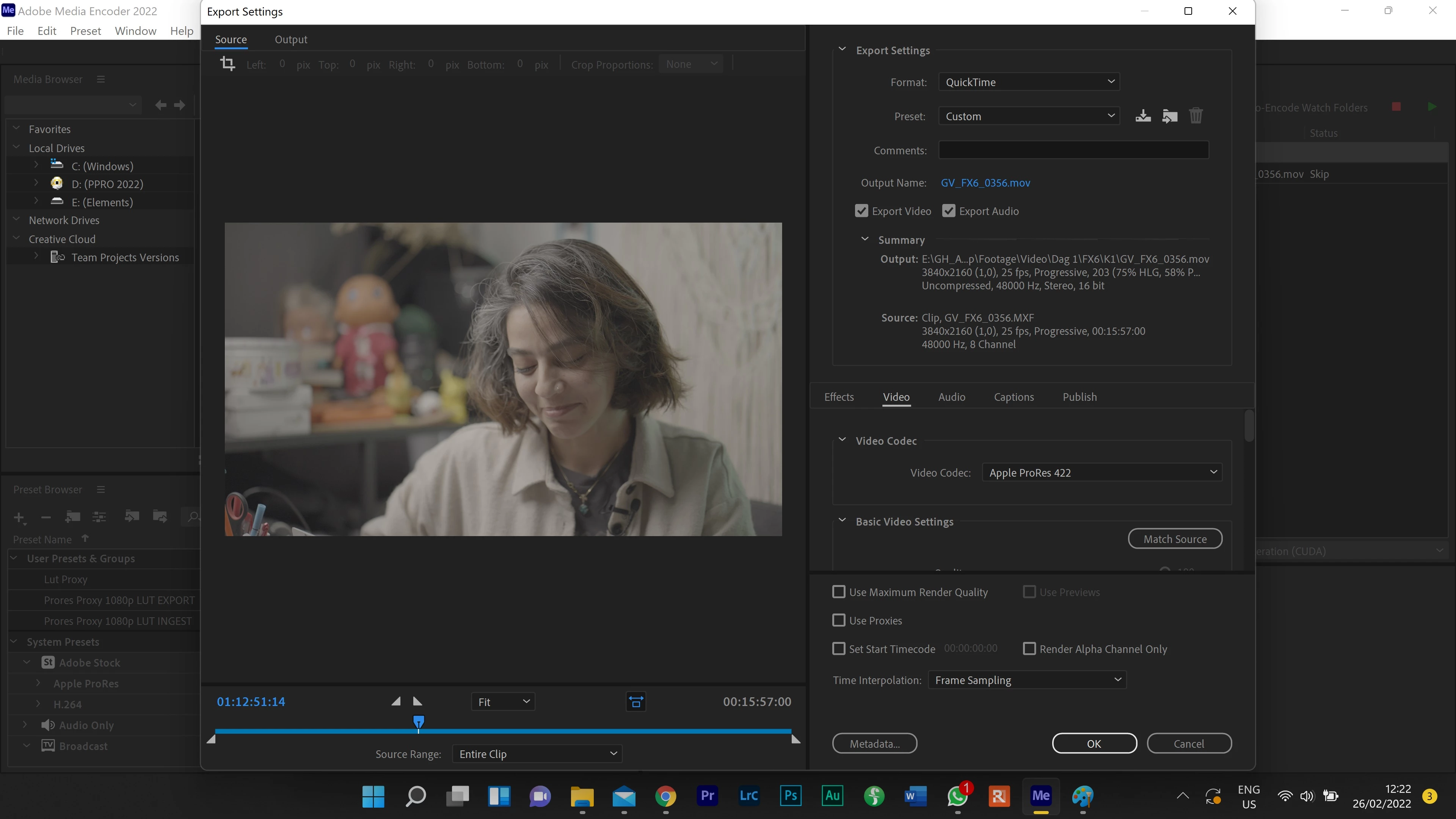
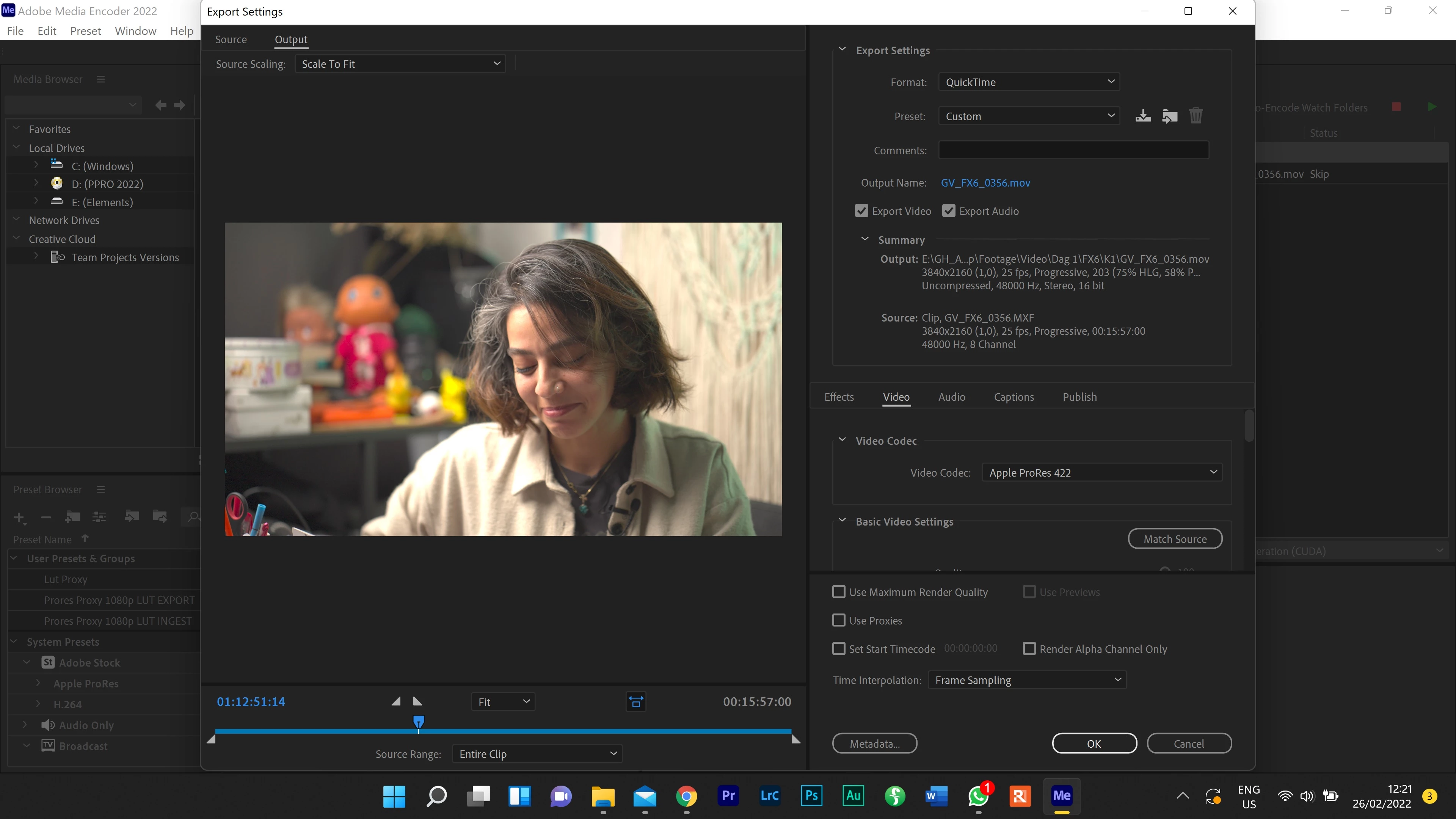
For some reason Media Encoder keeps trying to colour manage my lut footage, and breaking it in the process, giving me these weird overexposed and oversaturated files that cant be worked with.

I just want to keep the log files as a prores file. What is ahppening here, and how can I solve this?


I'm on windows 11,
Correct answer eckiAMETeam

Great!
Btw, that switch is obviously that new, that it even got no German translation jet. I is a honor to give you this now: "Automatisches Erkennen von Log-Farbmanagement"
Thank you from Germany
Christoph


Good catch. Thanks! I'll forward to the localization team. We have the correct string in 23.3 beta but not in 23.2 release.

2 replies

New Participant
September 16, 2022

I am having the same issue... its such a simple task... I wish Adobe would fix this... Since a year I have to do so many extra steps, interpreting footage... and I still cant do proxies in AME without getting a weird baked in LUT.


Please Fix!

R Neil Haugen
Brainiac
September 16, 2022

The "baked in LUT" isn't any such thing, it's just in a different color space ... as explained rather a number of times in so many threads. Don't know why people jump to "a baked in LUT" for so many things.


And yea, it's a right pain about color spaces and proxies. But for the computer to "find" the proxies easier than the original media, the proxies need to be ready-to-display, not needing interpretation. And this is the same whether in Resolve, Avid, or Premiere. So proxies are 'built' for (among other things) one color space in whichever app you're using.


Premiere has a completely rebuilt color handling system ... there is nothing from the previous system left in the coding. Which is a massive job. And unfortunately, they're not completely done yet. There's still more pieces in the public beta, and several things we'll get eventually that aren't even in the beta yea.


So we users have a semi-usable partial "solution" for several things, not ... ideal.


Eventually, like the other apps, users will have control of input space/transforms, timeline transforms, display transform, and export transforms. Oh joy, I know, but necessary with Rec.709 gonna be around a long time, and now P3, HLG, PQ, Rec2100, 2084, and 2020, eventually DolbyVision I expect ... and at times we'll need different combinations of that string of stuff.


A pain with proxies is ... you start say with an HDR deliverable expectation, so you make HDR proxies for your HDR timeline. Now grade for it ... and you're ready to do the SDR 'trim' grade.


Well, the proxies for HDR won't work on an SDR timeline, and no matter which app, you need to unlink the HDR proxies and make SDR proxies to use. Another ... joy ... of modern life.


Neil


Everyone's mileage always varies ...
Fotodesign-Wieboldt
Participating Frequently
February 8, 2023

Same with me, I e.g.want to export "Sony FX6, Slog3, SGamut3.cine" to YouTube: When exporting direct in Premiere Pro it works fine.
But when using the Media Encoder (Version 23.2) the source footage is not been interpretated correctly! I still have to use your workaround seen above and override the color management with the same what is already written in the footage file. The Media Encode can/do not read out of this file. Even not after one year, in the new version of Feb.2023! Poor Adobe!    

R Neil Haugen
Brainiac
March 2, 2022

The underlying color system in Pr2022 was completely rebult, from its previous Rec.709 based system to a more color-space agnostic system. Some things are working properly, and some ... ain't.


All HDR is log-encoded ... right? But some SDR (Rec.709) media is also log-encoded, but expected to be processed/displayed within the Rec.709 sRGB/100 nits dynamic range standards.


However, at this time, with certain Panny and Sony cameras, their log-encoded media is tripping Premiere up. It sees the log-encoding and wrongfully goes into HLG mode with the clips. They initially look like your exported sample on a sequence, and even if you get Lumetri to bring them back to a good view, on export ... Premiere runs them as HLG/HDR clips.


So for clips having this problem, you need to go to the clip in the bin, right-click/Modify/Interpret Footage, and use the Override to Rec.709 option. Then redo your color work, and make sure the sequence settings are also for a Rec.709 color space.


They've acknowledged this and we're all awaiting a fix.


Neil

Everyone's mileage always varies ...
Inspiring
March 30, 2022

Neil, 

I have recently spoken to an editor (running Windows 10) who is modify/interpret(ing) as you have suggested. He is still unable to export with AME Queue. Currently he is limited to rendering "Export" from  Premiere to maintain the desired color. 

R Neil Haugen
Brainiac
March 30, 2022

Have you tried exporting that with the public beta versions? I know a few color fixes are in the beta at the moment.


And you can open and work in the public beta, and go right back to working with the 'shipping' version without trouble.


Neil

Everyone's mileage always varies ...