


Participant
January 7, 2017
Answered

Delete Media Encoder Presets?

  • January 7, 2017
  • 1 reply
  • 4668 views

So, I tried to be sneaky and install the ProRes Media Encoder presets on my Windows 10 machine. Obviously they don't work. So now I've been trying to delete them from Media Encoder and.... I can't! It won't let me!

So basically, I have a giant list of presets that aren't even usable, and I can't figure out a way to delete them.
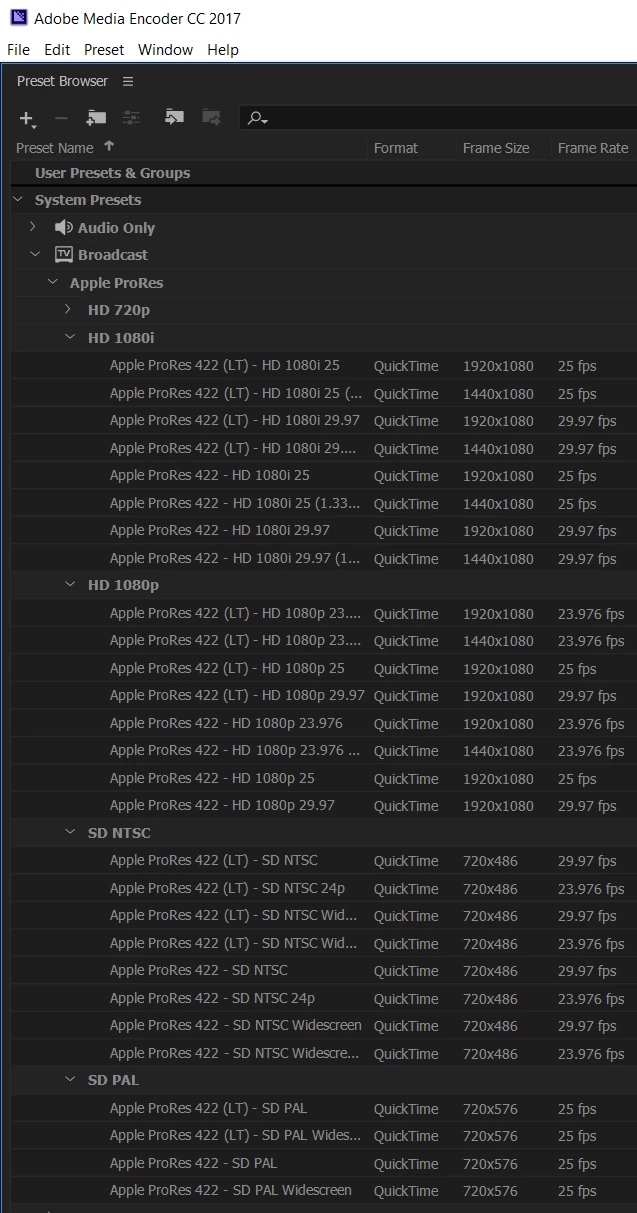
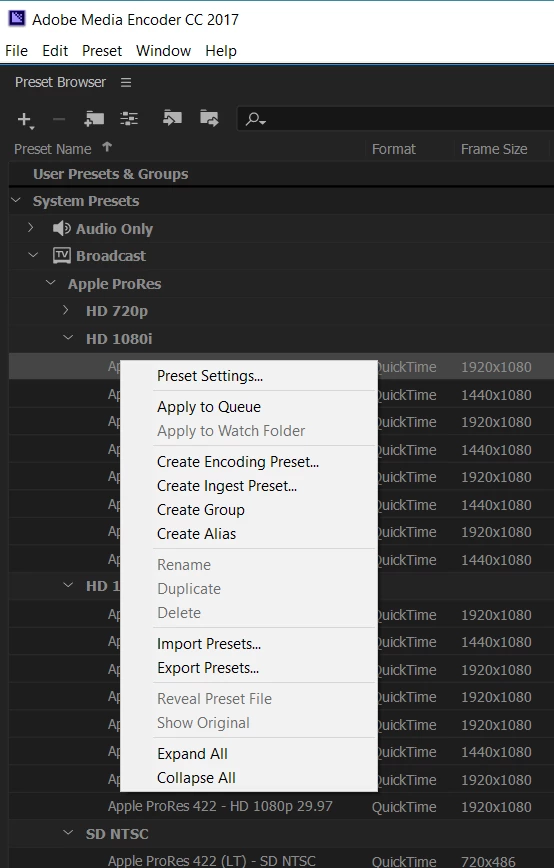
When I right-click on them, the "Delete" and "Reveal Preset File" buttons are both grayed out.
I've searched the forums, and I found that someone else had a similar issue and was able to find their presets at: C:\Users\Username\AppData\Roaming\Adobe\Common\AME\6.0\Presets  and then delete them manually. However, for me, I'm not finding any of my presets there. (And I'm on CC 2017, which means it'd be version 11.0, right? I'm not even seeing an 11.0 folder at all. Just the 6.0 folder because I have CS6 installed as well).

Any ideas for how I can remove these presets? I realize I was dumb to even try the presets in the first place, haha. But a man can dream about encoding ProRes on Windows through Media Encoder, right?

Thanks for your help.

This topic has been closed for replies.
Correct answer thnord

I had the same situation. I've tried to edit the XML to remove them. I've even deleted the only file in that folder and when I launch AME it rebuilds them ALL.

There are presets in there that I will NEVER use like a render for a SD to Tivo Series 2 DVR, or a Kindle, or a Nook. How to I remove these devices?

Thanks

Jeff


To delete system presets:


On Win:

  1. Go to c:\Program Files\Adobe\Adobe Media Encoder CC 20xx\MediaIO\systempresets
  2. Find the presets you want to remove and place them on your desktop (I recommend moving and not deleting in the event you want them back without having to reinstall)
  • Find the presets you want to remove and place them on your desktop (I recommend moving and not deleting in the event you want them back without having to reinstall)

I should point out that we don't generally recommend users modify contents of the application directory so do this at your own risk.

1 reply

Participant
January 12, 2017

Really, nobody has a solution for this? Any Adobe employees know how I can get these removed from Media Encoder? Any help is appreciated.

Adobe Employee
January 12, 2017

You can delete

C:\Users\<User Name>\Documents\Adobe\Adobe Media Encoder\11.0\Presets

Jeff-fa-fa
Known Participant
June 29, 2017

I had the same situation. I've tried to edit the XML to remove them. I've even deleted the only file in that folder and when I launch AME it rebuilds them ALL.

There are presets in there that I will NEVER use like a render for a SD to Tivo Series 2 DVR, or a Kindle, or a Nook. How to I remove these devices?

Thanks

Jeff