


lexus augustac97134306
Participant
November 17, 2018
Answered

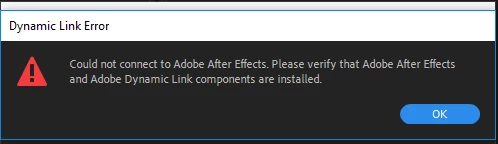
Dynamic Link Error in Media Encoder: "Please Verify Dynamic Link components are Installed"

  • November 17, 2018
  • 1 reply
  • 6075 views

I tried Exporting a composition in After Effects to the Media Encoder Queue, Once I opened the Media Encoder, I went to find the composition and it was not present. I Saved the composition as an .aep file on my desktop and dragged it into Media Encoder and it gave me this Error.  I have updated After Effects and Media Encoder to their latest versions as of 11/17/2018.
I am new to the Adober Creative Cloud and I have search all over the forums for something relating to this and could not find anything. I am not sure how to resolve this. Please help!
This topic has been closed for replies.
Correct answer lexus augustac97134306

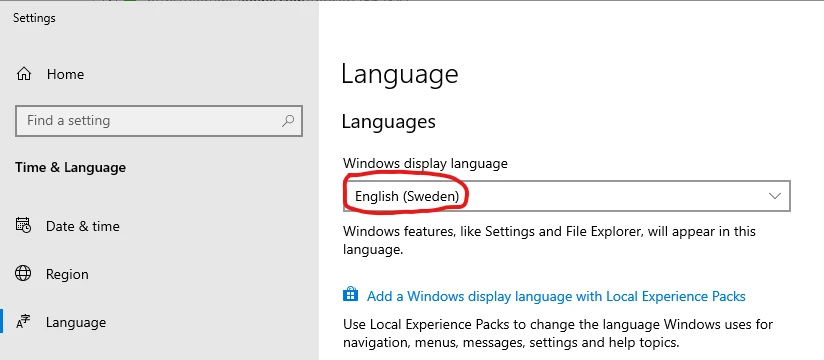
Yes it can be. If you use let´s say a Swedish version of Windows, Adobe Media Encoder will automagically be "Swedish", iow swedish menues, etc. This is an issue.

What OS do you use and which display language do you have?


Thank you for trying to help!

I ended up caling Adobe and they were very helpful.  They ended up renaming the Adobe files and re-downloaded them.  They said this actually resets all of the preferences.  Anyway. This worked and it is working now.

1 reply

Averdahl
Community Expert
Community Expert
November 18, 2018


"This could be caused by mismatch languages between OS and AE/AME.   If they are not currently matching, could you try switching OS language to the language set for AE/AME to see if this helps?"

Worth trying!

lexus augustac97134306
Participant
November 19, 2018

It cannot be OS, I have a Dell Precision Laptop, could there still be a language mismatch? 

lexus augustac97134306
lexus augustac97134306AuthorCorrect answer
Participant
November 19, 2018

Yes it can be. If you use let´s say a Swedish version of Windows, Adobe Media Encoder will automagically be "Swedish", iow swedish menues, etc. This is an issue.

What OS do you use and which display language do you have?


Thank you for trying to help!

I ended up caling Adobe and they were very helpful.  They ended up renaming the Adobe files and re-downloaded them.  They said this actually resets all of the preferences.  Anyway. This worked and it is working now.