Participating Frequently
July 13, 2023
Answered

Encoder is not assuming Premiere sequence names.

  • July 13, 2023
  • 2 replies
  • 1398 views

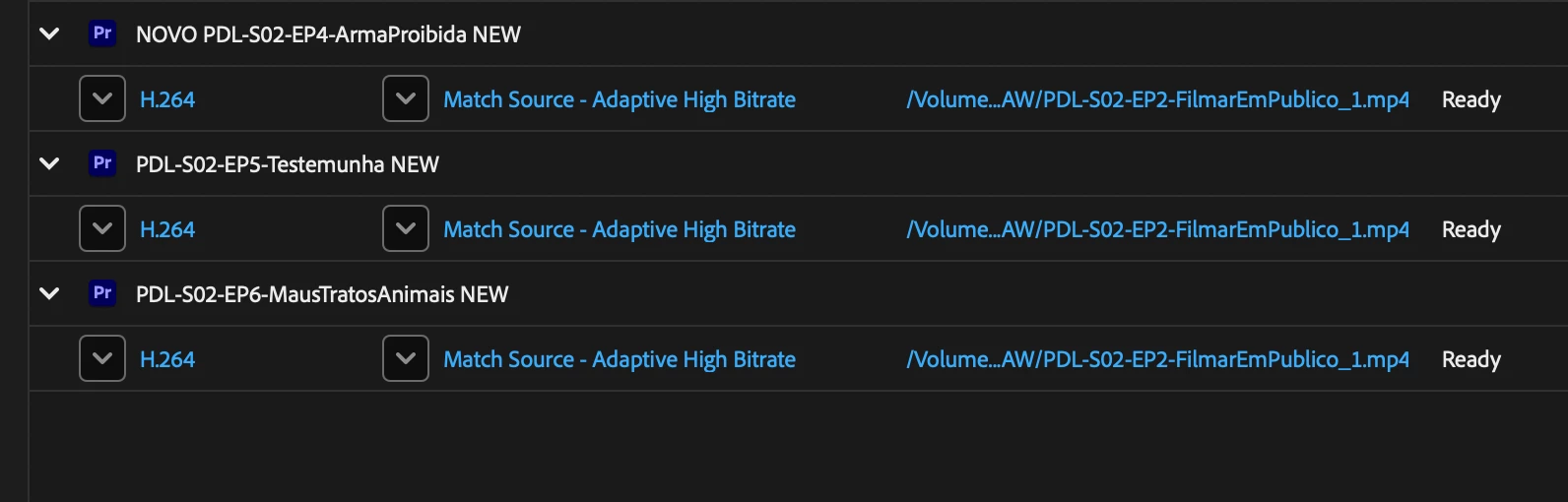
When exporting from Premiere (23.4.0) to Encoder (23.5) the exported files don't use each sequence name but keep on using the same name of an old sequence (that was exported in the past). Any idea why this happens (it happens in -at least- a couple of projects), am I missing something?.
This topic has been closed for replies.
Correct answer CrescentD

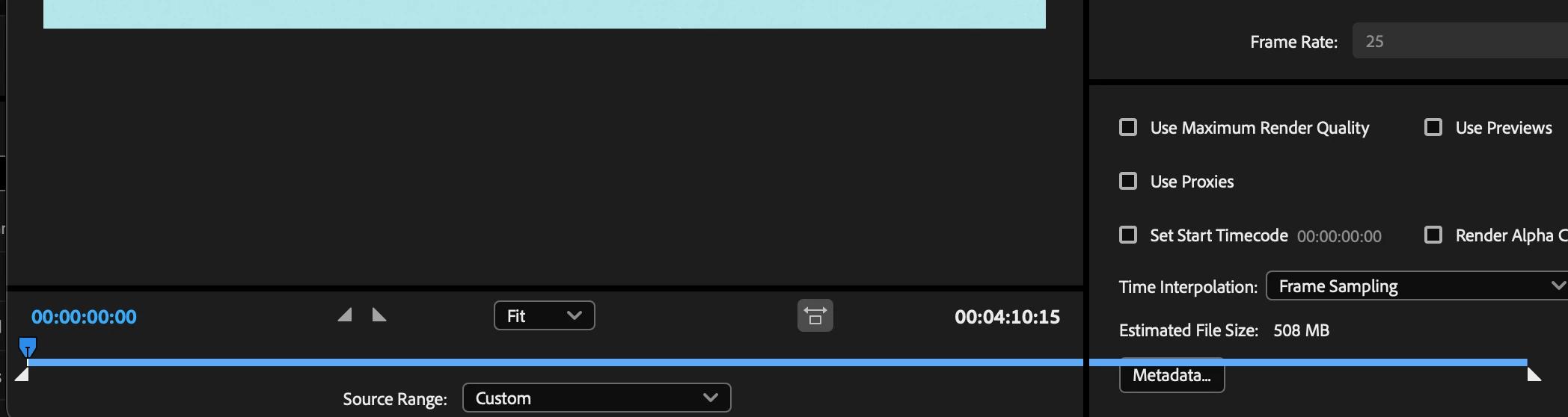
I did new projects with new compositions in Premiere and when exporting to the Media Encoder the names are (for now) correct, but the "Source Range" is set to "custom" by default, meaning that all files are exported with the same duration (that is not the duration of any of the compositions being exported). I use the "Export > Send to Adobe Media Encoder" workflow. 


Update: it seems to be happening when I go to the drop down menu: File/Export/Send To Adobe Media Encoder but NOT when I go File/Export Media and then Choose: Send to Media Encoder button - then it seems fine. 

2 replies

Community Expert
July 22, 2023

Double-check that there are no file separators in your file paths, project names, Sequence names, and source footage filenames like : colon, / forward-slash, and \ backward-slash as well as no special characters (punctuation marks, parentheses, quotation marks, brackets, and operators) like ( ) ! ; " ' * ? < > |.

For example, "/Volumes/Media_006/Documents/3-2 Pulldown" is fine while "/Volumes/Media_006/Documents/3|2 Pulldown" is not.


Adobe Employee
July 13, 2023

First of all, please make sure that Premiere Pro and Adobe Media Encoder versions do match.

Participating Frequently
July 13, 2023

I detected the problem using 23.4 versions of both Encoder and Premiere. I did update Encoder to 23.5 and the problem persisted (hence the post). Now I'll be also updating Premiere to version 23.5, so let's see if the bug gets resolved with that update.

Participating Frequently
July 14, 2023

Still trying to understand what is going on: Is the Premiere Pro Export Mode showing the wrong file name (e.g. from the last encode)? Or is Adobe Media Encoder using a different path despite the Export Mode Setup?


Maybe it's easier to understand this problem with an example:
I have a PremierePro project called "2023 Promos".
In this project I have several Sequences, like:
"CARONLINE Promo 58",
"CARONLINE Promo 59",
"CARONLINE Promo 60",
"CARONLINE Promo 61".
When I send them to Encore, all the resulting file names from these 4 sequences are:
"CARONLINE PROMO 56_1.MP4" (or some variation with incremental numbering).
This happens in more than. one project.
The only solution has been to manually change the output file names one by one. Usually before pressing "Start Queue" on Encore or, when Encore decides to use numbering in sequence (like "CARONLINE PROMO 56_1.MP4", "CARONLINE PROMO 56_1_1.MP4", etc.), after the export is done on Finder.