


New Participant
November 12, 2019
Question

export settings for converting Avid mxf OP1a to mp4 for vimeo use

  • November 12, 2019
  • 1 reply
  • 1024 views

Hi all,

Would be grateful for some help. I've shot some footage on a Sony FS7, edited and graded in Avid Media Composer and run it through Adobe Media Encoder to get it on vimeo. As you can see from the attached screengrab, the vibrant colours and contrast disappears on output. The first is the exported MXF file and the second the resulting mp4 file from AME. I'm doing a VBR 2-pass at 35Mbps. Is there something I'm doing wrong? The footage looks so nice but I can't get it to look like that on the web 😞 Thanks in advance.
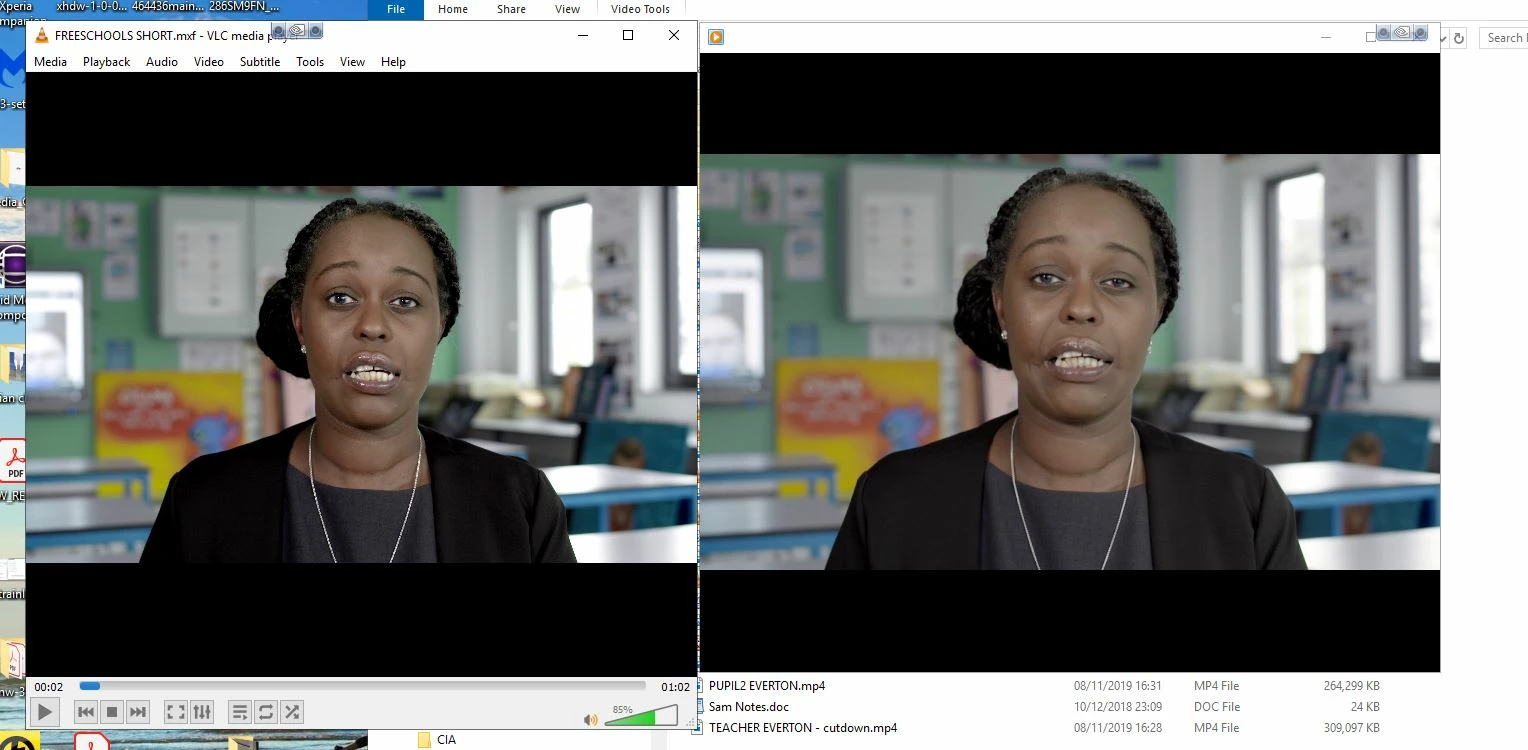
 

This topic has been closed for replies.

1 reply

Brandon Loshe
Brainiac
November 13, 2019

A lot of possible explainations here. Here is featured content from the Premiere Pro forums that should answer some questions better than I can. Even though it's Premiere Pro, the explainations still apply.


https://community.adobe.com/t5/Premiere-Pro/quot-Why-does-my-footage-look-darker-in-Premiere-quot-Color-Q-A/td-p/4788414


Gotta warn you, though. This is a loaded answer to a loaded question. Perhaps you can watch the video first, and see if that gives you more accurate color results.

New Participant
November 13, 2019

Hi Brandon,

Many thanks for this. I have had a look through this and tried to follow along.. I've also discovered there's a 10 bit encoding setting in AE that can be checked called 'High10'. This has proved to be a gamechanger. Checking this along with Rec2020 colour primaries and 'Render at Maximum Depth' seems to get me as close to the original as I need it to be. 

Trouble is I now have a few white speckles in the blacks which I'm trying to figure out how to eliminate..