

Answered
File Size Adjusting Feature is missing in current version (23.0.1)
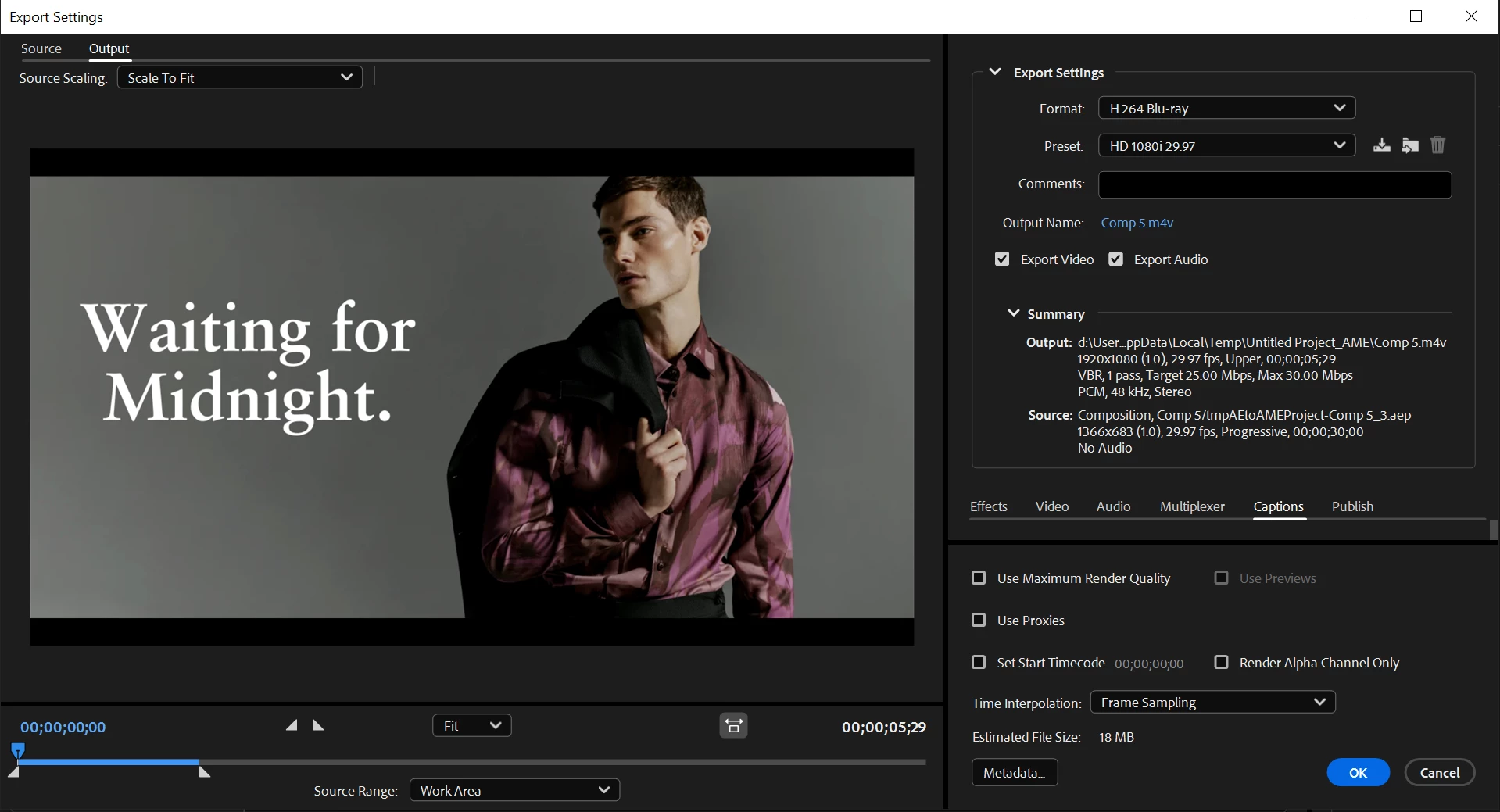
Hi I am trying to adjust the file size in media encounter but now there is no option for adjust the file size.
Is that removed?

Hi I am trying to adjust the file size in media encounter but now there is no option for adjust the file size.
Is that removed?
This has not changed. Your Export Settings window is just too small vertically. It is hiding all the settings in the Video tab. "Use Maximum Render Quality" is in a section below all that. Just drag the whole window bigger.
Stan
Already have an account? Login
Enter your E-mail address. We'll send you an e-mail with instructions to reset your password.
 AdChoices