


StarSMASH
Participant
March 30, 2019
Answered

how to switch videos in media encoder

  • March 30, 2019
  • 2 replies
  • 2822 views

Is there anyway to pause the current video I'm queueing  in the media encoder in favor of another video?  Or would I have to wait until the first video is finished queueing  or cancel it out for it to queue a different video? I've tried pausing the current video that is rendering and queueing the other video, but every time i click" ready" it just renders the first video instead.
This topic has been closed for replies.
Correct answer OussK

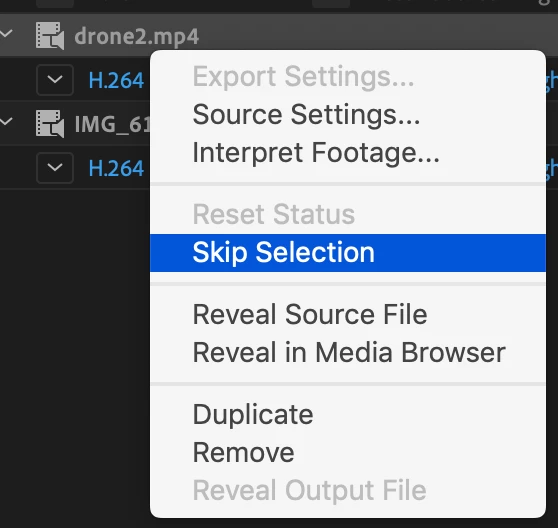
you can't pause and start a new render but you can skip some file from the queue, so when AME finish the existing you can skip all the follow queue till you get the one you want to render next

to do this just right click and skip and sure your can reset the status later

also simply you can reorder the queue by drag and drop,

2 replies

OussK
Community Expert
OussKCommunity ExpertCorrect answer
Community Expert
March 30, 2019

you can't pause and start a new render but you can skip some file from the queue, so when AME finish the existing you can skip all the follow queue till you get the one you want to render next

to do this just right click and skip and sure your can reset the status later

also simply you can reorder the queue by drag and drop,

imeilfx
Inspiring
March 30, 2019

And that is the way how AME works. The only way to start renering next position on the list it have to finish the first one or cancel the first one.

StarSMASH
StarSMASHAuthor
Participant
March 30, 2019

thank you